Same photo, new mood
Composition, people and faces are kept as they were. Only the light and colour change.
Image trend
Upload any photo: a landscape, a street, a portrait. Everything stays where it is, but the colour fades smoothly from warm highlights to cool, muted shadows, with soft haze and grain.
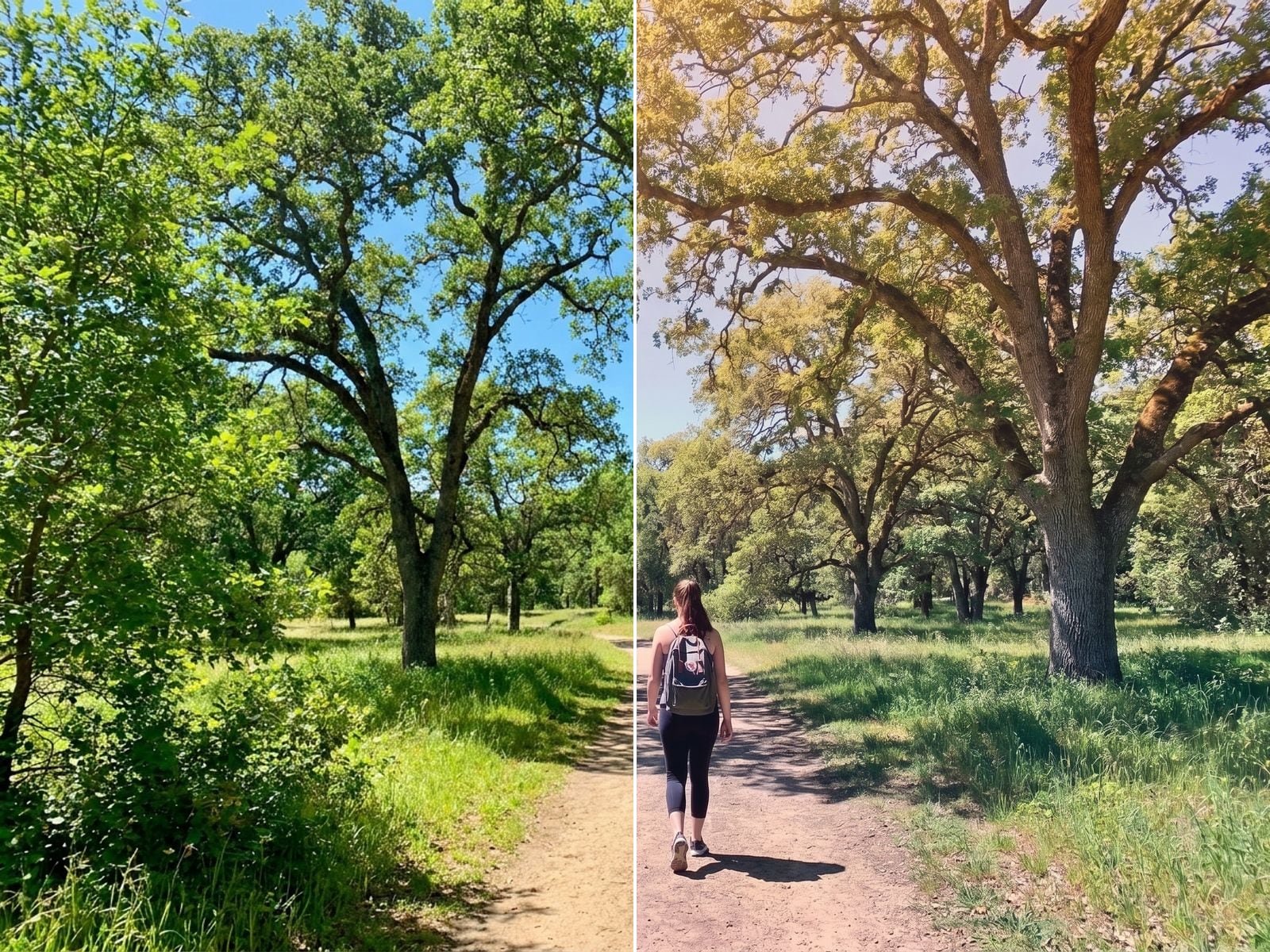
A smooth, hazy colour gradient across your own photo. Add one clear photo; the look is already set.
Any photo: a landscape, a street, a portrait.
Pick any photo you want to re-grade.
Soft haze and a smooth colour gradient are applied in about a minute.
Save the image in the same shape as your original.
Composition, people and faces are kept as they were. Only the light and colour change.
Warm highlights fade into cool, muted shadows, with low contrast and fine film grain.
Landscapes, city streets and portraits all take the grade well.
One: any photo you want to re-grade.
Your photos are used to make your image. Only upload photos of yourself, or of people who have agreed to it.
Check your plan's terms for what you can do with generated images. They apply to your result.
About a minute. You can leave the page; the finished Color Gradient image is saved to your assets.
No. The aim is to keep your composition, subjects and faces as they are and only change the light, colour and atmosphere.
Pick a premise, choose the right photo, and turn one finished image into a post worth sharing.
Color gradient photo ideas: which shots to re-grade, how to build a before-and-after carousel or a matching photo set, and what to check in the hazy result.
Compare Oakgen's Color Gradient grade with teal-and-orange prompts, grainy film edits and gradient overlays by contrast, colour, texture and photo fit.
One photo, about a minute. The same moment, in softer, graded colour.