A marker on a board
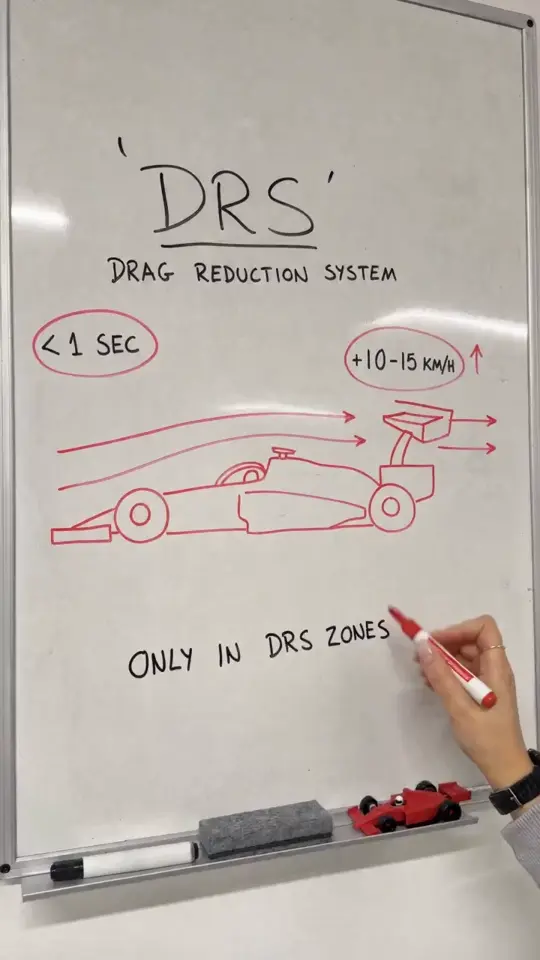
The recipe is built around a physical whiteboard, not a digital animation: a hand writes your heading in black marker, sketches the diagram in red and adds your labels.
Draw it. Explain it.
One idea, drawn into motion. Describe a topic and get a video of a hand sketching your diagram on a real whiteboard, adding a few short labels and ending on a clear takeaway.
No photo needed. Describe one idea; the board, the hand, the markers and the timing are already set.
Sign in and open the Whiteboard Explainer. Add a heading of up to 32 characters, describe the one diagram you want drawn, add up to three short labels and write a final takeaway.
Write a short voiceover script of up to 300 characters, or leave it empty for marker sounds only. The full prompt is shown before you generate, and you can copy it.
The price in credits is shown on the button before you generate. Seedance 2.0 renders a 15-second vertical video at 720p. Check the lettering and the facts before you share it.
The recipe is built around a physical whiteboard, not a digital animation: a hand writes your heading in black marker, sketches the diagram in red and adds your labels.
The 15 seconds follow one order: heading, diagram, labels, takeaway, then a hold on the finished board.
Add a script for an English voiceover that reads it once, or leave narration empty for marker squeaks and room sound with no speech.
Your fields are the only part that changes. You can read the complete prompt and copy it before spending any credits.
An Oakgen tool that turns one topic into a 15-second vertical video of a hand drawing and labelling a diagram on a whiteboard. You supply the heading, the diagram description, up to three labels and a takeaway.
A heading (up to 32 characters), a description of one diagram (up to 600 characters) and a final takeaway (up to 48 characters). Up to three labels of 24 characters each and a narration script of up to 300 characters are optional. No photo is needed.
15 seconds, vertical 9:16, at 720p. These settings are fixed for this tool.
Seedance 2.0. Your topic is sent with a fixed style reference clip, so the result keeps the same whiteboard look.
Yes. Write a short narration script and the video is generated with an English voiceover reading it. Leave it empty for marker sounds and room ambience with no speech.
The price in credits is calculated for you and shown on the Generate button before you start. You need to be signed in to see it.
No. It is the style reference the tool uses for the look of the board, the hand and the markers. Your video is drawn from a blank board with your own topic.
Not always. AI video can misspell words, so keep board text short and check the lettering and the facts in the finished video before you share it.
Yes. You can leave the page and come back while your video renders. Your finished explainers are listed on the tool page.
Bring one idea. The board, the hand and the markers are set.