The whole move, one take
The reference is a single pitch-side tracking shot with no cuts. It sets every touch, the flick over the goalkeeper, the pause on the ball and the finish, from the first frame to the last.
Video trend
Round the keeper, let two defenders slide past and roll it in.
Upload a clear photo for the performer you want to replace. The scene and its choreography are already set.
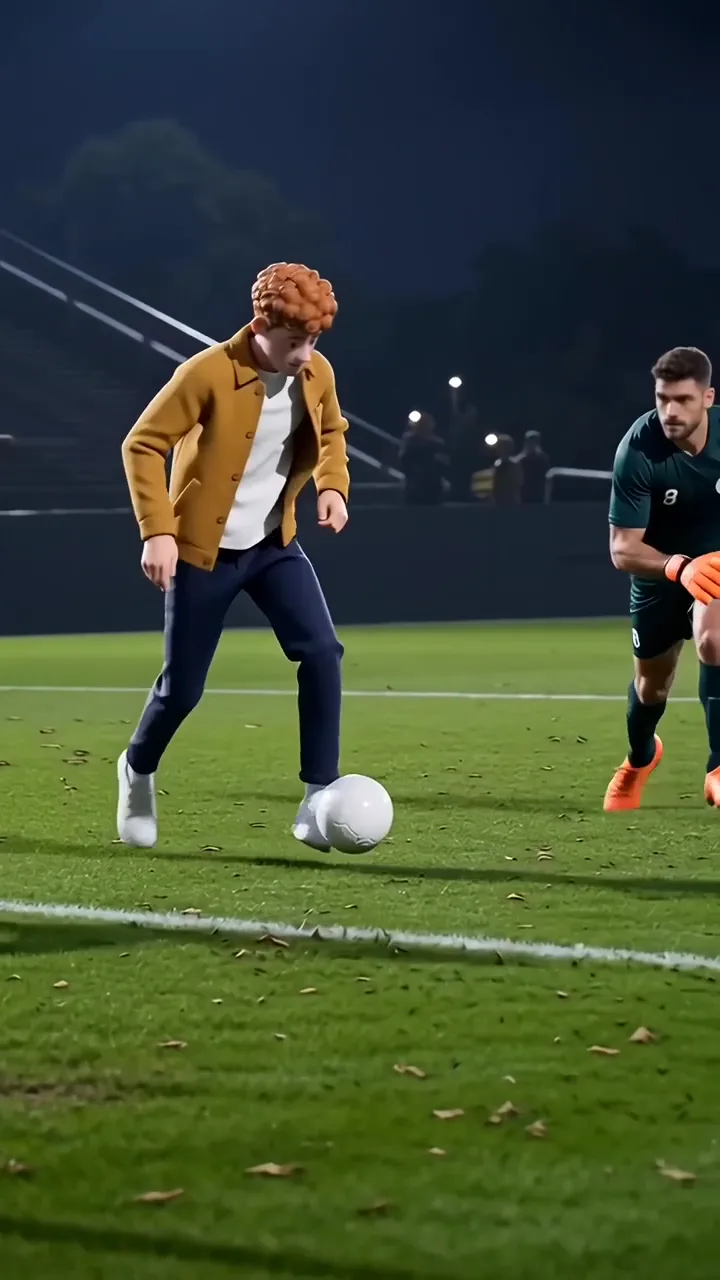 Goalscorer
Upload one clear photo of the person who should score, ideally showing them head to toe.
Select 480p, 720p or 1080p. The price shown includes preparing your photo.
Check the move from the first touch to the finish, then download your 15-second vertical MP4.
The reference is a single pitch-side tracking shot with no cuts. It sets every touch, the flick over the goalkeeper, the pause on the ball and the finish, from the first frame to the last.
Nothing of the original performer is kept. The goalscorer is recreated from your photo on a floodlit pitch, with an invented goalkeeper and defenders in plain green kits.
Your photo is prepared with a faint facial wireframe, then used as the character reference for the face, hair, build and clothing. You play in whatever the photo shows, so pick the outfit you want to score in.
Oakgen copies the reference audio into your finished video. Review your AI video before you share it.
No. This template follows the full restaged Ludogorets goal sequence: lift the ball over the goalkeeper, wait past the defenders and finish into the empty net. It has no move selector for a separate bounce-shot clip. Preview the fixed sequence before uploading your photo; this is an AI restaging, not match footage.
Follow the ball from the first touch through the lift over the goalkeeper, the pause as the defenders slide and the final roll into the net. Check the scorer’s feet and the ball together, as well as the face and outfit. A convincing opening frame does not establish that the whole move is coherent.
Preview any crop through the full move, not just the scorer’s close-up. Keep the ball, the scorer’s feet, the goalkeeper and the goal visible when each matters to the action. A tighter crop can remove the very touch or finish that makes this sequence recognisable.
It is a Reels and TikTok format that puts someone unexpected into a restaging of Mesut Özil's late winner for Arsenal at Ludogorets on 1 November 2016: he lifted the ball over the goalkeeper, waited while two defenders slid past and rolled it into the empty net.
Open the Özil Goal tool, add one photo, choose a quality and generate. The movement, timing and audio are already set, so there is no prompt to write.
Yes. Your photo is prepared with a faint facial wireframe while preserving the face, hair, build and clothing visible in it. The video uses that prepared photo, so you play in the clothes you upload. AI results can vary, so review the finished video.
No. The video does not contain broadcast footage of the match or of any real player. A line-drawing of a restaged version sets the movement and framing, and the whole picture is generated to match it with the person from your photo.
The goalkeeper and the defenders are invented footballers in plain green kits with no badges or names. Only the goalscorer comes from a photo.
Yes. Choose 480p, 720p or 1080p before generating. The default is 720p. Higher resolutions cost more; your selected price is shown before you start.
Use a clear photo of yourself or of someone who has given you permission, with their face, hair and clothing visible and nobody else in the picture. The model can reject photos, including realistic photos of people; a rejected generation is refunded.
1,912 credits per 720p video. This includes preparing your photo. The selected price is shown before you generate.
Render time varies with quality and demand. You can leave the page while it runs; the finished video is saved to your assets. Failed generations receive an automatic credit refund.
No. Oakgen is independent and is not affiliated with or endorsed by Mesut Özil, any club, any competition or the creators of other versions of this format. The preview on this page is an Oakgen example made with an invented character.
Yes. Review your video, then download the MP4 from the tool or your assets.
Plan a story, keep your character recognizable, and make the finished clip your own.
Plan an Özil Goal AI fan edit around a calm character, with a setup caption before the move, the punchline after the finish and checks for the ball.
Use Özil Goal when the football action is the story and Enzo Fernández Celebration when the win happens off screen, with framing tips and checks.
Review hands and props in AI trend videos by listing each contact event, checking before, during and after it, then deciding if a trim, crop or retry fits.
Upload 1 photo. Everything else is set.