The real performance
Other apps build a fake booth from your photo. We use the actual clip, so every beat of the choreography is the one people know.
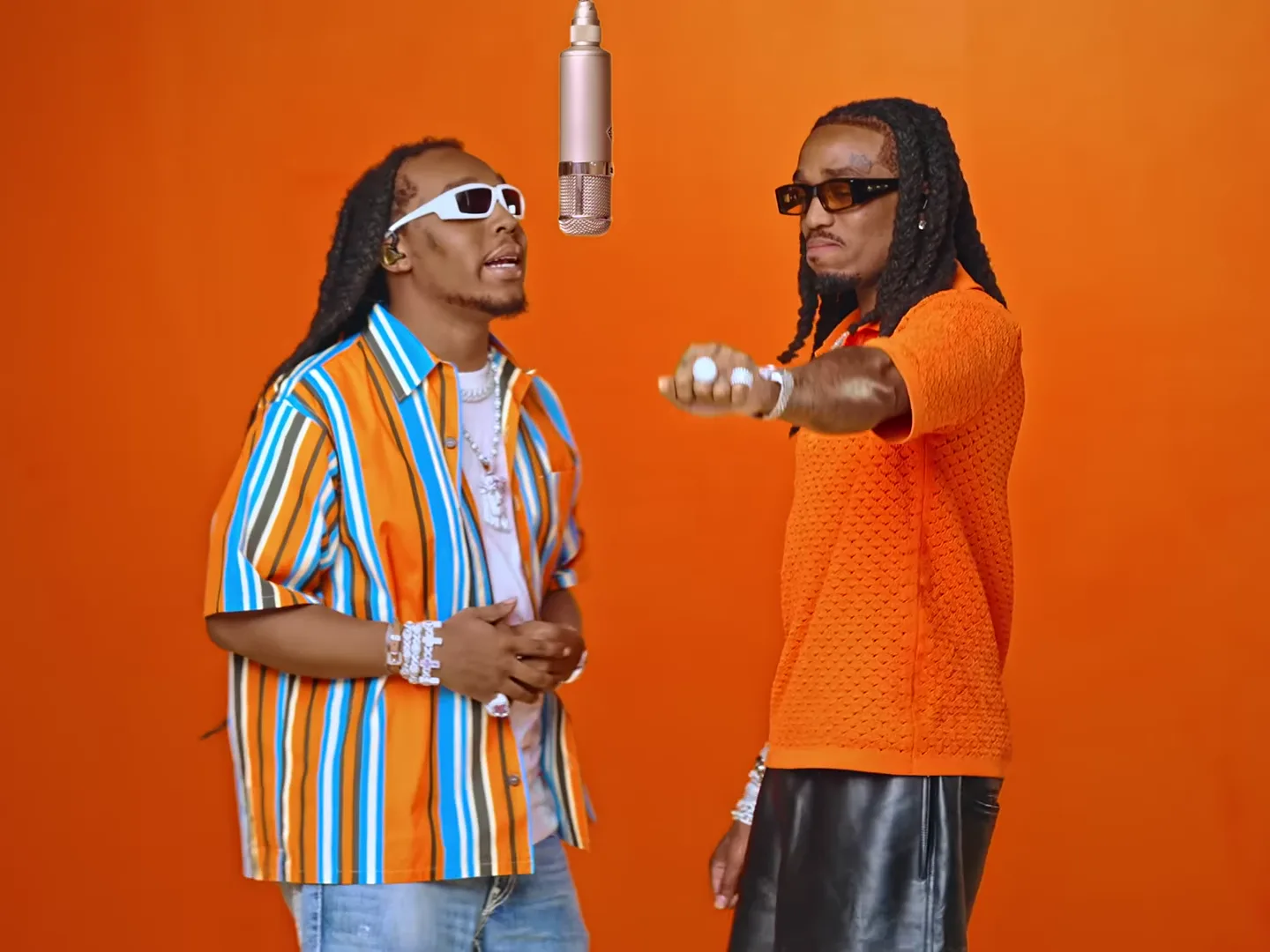
Upload a selfie and step into the orange booth. Same song, same moves, same mic, with your face on one performer or both.
Left: the original clip. Right: the same clip with two faces swapped in on Oakgen.
Why it looks right
Most trend apps generate a lookalike set from your photo. We start from the actual performance and change only the faces.
Other apps build a fake booth from your photo. We use the actual clip, so every beat of the choreography is the one people know.
The original audio comes through untouched. No re-recorded knockoff, no generic stock beat.
Your face goes onto the performer and follows every head turn, lyric and glance for the whole clip.
Take the left spot, the right spot, or add two selfies and put you and a friend in together.
How it works
Drop a selfie on the left performer, the right one, or both.
Your face is mapped onto the real clip, frame by frame. It takes about five minutes.
Get a 10-second video in up to 1080p with the original audio, ready for Reels, TikTok and Shorts.
Made on Oakgen
Tap the speaker on any clip to hear the original track.
Photo tips
Photos of celebrities or public figures are rejected. If a video can't be made, your credits come back automatically.
FAQ
It's a viral clip from a COLORS studio session: two performers in a bright orange booth trading lines under a hanging mic. People are putting themselves in it, and Oakgen lets you do it with the real footage.
Upload one or two selfies and choose which performer each one replaces. We swap your face onto the original clip, so the song, the choreography and the camera work stay exactly as they were.
Either. Add one selfie to take the left or right spot, or two selfies to put you and a friend in together. The price is the same.
We don't allow photos of celebrities or other public figures, and we need a single clear face to work with. Try a sharp, front-facing selfie in even light, with no sunglasses. If a generation fails, your credits are refunded automatically.
About five minutes. You don't have to wait on the page. The finished video is saved to your assets.
572–2,860 credits per video depending on quality (480p: 572, 720p: 1,144, 1080p: 2,860). Same price whether you swap one face or two, and it's shown on the Generate button before you start.
Yes. The output is a 10-second clip in 480p, 720p or 1080p with the original song, so it's ready to post as-is.
Yes. Download the MP4 straight from the tool or from your assets and post it anywhere.
One selfie, the real song, about five minutes. Bring a friend for the other mic.
Put yourself in the Hotel Lobby