The scene people recognise
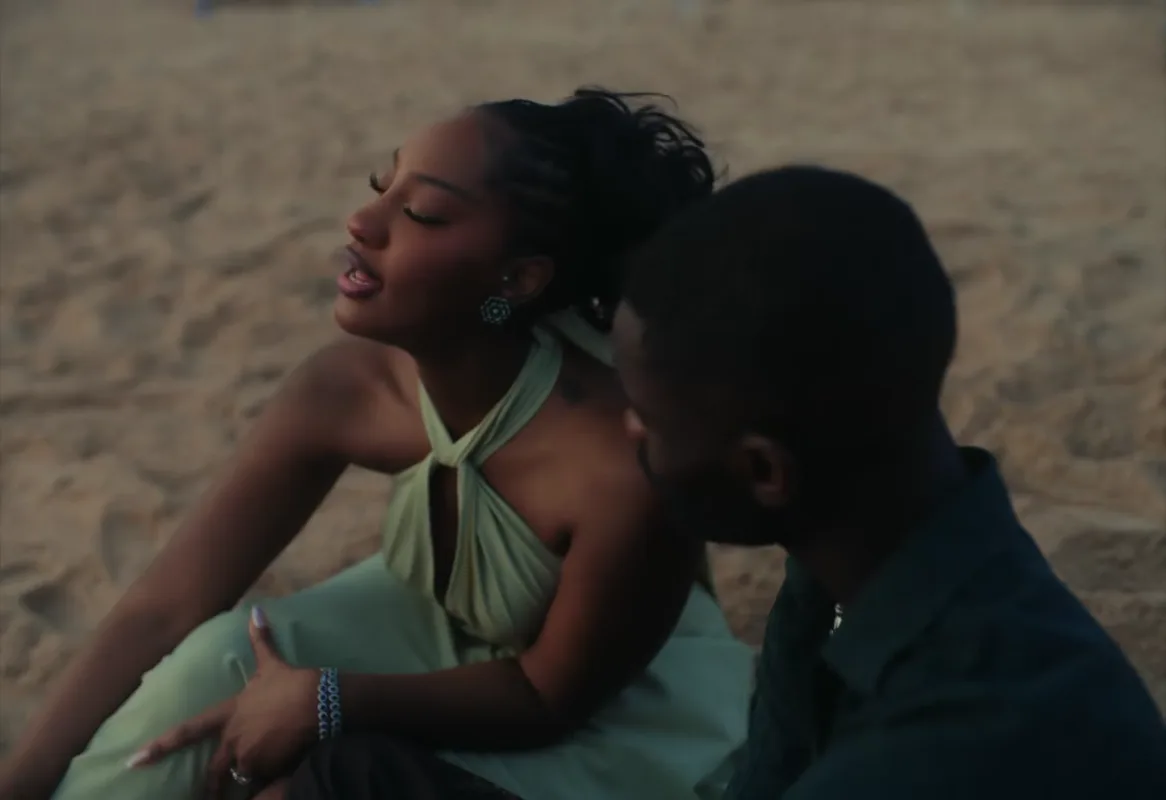
The edit starts from the music video itself: the wooden pier, the water close-ups and the beach at sunset, in the original shot order.
Video trend
Step into the Raindance pier and beach scene.
Upload a clear photo for the performer you want to replace. The scene and its choreography are already set.
 SingerPartner
Add a photo for the singer in the pale green dress, the partner in the dark green shirt, or both.
Use a clear photo of one person per role, with their face, hair and outfit visible.
Check each shot, from the close-ups to the final silhouette, then download your MP4 when you are happy with it.
The edit starts from the music video itself: the wooden pier, the water close-ups and the beach at sunset, in the original shot order.
Take the singer’s part, the partner’s part, or add two photos and appear together. The price is the same either way.
Each photo guides a performer’s face, hair, build and clothing. Show the outfit you want, because it replaces the original one.
Oakgen copies the source audio into your finished 27-second video. Review how the singing lines up before you share your AI edit.
People are placing themselves, friends and characters into scenes from the music video for Raindance by Dave featuring Tems: a wooden pier, singing close-ups by the water and a beach at sunset. This Oakgen template uses a 27-second cut of that video as its reference.
Open the Raindance tool, add a photo for the singer, the partner or both, choose a quality and generate. The reference clip, shot order and song are already set, so there is no prompt to write.
Yes. Add one photo for the singer and another for the partner to appear together, or add a single photo and leave the other performer as in the original. The price is the same for one photo or two.
The recipe requests a whole-person replacement using the face, hair, build and clothing visible in each photo. Use a photo that shows the outfit you want. AI results can vary, so review the finished edit.
The template produces a 27-second landscape video in the framing of the original music video. The reference and duration are fixed.
Yes. Choose 480p, 720p or 1080p before generating. The default is 720p. Higher resolutions cost more; your selected price is shown before you start.
Yes. Oakgen copies the audio from the reference clip into your finished video. The source guides the lip movements and timing; check how they line up before posting.
Use a clear photo of yourself or of someone who has given you permission, with their face, hair and clothing visible and one person per photo. Some photos may be rejected by the model.
3,985 credits per 720p video. The price is the same for one photo or two. Choose a quality to see its exact price before you generate.
Render time varies with quality and demand. You can leave the page while it runs; the finished video is saved to your assets. Failed generations receive an automatic credit refund.
No. Oakgen is independent and is not affiliated with or endorsed by Dave, Tems or their labels. The page credits the official video as the reference.
Yes. Review your edit, then download the MP4 from the tool or your assets.
Upload a photo. Everything else is set.