Swap the car
Upload a photo of any car. The edit asks for that exact car, parked where the original one appears after the swipe.
Video trend
Hold up the 24 cards and reveal your car.
Add a photo for anything you want to change: yourself, the car or the location. The cards, the swipe and the reveal are already set.
 PersonCarLocation
Add a photo for yourself, the car, the location, or any mix of the three.
Select 480p, 720p or 1080p. The price shown is the same however many photos you add.
Check the cards, the swipe and the reveal, then download your 15-second landscape MP4.
Upload a photo of any car. The edit asks for that exact car, parked where the original one appears after the swipe.
Add a photo of a street, a beach, a garage or a skyline. It replaces the night-time lot in every frame, with the lighting matched to it.
Your photo guides the face, hair, build and outfit of the person holding the cards. Skip it to keep the original performer.
The two cards, the swipe across the lens and the moment the car appears follow the original timing. Oakgen copies the source audio into your finished video.
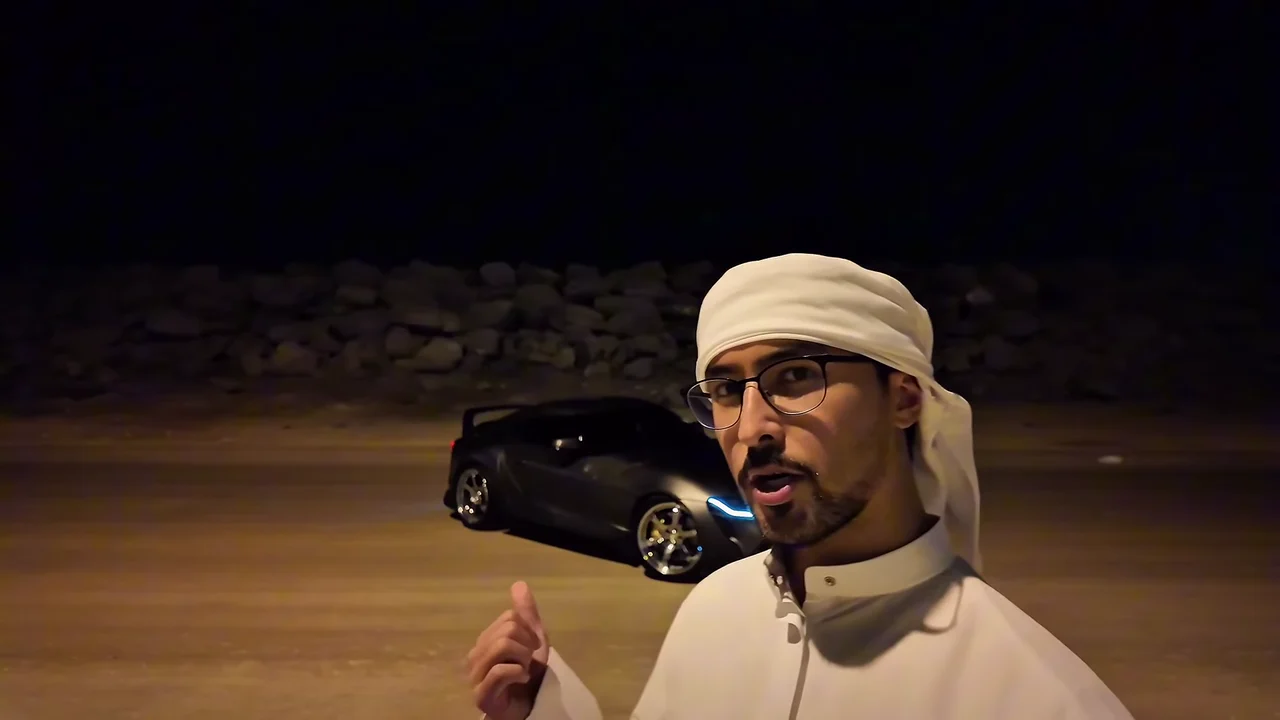
It is a Reels and TikTok format set to Unforgettable by French Montana featuring Swae Lee. Someone holds two number cards, a 2 and a 4, up to the camera on the line about 24, swipes a hand across the lens, and a car is suddenly parked behind them. This Oakgen template uses a 15-second Reel by y0kun as its reference.
Open the tool, add a photo of yourself, a car, a location, or any combination, choose a quality and generate. The reference clip, the timing and the instructions are already set, so there is no prompt to write.
Yes. Upload a photo that shows the whole car, ideally from a front three-quarter angle. The edit asks for that car in place of the original one, appearing at the same moment after the swipe. AI can alter badges, wheels and small details, so review the result.
Yes. Upload a wide photo of the place you want. It replaces the original night-time lot, wall and sky for the whole video, and the person and car are relit to match. Photos with open ground in front work best.
No. You can change only the car, only the location, or both, and keep the original performer. Add your photo when you want to be the person holding the cards.
The recipe requests a whole-person replacement using the face, hair, build and clothing visible in your photo. Use a photo that shows the outfit you want. AI results can vary.
The template produces a 15-second landscape video in the framing of the original, one continuous shot. The reference and duration are fixed.
Yes. Oakgen copies the audio from the reference clip into your finished video, so the card moment and the reveal stay on the same beat.
Yes. Choose 480p, 720p or 1080p before generating. The default is 720p. Higher resolutions cost more; your selected price is shown before you start.
2,214 credits per 720p video. The price is the same for one, two or three photos. Choose a quality to see its exact price before you generate.
Render time varies with quality and demand. You can leave the page while it runs; the finished video is saved to your assets. Failed generations receive an automatic credit refund.
No. Oakgen is independent and is not affiliated with or endorsed by French Montana, Swae Lee, their labels, any car maker or the creator of the reference Reel. The page credits that Reel as the reference.
Upload a photo. Everything else is set.