Two distinct runners
Add one photo for each runner shown in the preview. The same two roles continue through the wide, close side and frontal shots; background athletes are not extra photo slots.
Video trend
Two runners. One rivalry..
Add a photo for both roles: the whole scene is redrawn from your photos. The moves and the camera are already set.
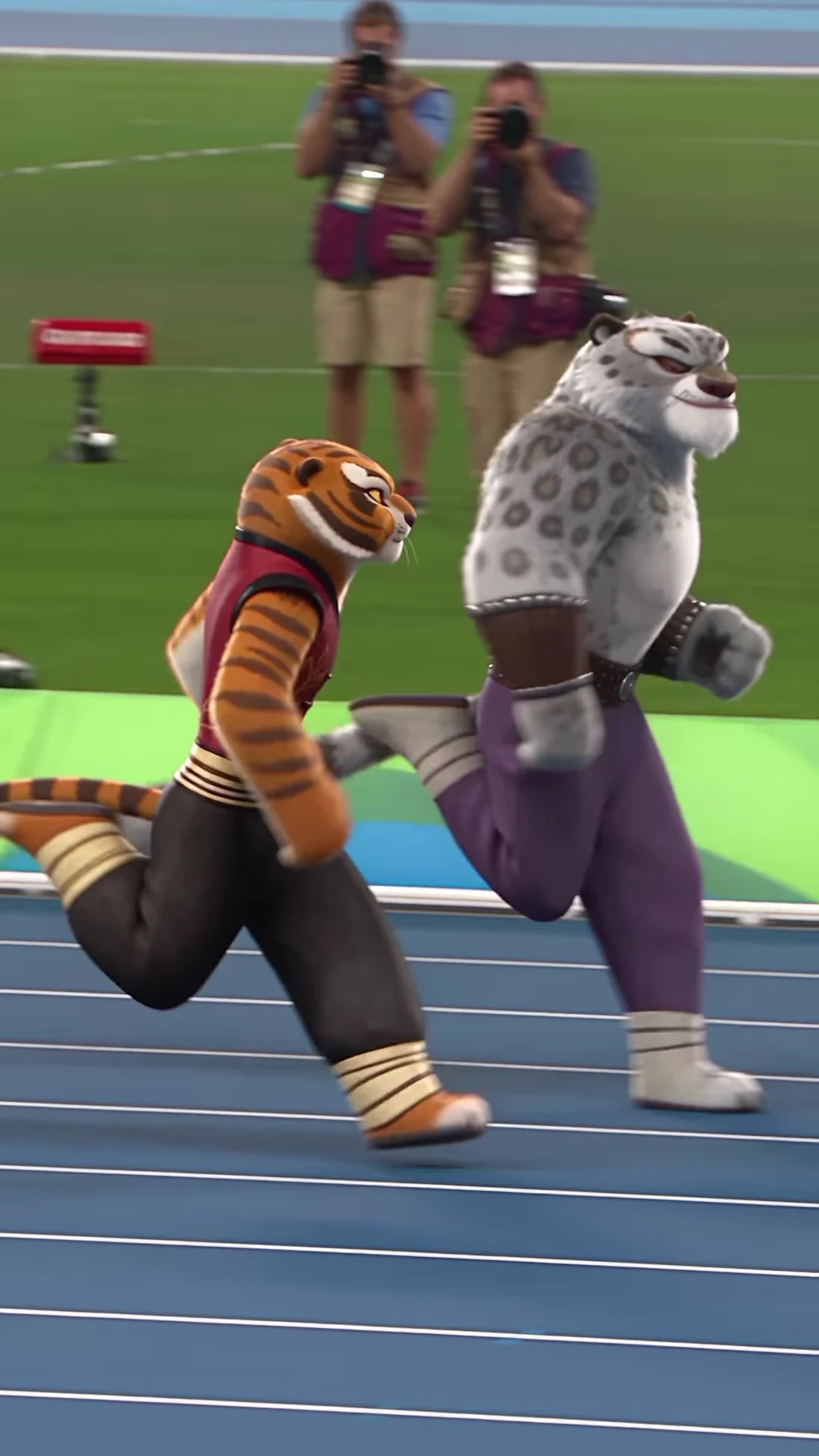 Left runnerRight runner
Upload one clear photo for the left runner and one for the right runner, using the preview markers to assign them.
Select an available resolution and review the displayed price, including preparation of both character photos.
Check each runner’s face, legs and lane across all camera changes, then download your MP4.
Add one photo for each runner shown in the preview. The same two roles continue through the wide, close side and frontal shots; background athletes are not extra photo slots.
Your photos guide each runner’s face, body and clothing. Human photos are not meant to inherit the reference characters’ fur or tails. Check the finished result for unexpected details.
Recreate the complete just-over-ten-second clip, including its camera changes and final running frames. The scene and motion are generated; this is not real footage of you at a sporting event.
The finished video uses the reference soundtrack. It does not record or clone your voice.
Two characters race side by side on a blue stadium track, with wide, close side and frontal camera views. This template recreates the supplied TISHA Reel using a photo for each runner.
The creator captions this particular Reel with “there is only one Dragon Warrior.” Its reference shows an orange tiger and a gray snow leopard racing. The caption identifies this source; it is not a verified song title or the name of an official sporting event.
Yes. Add one photo for the left runner in the preview and one for the right runner. Both are required. Other athletes and spectators remain background characters rather than additional photo roles.
The template asks for the appearance and outfit in each uploaded photo, not an automatic tiger or snow-leopard transformation. The source supplies the movement. AI results can vary, so review faces, anatomy and clothing before sharing.
This template follows one fixed reference sequence. It has no race or winner selector. The clip ends while the runners are still moving; it does not add a podium or victory scene.
No. The preview is the credited Instagram reference. It is not a verified Oakgen generation, and Oakgen is independent of the creator and the characters shown.
Yes. The reference audio is included. No verified song title was supplied with this Reel, so the template does not identify it as a particular song.
The tool shows the selected price before generation, including preparation of both character photos. Available resolutions have different prices.
Plan a story, keep your character recognizable, and make the finished clip your own.
Upload 2 photos. Everything else is set.