One unexpected star
Your photo supplies the main player's identity and appearance. Choose a person, pet or character; the surrounding players stay part of the generated court scene.
Video trend
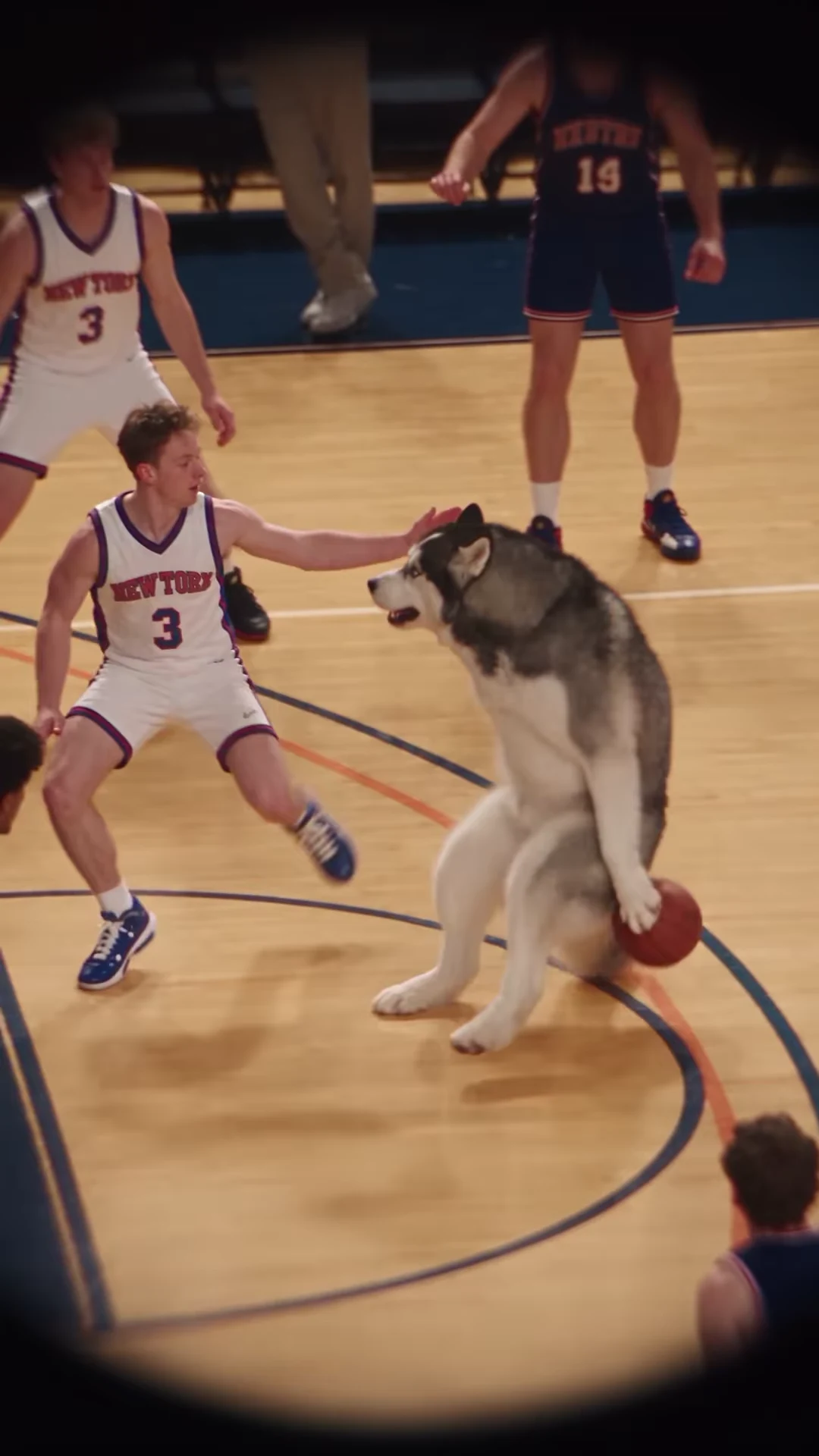
Your character dribbles past the defense and takes the spotlight at the rim.
Upload a clear photo for the performer you want to replace. The scene and its choreography are already set.
 Basketball star
Upload one clear photo with the face and upper body visible. For a pet, keep the ears, muzzle and coat markings unobstructed.
Select 480p, 720p or 1080p. The displayed price includes preparing your character photo and generating the complete play.
Watch the full result for recognizable identity, ball contact and the final rim sequence, then download your portrait MP4 with sound.
Your photo supplies the main player's identity and appearance. Choose a person, pet or character; the surrounding players stay part of the generated court scene.
Follow the reference from the opening dribble through the drive, leap and ball at the rim. The roughly 19-second portrait sequence retains the ending.
The supplied Reel's audio matches Love Me by JMSN. The download keeps that reference soundtrack; it does not record or clone your voice.
The preview is Mochi's basketball recreation shared by @joanna.golba91, not an Oakgen-generated result. Use it to understand the movement and framing.
It puts an unexpected character into a basketball sequence. This template follows the supplied Mochi Reel: a dog-like player dribbles past defenders, drives toward the basket and leaps for a rim finish. Your photo casts that main role.
Yes. Use one clear character photo. The template is designed to preserve the person's appearance or the animal's species and markings while following the play. Identity and anatomy can vary in generated results.
The supplied reference audio was matched to Love Me by JMSN. That identifies the soundtrack in this Reel; it does not identify the original basketball footage or establish that every basketball meme uses the same song.
No. It is the credited @joanna.golba91 AI recreation. The underlying basketball footage has not yet been verified, and the preview is not an Oakgen-generated example.
The output is approximately 19.04 seconds in portrait 9:16 format, preserving the full supplied sequence at 24 frames per second.
The reference shows a drive, leap and ball finishing around the rim. It does not clearly show a hand forcing the ball through the hoop. This fixed template follows that supplied play rather than offering a separate dunk animation.
This template has one photo role for the lead player. The other players are background parts of the generated scene; there are no separate defender uploads.
2,525 credits per 720p video. Character preparation and the full play are included. The tool shows the price for your selected quality before generation.
Plan a story, keep your character recognizable, and make the finished clip your own.
Turn the basketball dog format into an underdog story with a 19-second beat map, three caption scripts and an edit that keeps the basket finish visible.
Identify the JMSN Love Me soundtrack in the basketball dog reel, distinguish the supplied remake from its motion source, and recognize the complete scene.
Review an AI basketball dunk for face continuity, ball contact, defender overlap and a complete finish. Separate input problems from editing mistakes.
Upload 1 photo. Everything else is set.