One take, on the beat
A line drawing of the original clip sets every step: the sway onto the floor, the pastry on the beat, the stare and the spin away. One shot, no cuts, 9 seconds.
Video trend
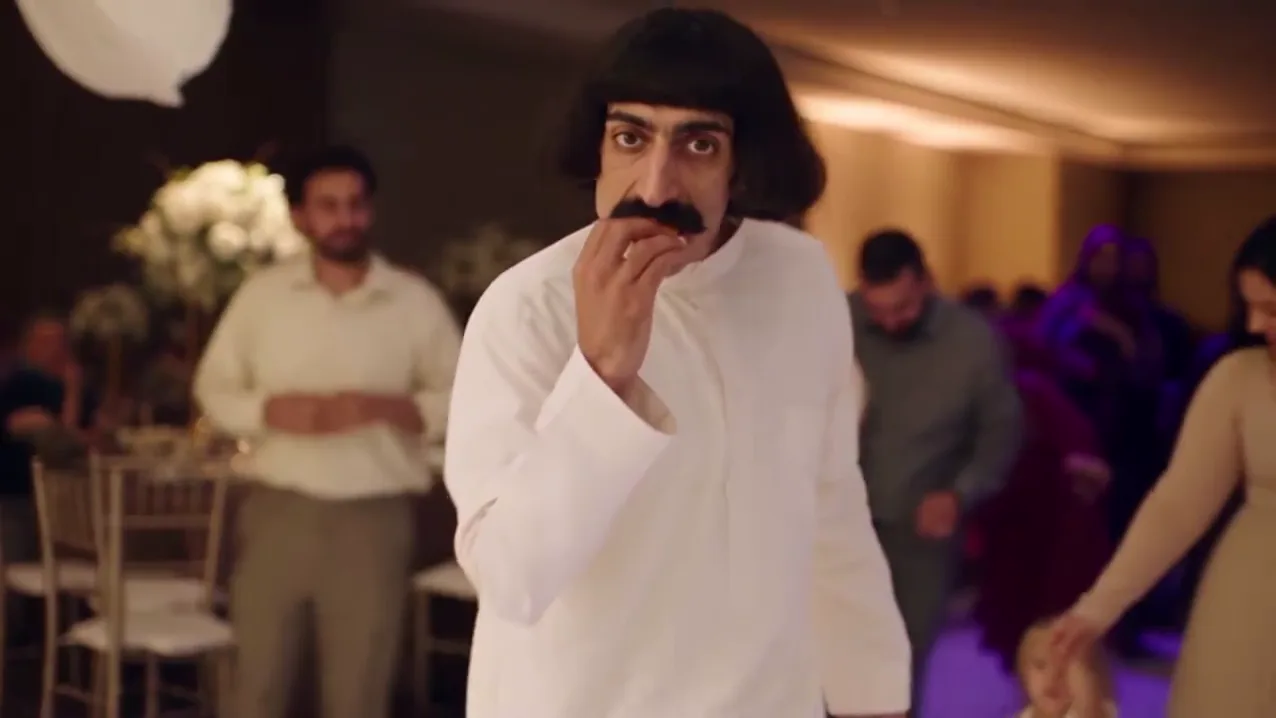
You dance onto a wedding dance floor in a white thobe, pop a pastry on the beat and keep a straight face.
Upload a clear photo for the performer you want to replace. The scene and its choreography are already set.
 Dancer
Upload a clear photo of your face. The hall, the dance and the pastry are already set.
Select 480p, 720p or 1080p. The price includes preparing your photo.
Watch the full 9 seconds with the original audio, then download your widescreen MP4.
A line drawing of the original clip sets every step: the sway onto the floor, the pastry on the beat, the stare and the spin away. One shot, no cuts, 9 seconds.
Your photo is prepared as the character reference, so your face and hair carry into the video. You wear the plain white thobe that makes the moment.
Oakgen copies the reference audio into your finished video, so the bite lands exactly on the beat like the clip that started the trend.
The picture is generated new from your photo. The original performer is not kept. Review your AI video before you share it.
It is a short Reels format: a guest in a white thobe dances onto a wedding dance floor, pops a pastry into their mouth on the beat, chews with a completely straight face and dances away. This Oakgen template makes a 9-second version starring you.
Open the Good Food, Good Mood tool, add one photo, choose a quality and generate. The scene, the moves and the audio are already set, so there is no prompt to write.
Yes. The finished video uses the original audio of the clip that started the trend, so the bite lands on the beat.
No. A line drawing of the original clip sets the movement and framing. The picture, including you, the guests and the hall, is generated new to match it.
Yes. Choose 480p, 720p or 1080p before generating. The default is 720p. Higher resolutions cost more; your selected price is shown before you start.
Use a clear photo you have permission to use, showing one face. Do not use photos of public figures or anyone who has not agreed. The model can reject photos; a rejected generation is refunded.
254 credits per 720p video. This includes preparing your photo. The selected price is shown before you generate.
Render time varies with quality and demand. You can leave the page while it runs; the finished video is saved to your assets. Failed generations receive an automatic credit refund.
It is the Reel that started the trend, by @abu.shalab, shown so you can see the moment you will recreate. Your video follows the same moves, camera and audio with the face from your photo. Oakgen is independent and is not affiliated with the creator of the Reel.
Yes. Review your video, then download the MP4 from the tool or your assets.
Upload a photo. Everything else is set.