One speaker to replace
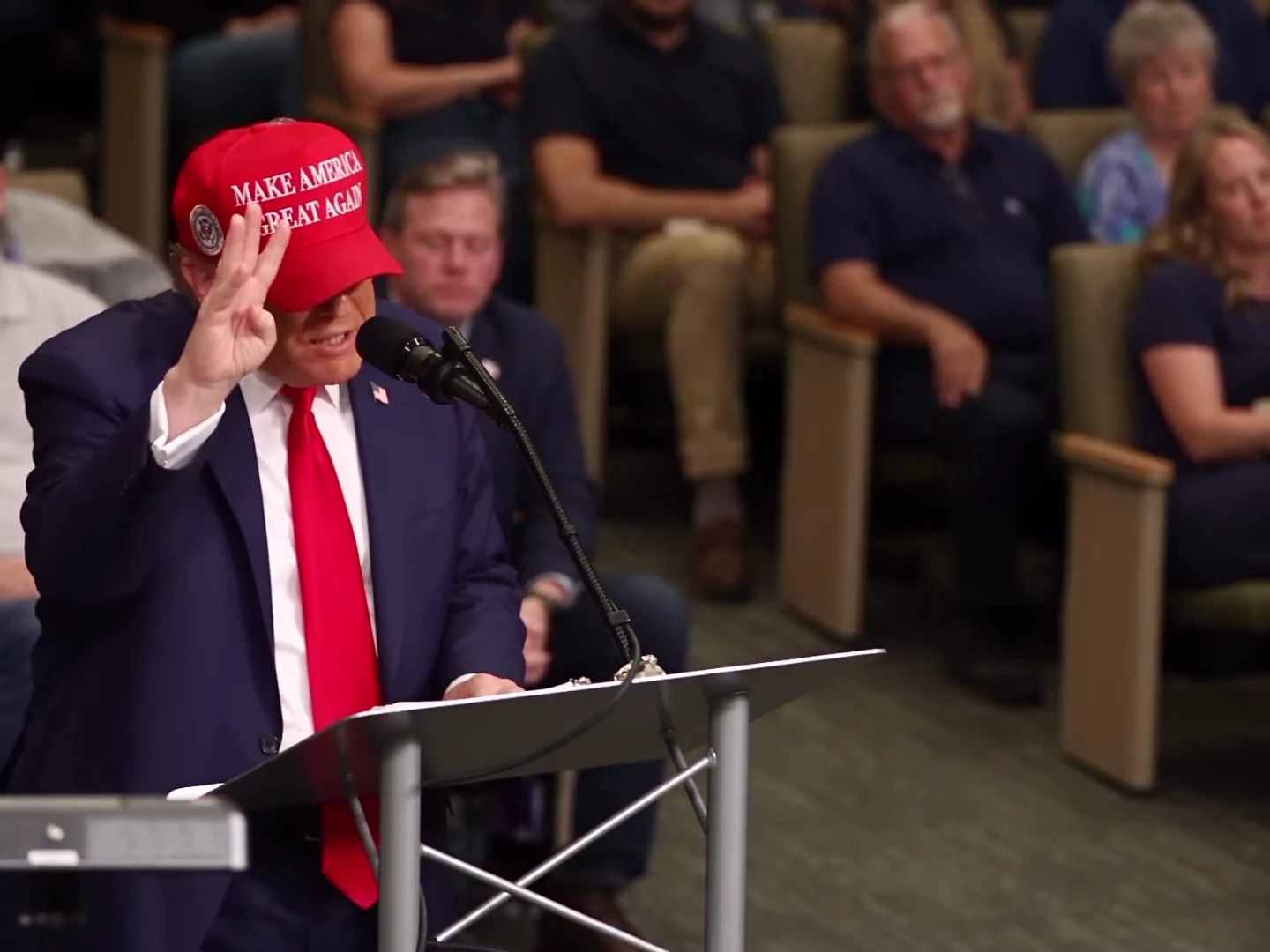
One photo supplies the speaker's face, hair and outfit. The lectern, microphone and seated audience remain part of the scene.
Video trend
Count on your fingers, lose your place and deliver the nervous apology at the lectern.
Add a photo for each role shown below. All roles need a photo.
Upload one sharp photo with the face and hair visible. A front-facing head-and-shoulders photo with an unobstructed mouth gives the template a clear identity reference.
Turn on the preview sound to hear the fixed speech. Choose 720p or 1080p and review the quote for the complete 18-second clip.
Review the face, counting fingers and mouth timing through the hesitation and apology. Download the MP4 with the speech soundtrack and label your post as AI-made parody.
One photo supplies the speaker's face, hair and outfit. The lectern, microphone and seated audience remain part of the scene.
The download keeps the reference speech, including the hesitation and the line ‘I'm sorry, I'm nervous’. Uploading a photo changes appearance, not the words or voice.
The 4:3 frame leaves space for both the speaker and the audience reactions. The full sequence runs for 18 seconds.
The preview is an AI parody, not an authentic recording of the depicted person saying these words. It is the reference the template follows, not an Oakgen-generated example.
It is a lectern speech parody named after the spoken line ‘I'm sorry, I'm nervous’. The speaker counts on their fingers, hesitates and apologises while a seated audience reacts. Oakgen's template replaces that speaker with the character in your photo.
Yes. The original reference soundtrack is kept in the download, including the spoken lines, hesitation and background sound. It is not a silent template, and your photo does not change the voice.
This template uses the fixed speech from the preview. It does not accept a replacement script, voice recording or custom dialogue.
No. The template replaces the source speaker's cap, suit, tie, hair and face with your own appearance. A cap is requested only when your photo includes one; lettering and logos are not requested.
No. It is an AI parody reference, not an Oakgen-generated result or an authentic speech recording. Label your version as AI-made parody too.
The video is 18 seconds in a 4:3 frame, with 720p and 1080p options. It keeps the wide room composition rather than cropping away the audience.
No. The template gives the model the reference performance and timed dialogue cues, then restores the reference speech. Check the generated mouth movements, pauses and apology before sharing.
The template instructs the model to retain the animal's species and markings and adapt the gesture to a paw. Pet mouth timing and anatomy need careful review; no pet result is shown here as a verified example.
956 credits per 720p video. The quote covers the complete 18-second clip. Review it before generating.
Plan a story, keep your character recognizable, and make the finished clip your own.
Edit the Sorry I'm Nervous AI parody without losing its pause or reaction. Compare full and shorter cuts, fit the 4:3 frame and place readable captions.
Make the Sorry I'm Nervous AI lectern video with one photo and the speech intact. Choose the speaker, review the pause and check the 18-second result.
Upload 1 photo. Everything else is set.