Both dancers, every shot
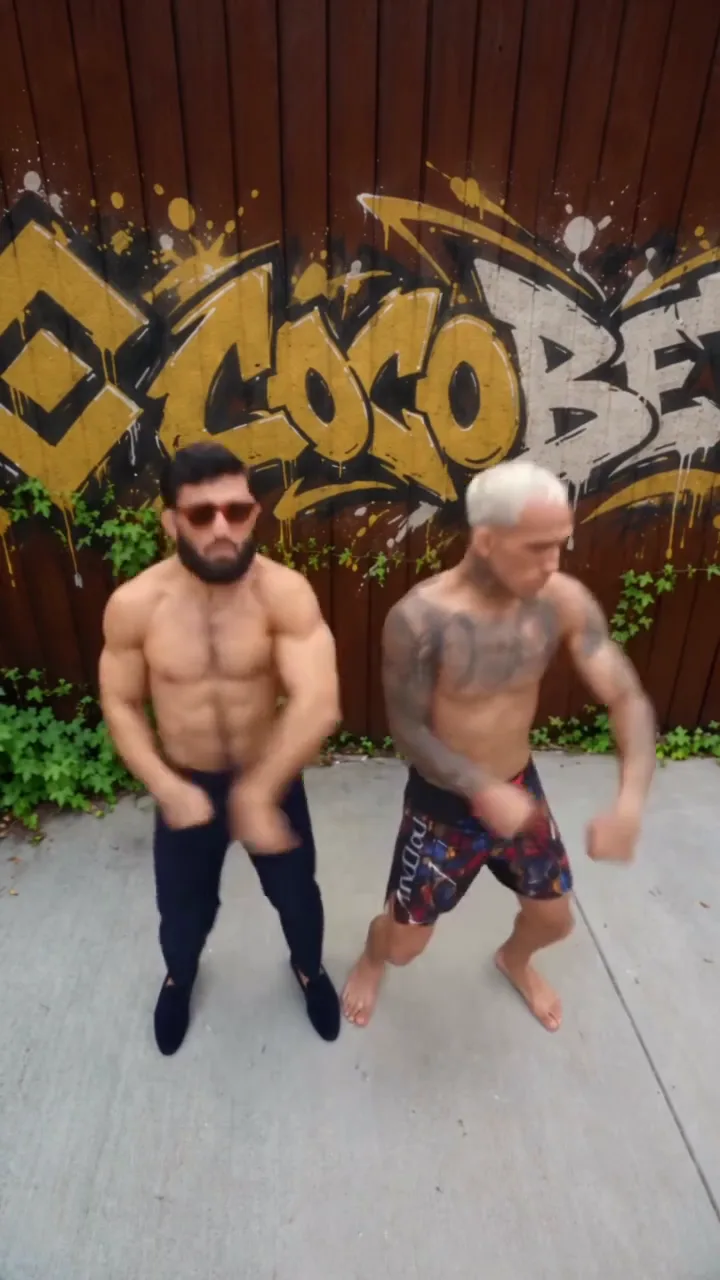
The first dancer screams into the lens while the second dances behind, then they swap, then they dance side by side. Each photo stays on its own dancer through all six shots.
Video trend
Scream into the lens, then dance it out together.
Add a photo for anything you want to change: yourself, the car or the location. The cards, the swipe and the reveal are already set.
 First dancerSecond dancer
Add one photo for the dancer who screams first and one for the dancer who starts in the background.
Use a clear photo of one person per dancer, ideally full-body, with their face, hair and outfit visible.
Check each shot, from the first scream to the hands in the lens, then download your vertical MP4.
The first dancer screams into the lens while the second dances behind, then they swap, then they dance side by side. Each photo stays on its own dancer through all six shots.
The reference sets the choreography, camera angles and cuts, from the high close-ups to the shot from the ground. The picture itself is recreated around your two people.
Each photo is prepared with a faint facial wireframe, then used as the character reference for one dancer’s face, hair, build and clothing. Show the outfit you want; full-body photos work best.
Oakgen copies the source audio into your finished video, so the cuts land on the same beats. Review it before you share your AI edit.
It is a Reels format set to Smalltown Boy by Bronski Beat: one person screams into the camera while a second dances behind them, they swap places, and then both dance a short routine side by side. This Oakgen template uses a 22-second Reel of it as its reference.
Open the tool, add a photo for each dancer, choose a quality and generate. The reference clip, choreography and track are already set, so there is no prompt to write.
No. Both dancers need a photo. The video is recreated from your photos, following the movement and cuts of the reference, so there is no original performer to leave in place.
Yes. Each photo is prepared with a faint facial wireframe while preserving the face, hair, build and clothing visible in it. The dancers are seen head to toe, so a full-body photo gives the model the whole outfit. AI results can vary.
No. The reference sets the movement, framing, cuts and track. The picture, including the yard and the painted fence, is generated to match it.
Yes. Choose 480p, 720p or 1080p before generating. The default is 720p. Higher resolutions cost more; your selected price is shown before you start.
Yes. Oakgen copies the audio from the reference clip into your finished video, so the routine stays on the beat.
Use clear photos of yourself or of people who have given you permission, with face, hair and clothing visible and one person per photo. The model can reject photos, including realistic photos of people; a rejected generation is refunded.
3,357 credits per 720p video. This includes preparing both photos. The selected price is shown before you generate.
Render time varies with quality and demand. You can leave the page while it runs; the finished video is saved to your assets. Failed generations receive an automatic credit refund.
No. Oakgen is independent and is not affiliated with or endorsed by Bronski Beat, their label, the creator of the reference Reel or anyone depicted in it. The page credits that Reel as the reference.
Yes. Review your edit, then download the MP4 from the tool or your assets.
Upload a photo. Everything else is set.