Lip-synced to the original
The original audio plays under your video and your character mouths every word of the question and the follow-up, then stays quiet while the phone answers. Nothing to record or sync.
Video trend
You ask your phone how to become a millionaire in 30 days. It tells you to get a job.
Upload a clear photo for the performer you want to replace. The scene and its choreography are already set.
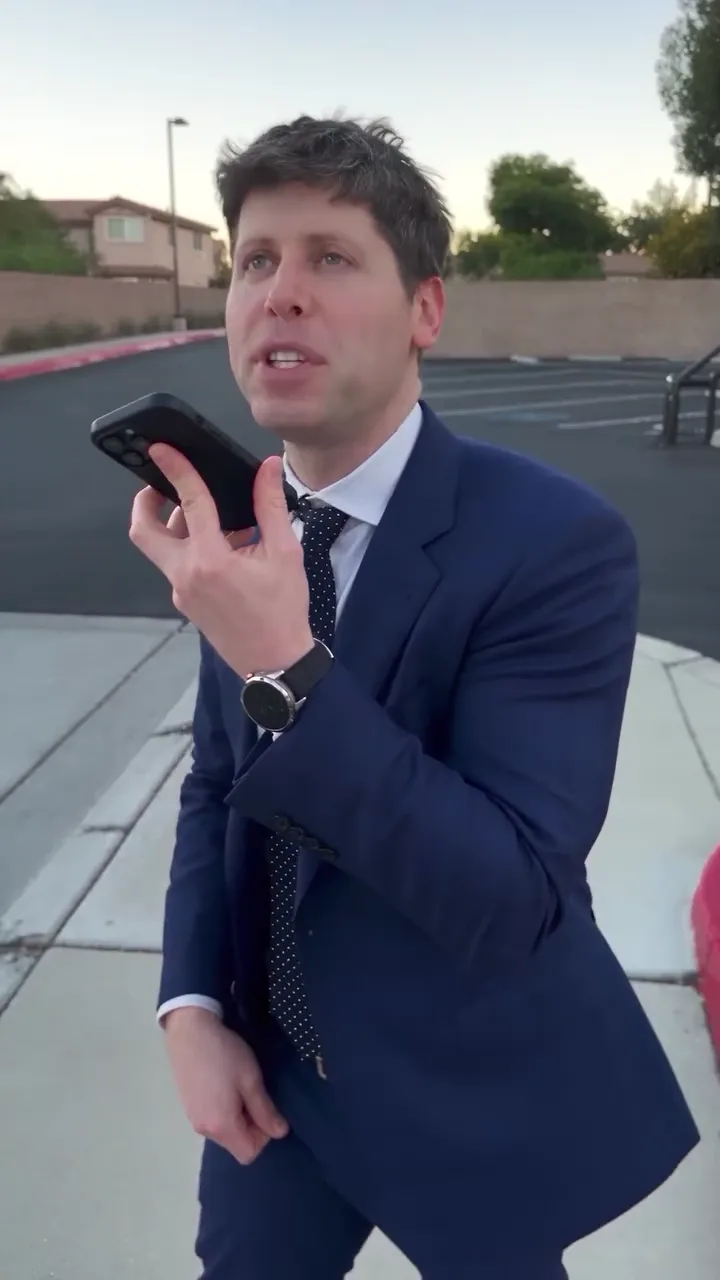 You, with the phone
Upload a clear photo of your face. That is the only input; the scene, the lines and the camera are set.
Select 480p, 720p or 1080p. The price includes preparing your photo.
Watch the full 12 seconds with sound, then download your vertical MP4.
The original audio plays under your video and your character mouths every word of the question and the follow-up, then stays quiet while the phone answers. Nothing to record or sync.
A line drawing of the original clip sets every move: phone to the mouth, the stare at the screen, the step towards the camera. One shot, no cuts, 12 seconds.
Your photo is prepared as the character reference, so your face and hair carry into the video. You wear the navy suit and polka-dot tie that make the joke land.
Oakgen copies the reference audio into your finished video, so every line and pause lands like the clip that started the trend. Review your AI video before you share it.
It is a short comedy format: someone asks ChatGPT how to become a millionaire in 30 days, the assistant answers "Get a job", and they try to rephrase the question. It spread as AI Reels with famous faces swapped onto the asker. This Oakgen template makes a 12-second version starring you.
Open the Millionaire in 30 Days tool, add one photo, choose a quality and generate. The scene, the dialogue and the camera are already set, so there is no prompt to write.
Yes. The finished video uses the original audio of the trend, and your character is lip-synced to the spoken lines. It is not your own voice.
Not in this template. The lines are fixed so the joke lands the same way every time.
No. A line drawing of the original clip sets the movement and framing, and the picture is generated new to match it and the audio.
Yes. Choose 480p, 720p or 1080p before generating. The default is 720p. Higher resolutions cost more; your selected price is shown before you start.
Use a clear photo you have permission to use, showing one face. Do not use photos of public figures or anyone who has not agreed. The model can reject photos; a rejected generation is refunded.
315 credits per 720p video. This includes preparing your photo. The selected price is shown before you generate.
Render time varies with quality and demand. You can leave the page while it runs; the finished video is saved to your assets. Failed generations receive an automatic credit refund.
It is the AI Reel that started the trend, by @angrytom.ai, shown so you can see the moment you will recreate. Your video follows the same moves, camera and audio with the face from your photo. Oakgen is independent and is not affiliated with OpenAI or with the creator of the Reel.
Yes. Review your video, then download the MP4 from the tool or your assets.
Upload a photo. Everything else is set.