
Oakgen.ai

Image trend

Vampire Profile Picture: A Moody AI Portrait of You

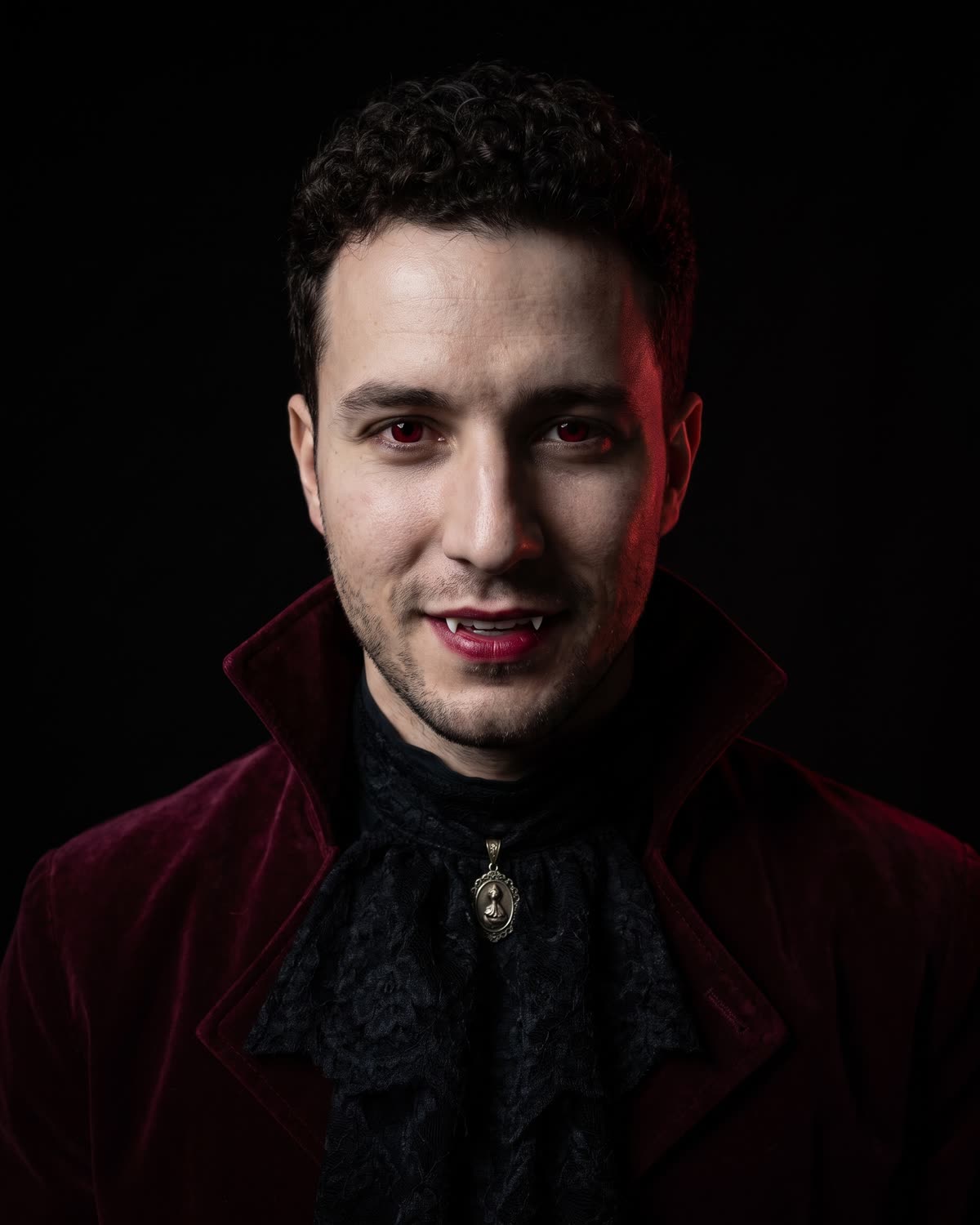
Many vampire photo tools are sold as Halloween filters, but a dark, quiet portrait also works as an avatar all year. The Gothic Vampire Portrait was planned with that in mind: a centred face on a black background. Here is how to turn it into a profile picture that still looks good at thumbnail size.

Final image
1 still
Your input
1 photo
Price
from 51 credits
Gothic Vampire Portrait example result
Gothic Vampire PortraitExample result

From portrait to avatar

01

Why this framing suits an avatar

Profile pictures are shown small and often cropped to a circle. A chest-up portrait with the face near the centre survives that crop, and a plain black background has nothing to clutter the edges. Full-body party photos and busy scenes tend to shrink into an unreadable figure at the same size.

02

Crop it before you upload

The image is 4:5, taller than a square. Crop to a square with your eyes slightly above the middle and the collar and jabot visible at the bottom edge, then preview it inside a circle. If your platform shows a square, leave a little more black above the head so the hair is not cut off.

03

Check it at thumbnail size

Shrink the crop to about the size of a comment avatar. The red eyes and the lit side of the face should still read. If the shadowed side swallows too much of the face at that size, choose a crop that puts the candle-lit cheek closer to the centre, or run the template again for a different light fall.

04

A look that lasts past October

Dark romantic and gothic beauty looks appear in trend coverage outside the Halloween season, and this portrait avoids the props that date a picture to one night: no pumpkins, no party, no cape. That makes it a reasonable choice for a gaming, music, writing or roleplay profile where a darker mood fits all year.

05

Matching headers and banners

The black background extends easily. For a header image, place the portrait at one side of a wide black canvas and add your name or handle in a thin serif type on the other side, outside the AI image. Keeping your text out of the generation means the lettering stays sharp and spelled the way you want it.

06

Say it is AI

A profile picture is how people recognise you, so be clear it is an AI portrait in your bio or the first post that uses it, for example "AI vampire portrait of me". Use only your own photo. Making a vampire avatar of someone else needs their agreement, and it should never be used to pass as them.

Explore the Gothic Vampire Portrait trend

How to make it

You as a velvet-clad gothic vampire in a dark, candlelit studio portrait. Add one clear photo; the look is already set.

The photo you add

  • 1. You

    A clear, front-facing photo of your face and shoulders in good light.

  1. 01

    Upload your photo

    Pick a clear, front-facing photo of your face.

  2. 02

    We light the portrait

    The velvet, the vampire details and the candlelight take about a minute.

  3. 03

    Download and post

    Save the image and use it as a post or a profile picture.

01

Still you

Your face, hair and skin tone stay the same, with subtle vampire details on top.

02

A gothic wardrobe

A burgundy velvet high-collared jacket, a black lace jabot and an antique silver pendant.

03

Magazine lighting

One candle lights half your face against pure black, with a faint red rim light behind you.

Photo tips

  • Face sharp and well lit
  • Looking straight at the camera
  • Head and shoulders in frame
  • Just you in the photo

Questions & answers

How many photos do I need?

One: a clear photo of you.

Is my photo private?

Your photos are used to make your image. Only upload photos of yourself, or of people who have agreed to it.

Can I use the result commercially?

Check your plan's terms for what you can do with generated images. They apply to your result.

How long does it take?

About a minute. You can leave the page; the finished Gothic Vampire Portrait image is saved to your assets.

How is this different from Halloween Costume and Gothic Dolls?

Halloween Costume is a full-body party photo in a caped vampire costume. Gothic Dolls puts you among pale gothic women and porcelain dolls. Gothic Vampire Portrait is a close, single-person studio portrait in velvet and lace, lit by one candle.

Is there any blood?

No. The vampire details are pale skin, crimson eyes, dark red lips and the tips of small fangs, with no blood or gore.

Can I use it as a profile picture?

Yes. It is a chest-up portrait with you looking straight at the camera, which crops well to a square or a circle.

Ideas for your next photo

Pick a premise, choose the right photo, and turn one finished image into a post worth sharing.

Explore the AI photo trend playbook →

Make your Gothic Vampire Portrait image

One photo, about a minute. Velvet, lace, crimson eyes and one candle.

Make this image