"Turn me into a vampire" sounds like one request, but people mean different pictures by it. Some want a dark, serious portrait. Some want a silly late-night snapshot. Some want a photo with their partner. Some want the whole costume at a party. Oakgen has a separate template for each of those, and this guide lines them up so you can pick the right one before you upload anything.
All four are fixed recipes: no prompt, no settings, one 4:5 still image back in about a minute. All four keep your face, hair and skin tone from your photo and replace your clothes with the outfit in the recipe. None of the four recipes asks for blood, and three of them rule out blood and gore in so many words. What differs is the framing, the mood, the scene and how many photos they need.
Start with the gothic portrait
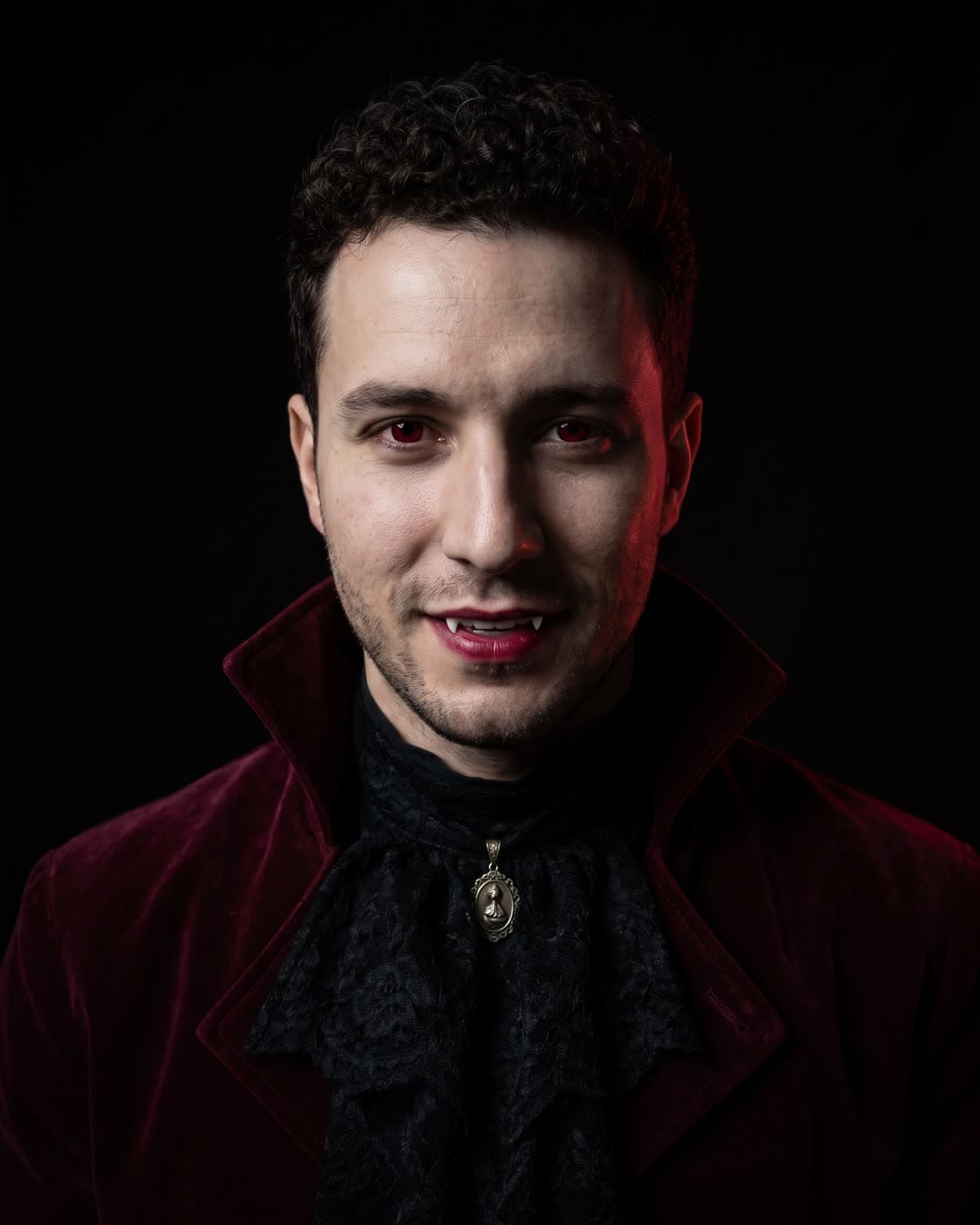
One photo, a burgundy velvet jacket, one candle and a black background.
The four looks at a glance
| Gothic Vampire Portrait | Y2K Vampire Flash | Vampire Couple Portrait | Halloween Costume | |
|---|---|---|---|---|
| Photos needed | 1 | 1 | 2 | 1 |
| Framing | Chest up, straight to camera | Chest up, tilted, off-centre | Two people, knees up | Full body |
| Setting | Pure black studio | Dim bedroom at night | Dark stone room | Candlelit house party |
| Light | One candle from the side | Harsh on-camera flash | Warm candlelight from the side | Party candlelight |
| Outfit | Burgundy velvet, lace jabot, silver pendant | Black lace-trim top, silver choker | Black velvet, lace collar, burgundy shirt | High-collared cape, dark suit or dress |
| Vampire details | Subtle: pale, crimson eyes, fang tips | Playful: glowing red eyes, smirk with fangs | Clear: a subtle pallor over each person's own skin tone, crimson eyes, fangs | Subtle, under a classic costume |
| Mood | Editorial, moody | Candid, fun, 2000s | Regal, romantic | Festive |
| Best for | Profile picture, solo portrait | Stories, throwback posts | Couples and best friends | Halloween party post |
The rest of this guide explains each one and when to choose it.
Gothic Vampire Portrait: the quiet, serious one
Gothic Vampire Portrait is a close studio portrait. You look straight into the camera from the chest up, on a pure black background, wearing a deep burgundy velvet jacket with a high collar, a black lace jabot at the throat and a small antique silver pendant. A single candle out of frame lights one side of your face and leaves the other in shadow, and a faint deep-red rim light sits behind your shoulders.
The vampire part is deliberately understated: slightly paler skin, deep crimson eyes, dark red lips and just the tips of two small fangs in a closed, confident smile. It reads more like a fashion magazine portrait than a costume.
Choose it if you want one strong image of yourself, a profile picture that is not obviously a Halloween joke, or a gothic portrait you can keep using after October. Because it has no props and a plain background, it is the easiest of the four to crop into a small round avatar. The focused guide, Gothic Vampire Portrait ideas, covers hair, uses and captions, why one candle reads as vampire explains the lighting, and the profile picture page covers cropping.
Skip it if you want people, a place or a party in the picture. There is nothing in the frame but you.
Y2K Vampire Flash: the playful snapshot
Y2K Vampire Flash looks like a photo taken on an early-2000s point-and-shoot camera, at night, in a dark bedroom. Harsh direct flash makes the skin bright and throws a hard shadow on the wall behind you. You lean toward the camera, framed slightly off-centre and tilted like a candid shot.
The vampire look is louder and more playful: glowing red eyes like coloured contact lenses, smudged dark eyeliner, deep red lipstick and two small white fangs in a smirk. You wear a black lace-trim top and a thin silver choker. Behind you there is a plain dim wall with warm fairy lights and the edge of an unmade bed. The colour is grainy and a little blown out, the way old digital cameras looked.
Choose it if you want something that feels spontaneous and funny rather than posed, a story or carousel post, or a nod to 2000s flash photos.
Skip it if you want a polished portrait. The flash and grain are the point, so it will never look like a studio shot.
Vampire Couple Portrait: the one for two
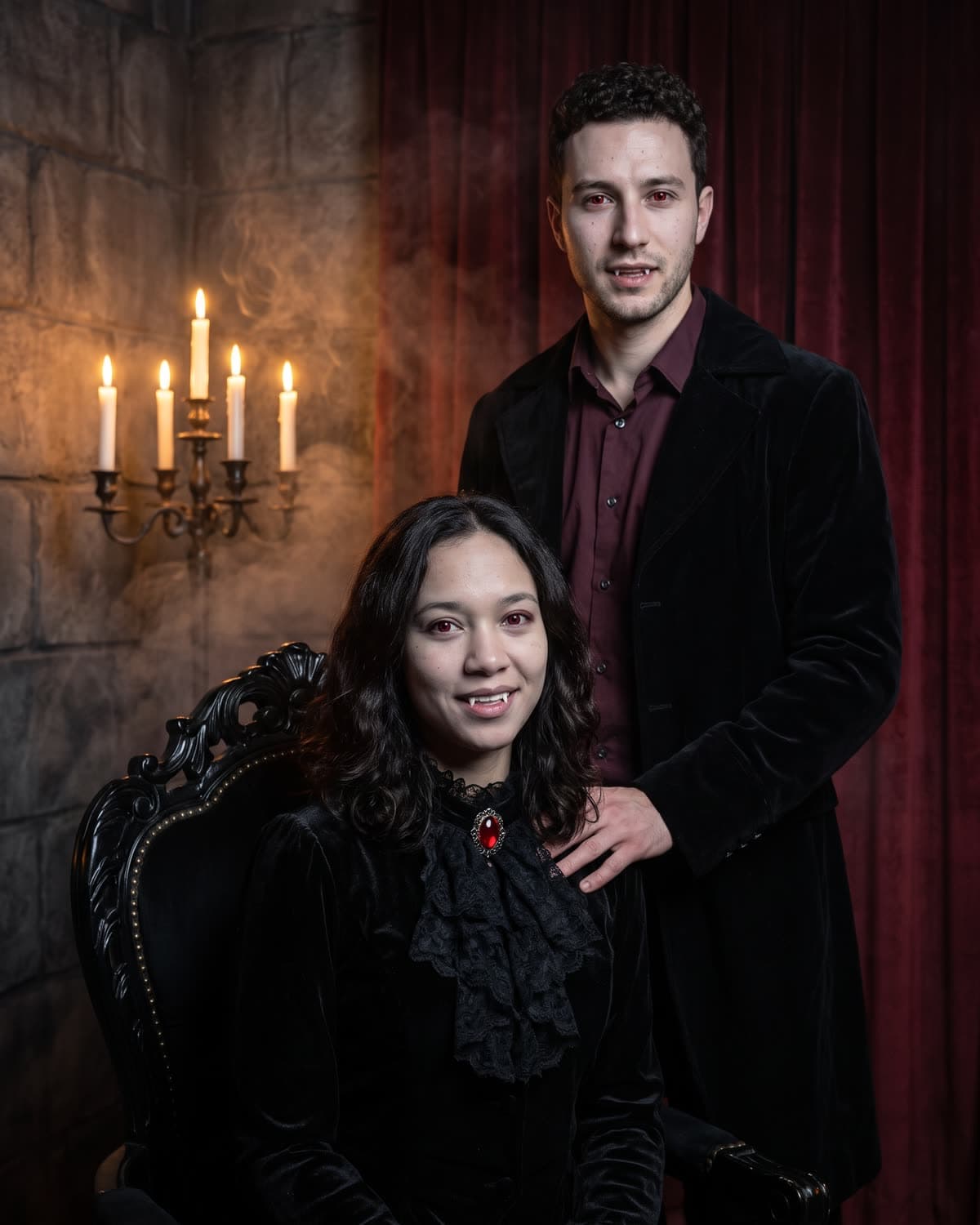
Vampire Couple Portrait is the only one of the four that takes two photos. The person in the first photo sits in a high-backed carved black chair; the person in the second photo stands just behind with one hand on the seated person's shoulder. Each keeps their own face, and the recipe asks that their features never mix.
Both are clearly vampires: a subtle, slightly cooler pallor over each person's own skin tone, vivid crimson eyes and small white fangs between slightly parted lips. The seated person wears a high-collared black velvet outfit with a ruffled lace collar and a deep red brooch; the standing person wears a long black velvet coat over a dark burgundy shirt. Around them are a dark stone room, a tall silver candelabra, heavy deep-red curtains and soft smoke, lit by warm candlelight from the side. You are framed from the knees up.
Choose it if you want a portrait with a partner, a best friend or a sibling, and you both agree to it. The order of the photos decides who sits and who stands.
Skip it if you are posting alone, or if you want the subtle, close-up look. This one is a full, theatrical scene.
Halloween Costume: the party photo
Halloween Costume is the most traditional of the four. It makes a full-body photo of you in a classic vampire costume, with a high-collared cape over a dark suit or dress and subtle vampire details. You stand at a candlelit Halloween house party, with pumpkins, candles and blurred guests in costume behind you.
Choose it if the point of the post is Halloween night itself: the costume, the party and the feeling of being out. It suits a Halloween story or a "this year's costume" post.
Skip it if you want a close-up portrait or a picture that works after October. At full-body framing your face is smaller in the frame, and the party scene ties it to one night. The guests are generated, not people you know, so do not tag friends as if they were there.
Not a vampire, but in the same dark mood
If what you want is gothic rather than vampiric, Tim Burton-Style Girls is worth a look. It keeps your own outfit and seats you in a dark studio while four pale gothic women and porcelain dolls lean in around you, one covering your eyes. Nobody gets fangs. It is a storybook group composition rather than a transformation, which makes it a different choice from all four vampire templates.
How to decide in one question
Ask what the picture is for:
- A profile picture or a moody solo post: Gothic Vampire Portrait.
- A fun, casual post or story: Y2K Vampire Flash.
- A post with someone else: Vampire Couple Portrait.
- A Halloween party post: Halloween Costume.
- A dark fairy-tale scene without fangs: Tim Burton-Style Girls.
You can also run more than one with the same photo. A carousel with the gothic portrait first, the flash snapshot second and your original photo last shows three versions of you, as long as each AI slide is labelled.
The photo matters in every one of them
All four templates depend on the face in your upload. The same habits help everywhere: one person in the photo, face sharp and well lit, looking toward the camera, and no sunglasses or hair across the eyes. The close-up looks reward the most care, because a face that fills more of the frame shows more detail. For the gothic portrait specifically, which photo to upload explains why a closed-mouth expression and even daylight work best.
Use only your own photos, or photos of people who have agreed to it. For the couple portrait, that means both people.
Label it as AI
Each of these images shows clothes, light and places that were not in your photo. Say it is AI-made in the caption, for example "AI vampire portrait" or "made with AI", and do not present it as a real shoot. If you post your original next to it, label which one is which.
Where to go next
Once you know which look you want, the trend pages have the details and the button to start:
- Gothic Vampire Portrait, with is it right for your photo? and the result checklist
- Y2K Vampire Flash
- Vampire Couple Portrait
- Halloween Costume, with AI Halloween costume photo ideas
- Tim Burton-Style Girls
For the wider set of seasonal templates, the Halloween AI photo trends guide covers the rest. This guide describes each fixed recipe; it does not claim any particular result or reach.
Frequently asked questions
How many vampire photo templates does Oakgen have?
Four: Gothic Vampire Portrait, Y2K Vampire Flash, Vampire Couple Portrait and Halloween Costume. Each is a fixed one-click template with no prompt and no settings, and each makes one 4:5 still image.
Which vampire look works best as a profile picture?
Gothic Vampire Portrait. It is a centred chest-up face on a black background, which survives a small round crop. Y2K Vampire Flash also works if you want a casual, tilted snapshot instead.
Can I make a vampire photo with two people?
Yes, with Vampire Couple Portrait. It takes two photos and places one person seated and the other standing behind with a hand on their shoulder. The other three vampire looks are for one person.
Do any of these vampire photos show blood?
None of the four recipes asks for blood, and the gothic, flash and couple recipes rule out blood and gore explicitly. The vampire signs are pale skin, red or crimson eyes, dark lips and small fangs, plus a cape in the party costume.