
Oakgen.ai

Image trend

How to Make a Y2K Vampire Flash Photo with AI

A prompt for this look has to describe the flash, the red eyes, the fangs, the outfit, the bedroom and the grain, and still keep your face. The Y2K Vampire Flash template has all of that written in, so making one comes down to a single upload.

Final image
1 still
Your input
1 photo
Price
from 51 credits
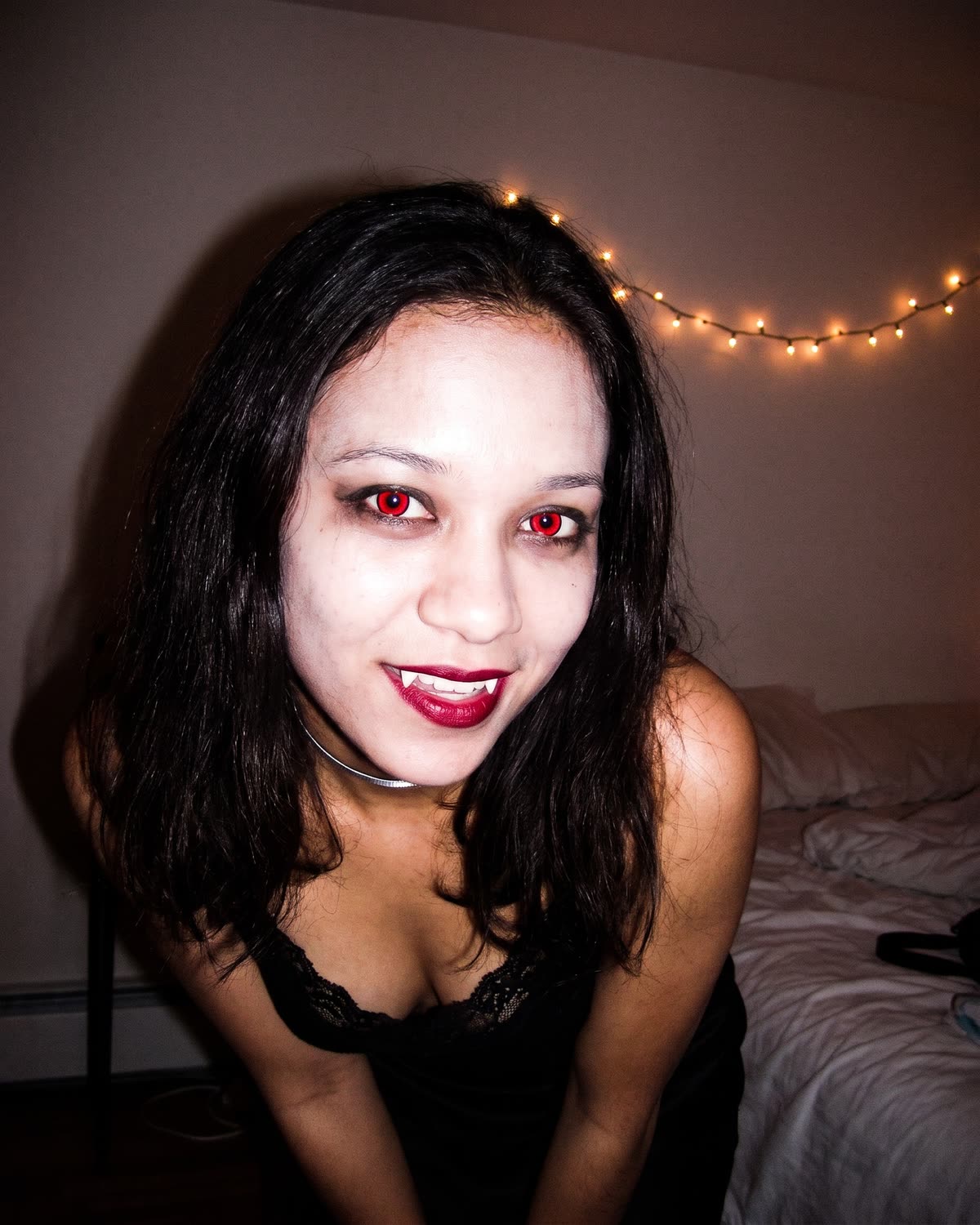
Y2K Vampire Flash example result
Y2K Vampire FlashExample result

From one photo to a flash-lit vampire snapshot

01

Step 1: choose one photo of yourself

Pick a sharp photo where your face is clearly visible, ideally looking towards the camera. A selfie is enough because the result is framed from the chest up. Use a photo of you, or of someone who has agreed to be turned into a vampire.

02

Step 2: upload it to the single slot

Open Y2K Vampire Flash and add the photo. There is no text box, no costume menu and no style slider. The flash, the makeup, the outfit and the bedroom are fixed, so every result follows the same recipe as the preview on the trend page.

03

Step 3: generate and wait about a minute

The result is one still image in a 4:5 frame, the shape of a portrait post in the feed. It is not a video and has no sound. Each run is a little different in angle and expression, even from the same upload.

04

What changes and what stays

Your face shape, eyes, nose, lips, hair and skin tone are meant to stay recognisable. Your clothes are replaced by a black lace-trim top and a silver choker. Paler skin, red eyes, smudged liner, red lipstick and small fangs are added, and the light becomes harsh on-camera flash.

05

If the first result is off

If the face looks like a stranger, try a sharper, more front-on photo with even light. If you simply prefer a different angle or smirk, run the same photo again. The look itself cannot be changed: there is no option for no fangs, another eye colour or your own outfit.

06

Before you post it

Compare the result with your original at full size, then check the eyes, teeth and background with the result checklist guide. Say in the caption that it is an AI image, because a harsh-flash snapshot looks very much like a real photo.

Explore the Y2K Vampire Flash trend

How to make it

You as a red-eyed vampire in a 2000s flash snapshot. Add one clear photo; the look is already set.

The photo you add

  • 1. You

    A clear, front-facing photo of your face and shoulders in good light.

  1. 01

    Upload your photo

    Pick a clear, front-facing photo of your face.

  2. 02

    We add the flash and fangs

    The vampire look and the 2000s snapshot are built in about a minute.

  3. 03

    Download and post

    Save the image and share it anywhere.

01

Still you

Your face, hair and skin tone stay recognisable under the red eyes and fangs.

02

The full vampire look

Glowing red eyes, smudged eyeliner, deep red lips, small fangs, a black lace top and a silver choker.

03

Real 2000s flash

Harsh direct flash, a hard shadow on the wall, grain and a tilted candid frame, like an old digital camera.

Photo tips

  • Face sharp and well lit
  • Looking toward the camera
  • Head and shoulders in frame
  • Just you in the photo

Questions & answers

How many photos do I need?

One: a clear photo of you.

Is my photo private?

Your photos are used to make your image. Only upload photos of yourself, or of people who have agreed to it.

Can I use the result commercially?

Check your plan's terms for what you can do with generated images. They apply to your result.

How long does it take?

About a minute. You can leave the page; the finished Y2K Vampire Flash image is saved to your assets.

How is this different from the Halloween Costume trend?

Halloween Costume puts you in a classic caped vampire costume, full body, at a candlelit house party. Y2K Vampire Flash is a close, grainy flash snapshot from the chest up with red eyes and fangs, in the style of a 2000s digital camera.

Is there any blood?

No. The look is red eyes, red lips and small fangs, with no blood or gore.

Can I keep my own outfit?

No. The trend dresses you in a black lace-trim top and a silver choker so the look stays consistent. Your face, hair and skin tone come from your photo.

Ideas for your next photo

Pick a premise, choose the right photo, and turn one finished image into a post worth sharing.

Explore the AI photo trend playbook →

Make your Y2K Vampire Flash image

One photo, about a minute. Red eyes, little fangs and that harsh 2000s flash.

Make this image