Leave the native frame in place
Start your edit at 9:16 and fit the full image. Extra zoom can remove the shoes in the wide shot and push the finger off screen in the last one, even when the opening looks fine.
Video trend
This version already fills a 9:16 canvas. The risk when adding captions is placing them where the next cut puts a hand, a shoe or a face. Mark the wide and close positions before you set any text.
Start your edit at 9:16 and fit the full image. Extra zoom can remove the shoes in the wide shot and push the finger off screen in the last one, even when the opening looks fine.
Find the dancer’s sideways arm in the medium shot. Leave clear space around the far end of the fist. A caption that sits comfortably beside the face may run straight across that hand.
In the wide shots the fixed arm is funny because the lower body keeps moving. Captions across the knees or a sticker over the shoes hide half of that contrast. Try a short caption in the open background instead.
At the end, the dancer crouches into the lens. Leave the area around the mouth clear through the last frame. A caption can end earlier, even if the audio carries through the shush.
If you shorten the warm-up, trim picture and sound together and play through the change from the held fist to the rolling arms. A beat that lands early can make the transition feel like a missed move.
For a cover, try the medium shot with the arm fully extended or the final finger to the lips. Compare them at thumbnail size. The opening face rub may hide the person you chose to appear in the dance.
Add a photo for the dancer. The background is optional: add a photo to change it.
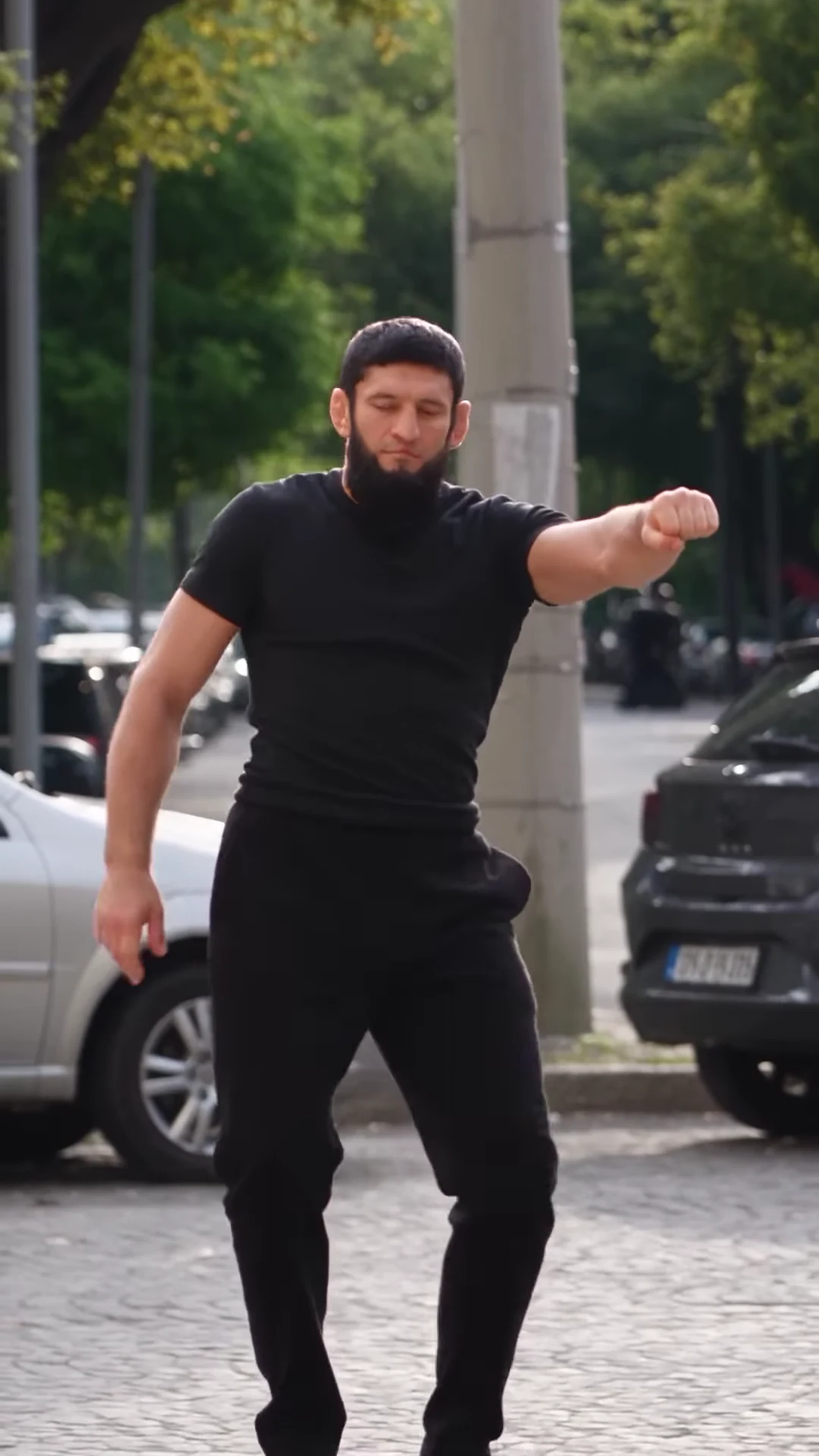
Choose a portrait for the solo Dancer. The square, parked cars and trees come from the reference when you leave Background empty. Use photos of people who agreed to appear.
Choose a place with pavement or another clear stretch of ground. A full-length view needs room for the dancer's feet. Leave Background empty to keep the city square.
Select 720p or 1080p and review the quote. Keep the vertical frame. Watch the hands in the close shots and the shoes in the wider views before adding captions.
Wide shots show the dancer from head to toe. Tighter cuts pick out the extended fist and the closing shush. This version has one performer.
The soundtrack matches Quavo and Takeoff’s A COLORS SHOW performance of Hotel Lobby. The street choreography belongs to this template.
Wide shots show the dancer from head to toe. Tighter cuts pick out the extended fist and the closing shush. This version has one performer.
The soundtrack matches Quavo and Takeoff’s A COLORS SHOW performance of Hotel Lobby. The street choreography belongs to this template.
Choose a place with pavement or another clear stretch of ground. A full-length view needs room for the dancer's feet. The Background photo is optional. The camera timing and soundtrack stay the same.
1,115 credits per 720p video. Adding a Background photo costs the same.
Plan a story, keep your character recognizable, and make the finished clip your own.
Choose a portrait and location for the Hotel Lobby solo dance, then review the wide shots, extended fist and final shush on your phone.
Trace the music from Quavo and Takeoff’s Hotel Lobby single to their COLORS performance, the orange-booth AI duet and the separate solo street dance.
Upload 1–2 photos. Everything else is set.