ChatGPT
 Claude
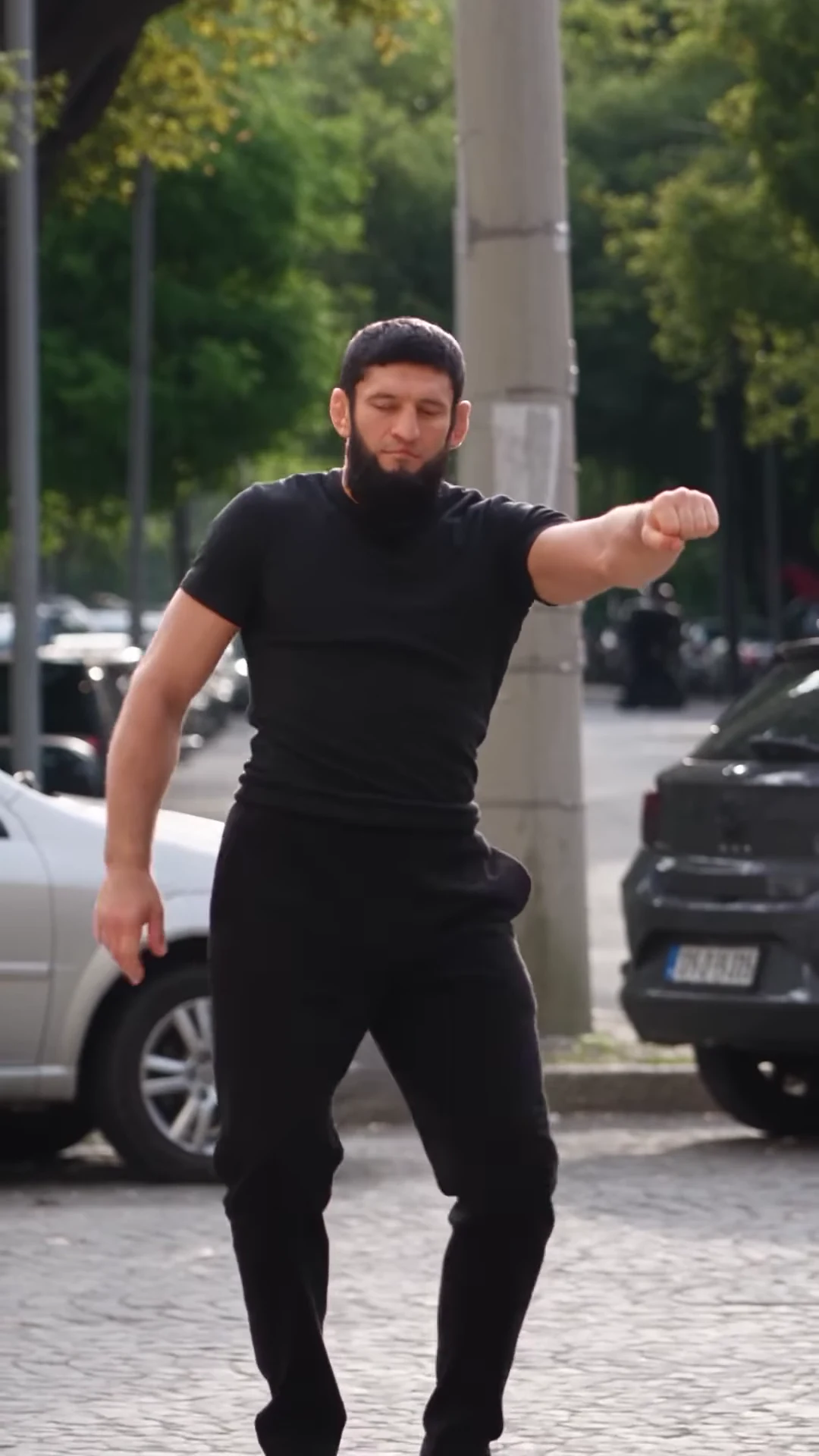
For the version where a solo dancer holds one fist sideways and bounces on their knees, open Hotel Lobby Street Dance. The gallery also has a Hotel Lobby duet with two people and a microphone. A quick check of the preview saves casting the right person in the wrong scene: look for the paved square and the face rub at the opening.
Make the solo dance
Choose one dancer and keep the street or bring a location of your own.
Pick a photo for the closest and widest shots
Look at the last moment of the preview first. The dancer crouches and brings a finger up to the lips. That shot makes the mouth, jaw and eyes easy to see. A sharp portrait with the lower face uncovered is a good starting point. You can keep the hands relaxed in the input photo. The dance supplies its own hand positions.
Now look at the earlier full-length view. The clothes are visible from head to foot while the face occupies a small part of the frame. If you want a particular jacket and shoes, use a picture that shows them clearly along with the face. If your favorite portrait only shows the upper body, the template asks for plain trousers and trainers that go with the top. Choose a person who has agreed to take part in the AI dance.
Give the feet somewhere to land
You can keep the open square by leaving Background empty. To try your own space, place the setting in the separate Background input. A courtyard photographed from a few steps back is an easier scene to picture than a wall photographed at arm’s length. Look for a visible patch of ground, room to extend one arm and a clear area near the camera for the final crouch.
Check the horizon or the line where the floor meets the wall. It gives you something to compare when the camera jumps from a wide shot to a closer one. The background can change, but the cuts and moves follow the same sequence. Choose your quality and review the full quote before generating. Location guide
Watch for continuity while the camera moves
Play the file once without pausing. At seven seconds or so the hands-on-hips warm-up gives way to the extended fist. The same stiff arm should carry through the cut to the closer view and into the next wide bounce. If you want to check the face, wait until the hands come away at the start or until the dancer smiles after lowering the fist. The opening face rub hides much of what you are trying to see.
Then play the final few seconds. The rolling fists stay at chest level before the dancer moves right up to the lens. Can you see the finger reach the lips? Does the outfit look like the one from the wide view? These two checks catch details an opening-frame inspection misses. Movement and timing map
Finish the vertical post
Keep the native 9:16 frame when adding text. The shoes need the lower edge in the wide shots and the face needs the center in the final close-up. Try ending a caption before the last cut if it covers the shush. Play back with the original sound, label the edit as AI-made and check the platform’s music options for your post. The recording guide explains which version of the Quavo and Takeoff track you are hearing.
Frequently asked questions
Do I need a second dancer?
One person plays the dancer. The optional second photo provides a location for the same solo performance.
How long is the solo street dance?
The vertical 9:16 clip runs 21 seconds. It opens with the face rub and ends with the dancer crouched near the lens.