
Video trend

Choose between the two Hotel Lobby scenes

“Hotel Lobby AI trend” can lead to a dancer bouncing on a city square or to two performers trading verses. Start with what you remember seeing. That choice determines who you can cast and what they will do.

Final video
21 seconds
Your input
1–2 photos
Quality
720p
THE ORIGINAL21 SEC / 9 / 16
Hotel Lobby Street DanceYour photo. This scene.

Six details that distinguish the two templates

01

Count the performers

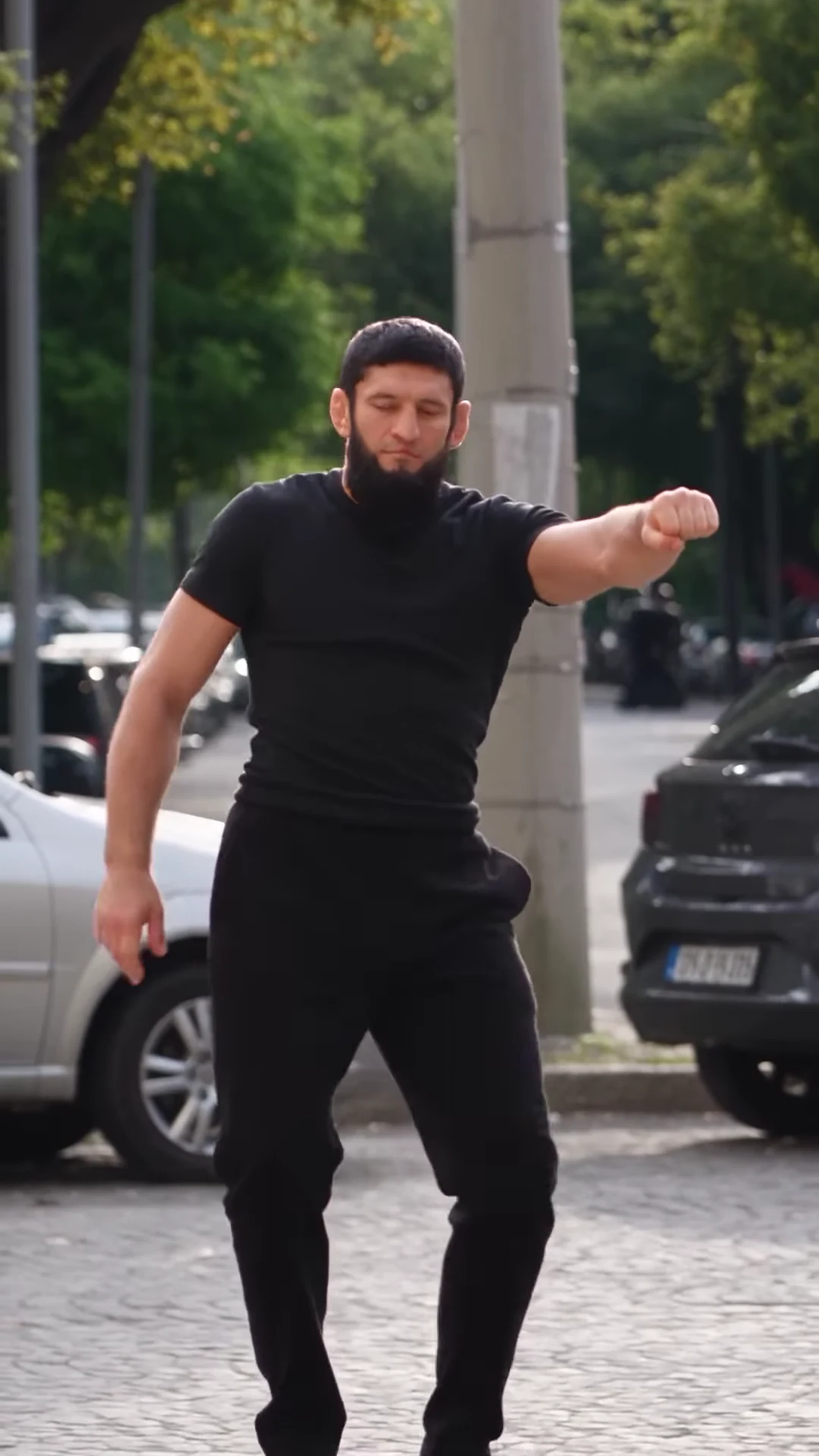
The street version keeps one subject in frame across the full sequence. The booth version stages a pair at a shared microphone. If what you want is a back-and-forth between friends, the two-person setup supplies those separate roles.
02

Read the background

Parked cars, trees, traffic lights and paving belong to the street dance. A flat orange studio and a suspended mic identify the booth. The word “lobby” is part of the song title and does not describe either room.

03

Recall the hands

A rigid arm and bouncing knees mark the street scene, followed by a clap and rolling fists. In the booth, look for the exchange at the mic. An image of a single performer with a finger at the lips points to the street ending.

04

Choose the input

Hotel Lobby Street Dance takes one dancer photo. A second, optional input provides a location. In the Hotel Lobby booth you can choose the left performer, right performer or both. Uploading a friend as the street background does not create a dance partner.

05

Decide what should travel

Use the street template when you want the solo dance in a different place. The template can move the open square into a setting from your Background photo while preserving the sequence of wide and close shots.

06

Match the preview before starting

Check the first and last frames. The street dancer starts with hands over the face and ends crouched near the camera. In the gallery, choose Hotel Lobby Street Dance for that arc or Hotel Lobby for the two-performer booth.

Explore the Hotel Lobby Street Dance trend

How to make it

Add a photo for the dancer. The background is optional: add a photo to change it.

The roles in the Hotel Lobby Street Dance original reference
Dancer in the Hotel Lobby Street Dance source video
Dancer
Background in the Hotel Lobby Street Dance source video
Background
  1. 01

    Choose your cast

    Choose a portrait for the solo Dancer. The square, parked cars and trees come from the reference when you leave Background empty. Use photos of people who agreed to appear.

  2. 02

    Choose the setting

    Choose a place with pavement or another clear stretch of ground. A full-length view needs room for the dancer's feet. Leave Background empty to keep the city square.

  3. 03

    Review your video

    Select 720p or 1080p and review the quote. Keep the vertical frame. Watch the hands in the close shots and the shoes in the wider views before adding captions.

01

Inside the scene

Wide shots show the dancer from head to toe. Tighter cuts pick out the extended fist and the closing shush. This version has one performer.

02

Hotel Lobby (A COLORS SHOW)

The soundtrack matches Quavo and Takeoff’s A COLORS SHOW performance of Hotel Lobby. The street choreography belongs to this template.

Photo tips

  • Keep the vertical frame. Watch the hands in the close shots and the shoes in the wider views before adding captions.
  • Choose a place with pavement or another clear stretch of ground. A full-length view needs room for the dancer's feet.
  • Label your shared clip as AI-made.

Questions & answers

What happens in the Hotel Lobby Street Dance AI trend?

Wide shots show the dancer from head to toe. Tighter cuts pick out the extended fist and the closing shush. This version has one performer.

What sound does the clip use?

The soundtrack matches Quavo and Takeoff’s A COLORS SHOW performance of Hotel Lobby. The street choreography belongs to this template.

Can I change the background?

Choose a place with pavement or another clear stretch of ground. A full-length view needs room for the dancer's feet. The Background photo is optional. The camera timing and soundtrack stay the same.

How much does the video cost?

1,115 credits per 720p video. Adding a Background photo costs the same.

Ideas for your next video

Plan a story, keep your character recognizable, and make the finished clip your own.

Explore the video trend playbook →

Make your Hotel Lobby Street Dance video

Upload 1–2 photos. Everything else is set.

Make this video