
Video trend

POPSTAR AI staircase: check all four wall portraits

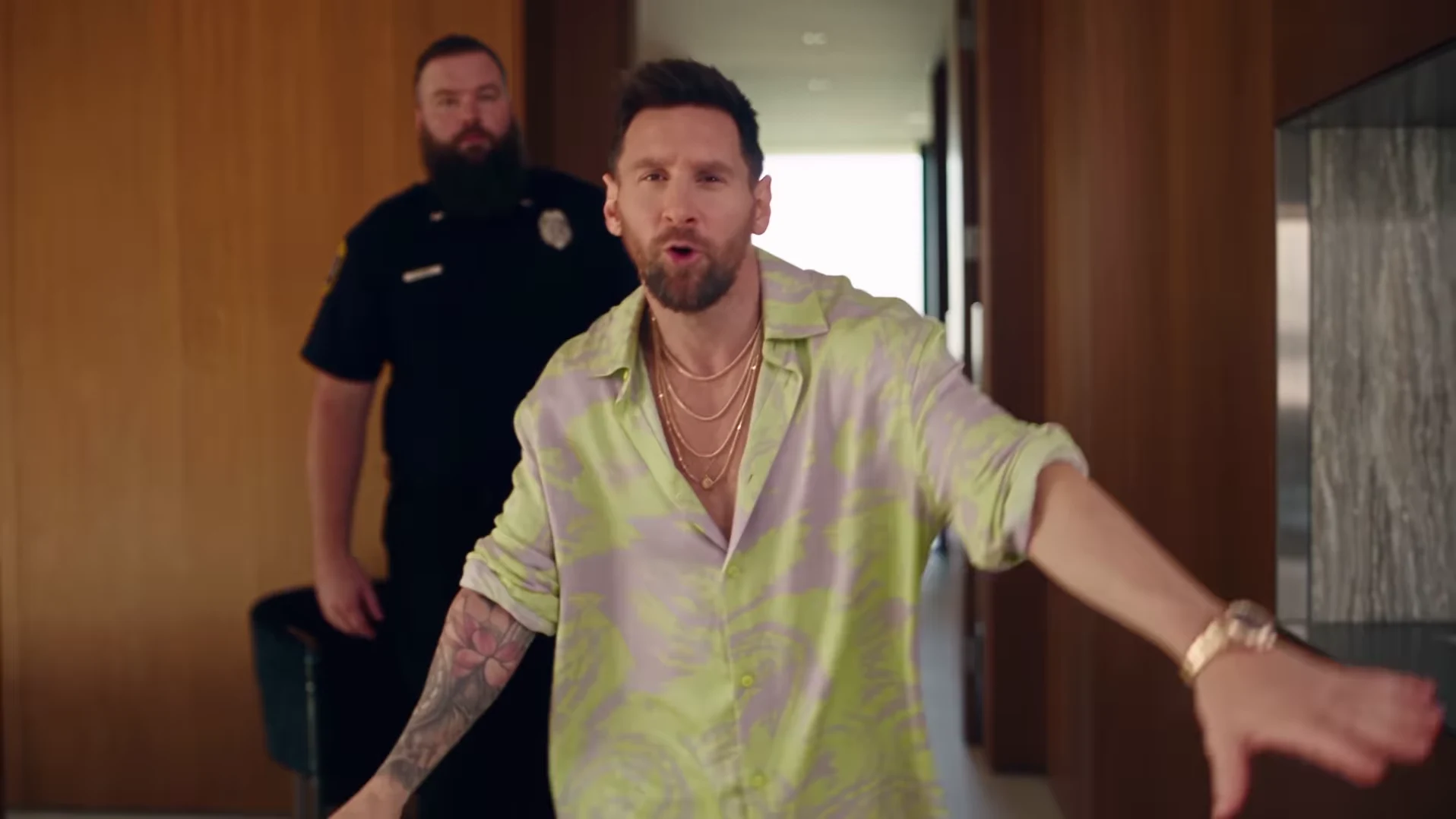
Choose the default 30s full walkthrough for the portrait-lined staircase in the POPSTAR mansion scene. The 15s opening cut ends at the start of the stairs, before the four wall portraits, bottle handoff and poolside finish. In 30s, the moving lead and all four large pictures on the wall are intended to share the identity from your one uploaded photo. This review sequence helps you check that visual connection. The preview shows @nicolesgrid's external reference, not a verified Oakgen result or a guarantee that every generated portrait will match.

Final video
30.04 or 15 seconds
Your input
1 photo
Quality
720p
THE ORIGINAL30.04 SEC / 16 / 9
Video length
Make the 30.04s version
POPSTARSource: @nicolesgrid

Review the staircase in three passes

01

First pass: watch the whole descent

In your 30s result, play from the turn on the upstairs landing through the arrival downstairs. Watch for the glass-railed staircase and then the portrait wall as the presenter descends. Use those visual cues to find the passage in your own result; generated details and motion can vary. At normal speed, ask whether you recognize one continuous person and understand where they are walking.

02

Second pass: inspect each of the four portraits

Pause when the portrait wall is clearly visible. Compare each picture with the uploaded photo and the moving lead: face shape, hairline and recognizable features matter more than identical color treatment. The pictures are stylized wall art in the source, so the task is a consistent likeness across all four, not four pixel-identical copies of your photograph.

03

Third pass: check rails, feet and the guard

The staircase adds overlapping geometry that a face-only review misses. Follow the hand near the rail, the feet on the steps and the guard behind the presenter. Look for limbs passing through glass or faces blending when bodies overlap. Repeat playback around a suspicious frame to see whether the issue is a brief detail or a sustained change in the scene.

04

Use a simple review note

Write down three observations: lead before the stairs, each portrait when visible, and lead after the stairs. For example, 'opening resembles photo; upper-right portrait has different hair; downstairs face returns to the original' is more useful than 'the AI looks off.' It separates a portrait problem from a character change across the whole clip and gives you a specific comparison for a later result.

05

Know which parts you can control

The template has one presenter photo slot and a duration choice. Select 30s for the portraits; selecting 15s removes that later passage from your clip. There are no independent portrait uploads, custom paintings, custom prompts or different staircase layouts. A clearer input may help define the person, but a higher video quality does not guarantee matching faces. If a portrait defect distracts from the idea, decide whether to try another generation or use a carefully chosen excerpt after download.

06

Leave the reveal readable when adding text

For a caption such as 'Saved money once. Ordered four portraits,' let the viewer see the wall before covering any part of it. Test the edited clip at phone size: a portrait visible in a desktop preview can disappear in a tight vertical crop. Keep the full-frame download so you can change your caption placement or framing without regenerating the video.

Explore the POPSTAR trend

How to make it

Upload a clear photo for the performer you want to replace. The scene and its choreography are already set.

The roles in the POPSTAR original referenceTour presenter
  1. 01

    Add one photo

    Upload a clear photo showing one face for the lead role.

  2. 02

    Choose a length and quality

    Select 15 or 30 seconds and a quality. The displayed credit price updates for your selection and includes preparing your photo.

  3. 03

    Review and download

    Check the presenter, scene transitions and sound, plus the wall portraits in the full version, then download your video.

01

Choose 15 or 30 seconds

The 15-second opening covers the bottle-carrying entrance, following guard and start of the stairs. Choose the full 30-second version for the wall portraits, bottle handoff and poolside finish. Preview either cut before choosing.

02

Your face and wall portraits

One photo guides the lead in both versions and their likeness in the four wall portraits in the 30-second version. The guards are background characters. Review the generated likeness through the turns and staircase shots.

03

Reference soundtrack included

The downloaded video keeps the audio from the credited reference, with its original timing. Unmute the preview to hear it. Captions or a different soundtrack can be added after download.

Photo tips

  • Show one face clearly in each photo
  • Use even lighting and an unobstructed face
  • Use photos you have permission to use
  • Review the full AI result before sharing

Questions & answers

What is the POPSTAR AI trend?

It recreates the mansion-walk scene associated with POPSTAR by DJ Khaled featuring Drake. Justin Bieber stars in the official music video. Oakgen uses the credited @nicolesgrid reference to put your photo in the lead role, including the wall portraits, and keeps that reference's soundtrack.

Is this the Drake or Justin Bieber POPSTAR trend?

Those names refer to the same song and music-video connection: DJ Khaled featuring Drake is the recording credit, and Justin Bieber stars in the official video. Oakgen is independent of these artists and does not provide a celebrity photo preset.

How do I make the POPSTAR AI trend?

Add one clear photo for the presenter, choose 15 or 30 seconds and a quality, and check the displayed price before generating. Review the face, guard, staircase and sound, plus the four wall portraits in the full version. Add captions or change the soundtrack in a separate editor if you want.

Is this the template previously called Mansion Tour?

Yes. POPSTAR is the updated public name for the same one-photo template. Your existing Mansion Tour link still opens this trend.

Is the preview an Oakgen result?

No. The preview is the original Instagram reference, credited above. It shows the scene to recreate, not a verified Oakgen output. Oakgen is independent of the original creator.

Does this use the whole reference?

The default 30-second version covers the full 30.04-second reference. The 15-second option uses its opening at the same speed, ending during the start of the staircase descent. Choose 30 seconds for the four wall portraits, bottle handoff and poolside finish. AI-generated details and motion can differ from the reference.

Can I choose 15 or 30 seconds?

Yes. Both lengths use one presenter photo and include the matching reference soundtrack. Switch between their previews, then choose a quality and check the updated credit price before generating.

How many photos do I need?

One clear photo for the lead role. Background characters do not need photos.

Does the finished video have sound?

Yes. New videos keep the soundtrack from the credited @nicolesgrid reference. Unmute the preview to hear it and check your downloaded video with sound enabled. Older downloads made from the previous silent reference are unchanged. You can replace the soundtrack after download if needed.

How much does it cost?

1,912 credits for 15 seconds or 3,874 credits for the full 30-second version at 720p. Both include preparing your photo. The selected price updates with length and quality before you generate.
Ideas for your next video

Plan a story, keep your character recognizable, and make the finished clip your own.

Explore the video trend playbook →

Make your POPSTAR video

Upload 1 photo. Everything else is set.

Make this video