
Video trend

Post your POPSTAR AI video on Reels or TikTok

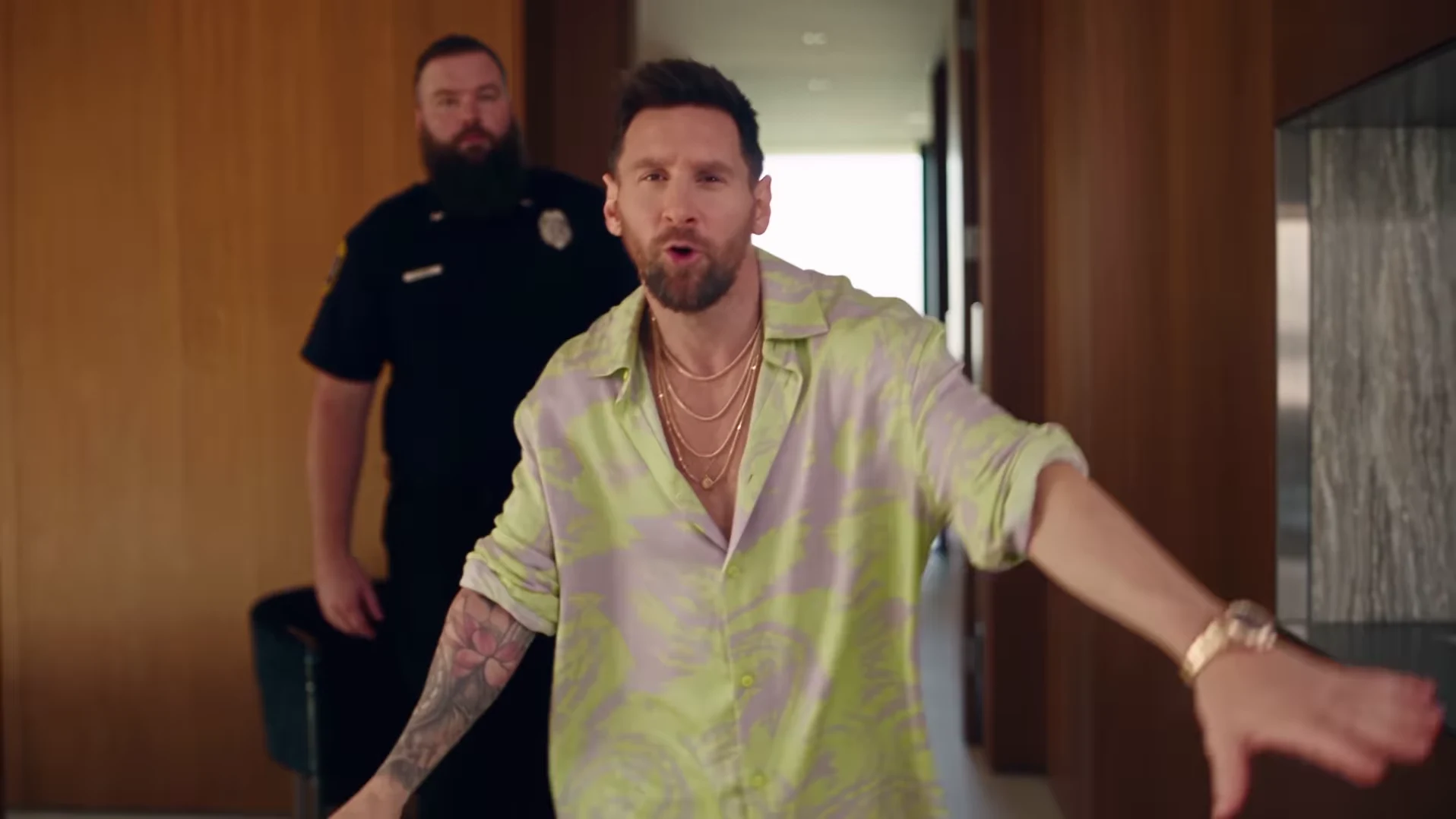
Choose the default 30s full POPSTAR walkthrough or a 15s opening cut before generating. Both follow @nicolesgrid's landscape reference at the same speed with its corresponding soundtrack; 15s uses the matching first 15 seconds of sound. The short cut includes the bottle entrance, following guard, landing and start of the stairs, ending before the four wall portraits, bottle handoff and poolside finish. Those later story moments need 30s. Cropping, captions and any optional sound changes happen in a separate editor after download.

Final video
30.04 or 15 seconds
Your input
1 photo
Quality
720p
THE ORIGINAL30.04 SEC / 16 / 9
Video length
Make the 30.04s version
POPSTARSource: @nicolesgrid

Build a vertical edit around the recognizable moments

01

Start with the full landscape frame

Place the widescreen video inside a vertical canvas so the entrance and landing remain visible, with space above or below for a short caption. This gives you a useful first edit to compare against a tighter crop. The face will look smaller, but the guard stays in view. In the 30s version, the full staircase and portrait wall also remain part of the story. Review at actual phone size before choosing.

02

Use a moving crop only when the action survives it

A narrow crop centered on the lead at the start may lose them when they turn toward the stairs. Check the entrance and landing turn in either duration; for 30s, also check the four-portrait wall and downstairs approach. Reposition the crop over time if your editor supports it, or keep the full frame where the room matters. Both duration options use the fixed landscape format; there is no vertical output switch.

03

Write an opening that explains the exaggeration

Try a concrete premise such as 'Me after getting one paid subscriber' or 'My friend after finding a discount code.' Put the line on screen early enough to explain the confident entrance. These are creative examples to test, not measured high-performing hooks. Keep the text away from the face and check that the posting app's interface does not cover it.

04

Save a clear moment for the portrait reveal

Choose 30s before generating if your joke needs the portrait reveal; the 15s opening cut ends before the wall pictures. 'Already commissioned the portraits' works only if viewers can actually see them. Let the wall enter the frame before that line appears, and remove the first caption if the two compete. If a crop has hidden the portraits, change the framing or use a different punchline.

05

Keep or change the sound and choose your final length

Select 15s or 30s and your quality before generation. The displayed credit total updates with those choices and includes preparing your one photo. Both downloads include the corresponding reference soundtrack. Keep it, mute it, or replace it with permitted music or personal narration in your separate editor. Older silent downloads stay unchanged. You can trim either download further there; keep audio and video together, then review the opening, transitions and ending.

06

Compare one change at a time

Keep the same footage and change either the first caption or the framing for your next version. Record whatever watch-time and sharing measurements the destination gives you, along with visits to a clearly labeled recreation link. Separate viewers who enjoy the joke from visitors who actually start making a video. A strong post and a clear route to recreate it are both needed; extra hashtags alone do not establish either.

Explore the POPSTAR trend

How to make it

Upload a clear photo for the performer you want to replace. The scene and its choreography are already set.

The roles in the POPSTAR original referenceTour presenter
  1. 01

    Add one photo

    Upload a clear photo showing one face for the lead role.

  2. 02

    Choose a length and quality

    Select 15 or 30 seconds and a quality. The displayed credit price updates for your selection and includes preparing your photo.

  3. 03

    Review and download

    Check the presenter, scene transitions and sound, plus the wall portraits in the full version, then download your video.

01

Choose 15 or 30 seconds

The 15-second opening covers the bottle-carrying entrance, following guard and start of the stairs. Choose the full 30-second version for the wall portraits, bottle handoff and poolside finish. Preview either cut before choosing.

02

Your face and wall portraits

One photo guides the lead in both versions and their likeness in the four wall portraits in the 30-second version. The guards are background characters. Review the generated likeness through the turns and staircase shots.

03

Reference soundtrack included

The downloaded video keeps the audio from the credited reference, with its original timing. Unmute the preview to hear it. Captions or a different soundtrack can be added after download.

Photo tips

  • Show one face clearly in each photo
  • Use even lighting and an unobstructed face
  • Use photos you have permission to use
  • Review the full AI result before sharing

Questions & answers

What is the POPSTAR AI trend?

It recreates the mansion-walk scene associated with POPSTAR by DJ Khaled featuring Drake. Justin Bieber stars in the official music video. Oakgen uses the credited @nicolesgrid reference to put your photo in the lead role, including the wall portraits, and keeps that reference's soundtrack.

Is this the Drake or Justin Bieber POPSTAR trend?

Those names refer to the same song and music-video connection: DJ Khaled featuring Drake is the recording credit, and Justin Bieber stars in the official video. Oakgen is independent of these artists and does not provide a celebrity photo preset.

How do I make the POPSTAR AI trend?

Add one clear photo for the presenter, choose 15 or 30 seconds and a quality, and check the displayed price before generating. Review the face, guard, staircase and sound, plus the four wall portraits in the full version. Add captions or change the soundtrack in a separate editor if you want.

Is this the template previously called Mansion Tour?

Yes. POPSTAR is the updated public name for the same one-photo template. Your existing Mansion Tour link still opens this trend.

Is the preview an Oakgen result?

No. The preview is the original Instagram reference, credited above. It shows the scene to recreate, not a verified Oakgen output. Oakgen is independent of the original creator.

Does this use the whole reference?

The default 30-second version covers the full 30.04-second reference. The 15-second option uses its opening at the same speed, ending during the start of the staircase descent. Choose 30 seconds for the four wall portraits, bottle handoff and poolside finish. AI-generated details and motion can differ from the reference.

Can I choose 15 or 30 seconds?

Yes. Both lengths use one presenter photo and include the matching reference soundtrack. Switch between their previews, then choose a quality and check the updated credit price before generating.

How many photos do I need?

One clear photo for the lead role. Background characters do not need photos.

Does the finished video have sound?

Yes. New videos keep the soundtrack from the credited @nicolesgrid reference. Unmute the preview to hear it and check your downloaded video with sound enabled. Older downloads made from the previous silent reference are unchanged. You can replace the soundtrack after download if needed.

How much does it cost?

1,912 credits for 15 seconds or 3,874 credits for the full 30-second version at 720p. Both include preparing your photo. The selected price updates with length and quality before you generate.
Ideas for your next video

Plan a story, keep your character recognizable, and make the finished clip your own.

Explore the video trend playbook →

Make your POPSTAR video

Upload 1 photo. Everything else is set.

Make this video