Start with the untrimmed file
Open the full landscape export with the sound on. Leave music, captions and speed changes off for this first pass. You need to hear the original pauses to judge whether the performance reads naturally.
Video trend
The captain stays on camera for the entire exchange. A delayed mouth movement is especially easy to spot because there is no reaction shot to hide it. Play the finished clip at its normal speed first.
Open the full landscape export with the sound on. Leave music, captions and speed changes off for this first pass. You need to hear the original pauses to judge whether the performance reads naturally.
At first the seated speaker is comparatively still. Watch for small mouth shapes in the opening speech and a stable face above the desk. A face already wide open here spends the strongest expression too early.
The captain becomes more indignant before the answer. Follow the change in expression and head position. A single large smile or a mouth moving evenly through every pause makes the exchange hard to read.
The large mouth opening and forward lean belong with the emphatic answer around seven seconds into the reference. Scrub just this moment on mute, then restore the sound and listen for where the stress lands.
The captain points repeatedly and finishes with a stern look. Let the final expression play before you trim. A cut on the first pointing gesture loses the visual response that follows the line.
Compare the downloaded file and your edited version at the lean. If the original lines up and the edited copy lags, undo a speed adjustment or a separately moved audio track before changing your portrait.
Add a photo for the captain. The background is optional: add a photo to change it.
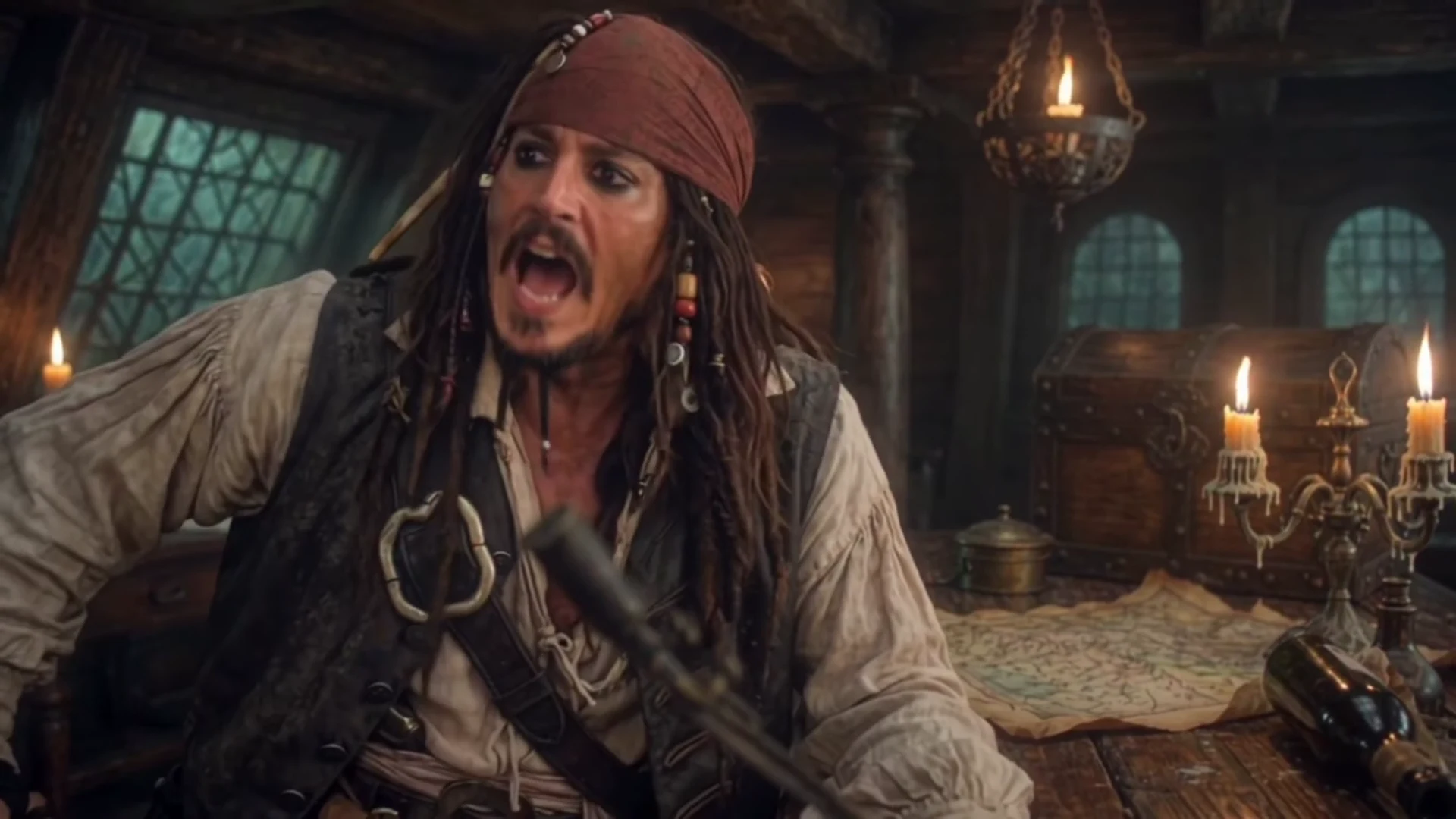
Add a portrait for the Captain. A clear view of the eyes and mouth helps the expressions read as the speaker leans forward. Use photos of people who agreed to appear.
Choose a setting where someone could sit behind a desk or table. The telescope stays in front of the captain. Leave Background empty to keep the captain’s cabin.
Select 720p or 1080p and review the quote. Listen for the pauses and watch the mouth in the same uninterrupted shot. Leave room at the sides for the pointing gesture.
One landscape shot holds on the captain throughout the speech. The lean, pointing hand and pauses supply the rhythm without a camera cut.
The audio is Kanye West speaking to Zane Lowe in 2013. The template keeps the spoken interview excerpt, distinct from the Yeezus album track of the same name.
One landscape shot holds on the captain throughout the speech. The lean, pointing hand and pauses supply the rhythm without a camera cut.
The audio is Kanye West speaking to Zane Lowe in 2013. The template keeps the spoken interview excerpt, distinct from the Yeezus album track of the same name.
Choose a setting where someone could sit behind a desk or table. The telescope stays in front of the captain. The Background photo is optional. The camera timing and soundtrack stay the same.
637 credits per 720p video. Adding a Background photo costs the same.
Plan a story, keep your character recognizable, and make the finished clip your own.
Cast the captain, keep the ship’s cabin or use your own room, then check the lip sync and framing in the 11.53-second I Am a God pirate video.
Recognize the Kanye West AI trend by its pirate captain, brass telescope and interview audio. See how the same line reads differently when you change the setting.
The pirate captain mouths Kanye West’s 2013 BBC Radio 1 interview with Zane Lowe. Hear how the spoken exchange differs from the song on Yeezus.
Upload 1–2 photos. Everything else is set.