ChatGPT
 Claude
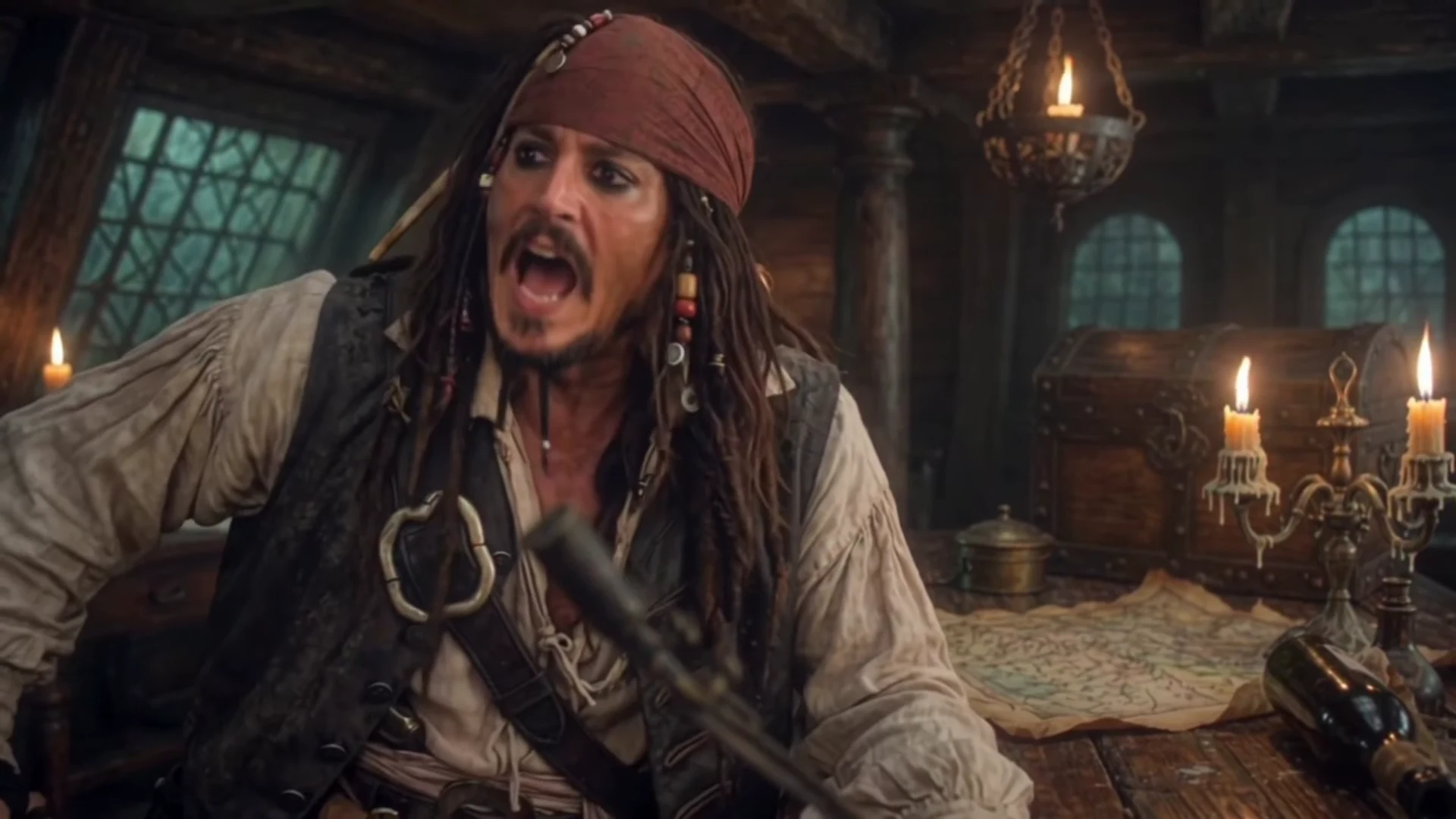
The simplest version of the I Am a God template needs one thing from you: a clear photograph of the person who will play the captain. The template supplies the desk, the speech and the moment the speaker leans toward the camera. The file is about 11.53 seconds long and uses a single landscape shot.
Decide where the joke takes place
A captain in a candlelit cabin looks at home beside a brass telescope. A colleague in ordinary office clothes, delivering the same speech from a meeting table, reads quite differently. Make that choice before you collect pictures. It determines whether you need to take a second photograph.
For the cabin, leave Background empty. For an office, stand across the table from the chair and photograph the empty room from roughly the height of a seated person's face. The reference shot looks across a desk. A picture taken straight down at a keyboard gives the model little information about the wall and furniture behind the speaker. Guide to choosing a background
Choose the captain’s photograph
Use a picture of yourself or someone who has agreed to play this role. The medium framing shows the head, shoulders and clothing above the desk. Pick a chest-up photograph that gives those details some room. A phone partly covering the chin in a mirror selfie can be a problem here: the mouth has to go from a small speaking shape to a wide-open exclamation.
Dress for the version you have in mind. If a faded red bandana is essential to the joke, wear it in the photograph. If the idea is for the captain to look like you on a normal workday, use your usual shirt and hairstyle. The reference actor's outfit is replaced along with the face. Captain photo guide
Generate the landscape version
Open the trend and put the portrait in the captain slot. Add the empty-room picture in Background only if you chose your own location. Choose 720p or 1080p, read the quote shown for your selection and generate. You do not need a microphone recording or the album track. The spoken soundtrack goes back onto the edited picture during assembly.
Review the result before you crop
- Play it at normal speed. The opening speech gives way to a question and a sharp answer. Around seven seconds in, listen for the stressed reply while the speaker leans forward.
- Mute and look at the face. Pause at the lean, where the mouth opens widest. Compare the jaw, hair and collar with your portrait, then watch for a consistent appearance as the head turns.
- Watch the desk and the final point. The speaker stays seated. The hand needs room to point, and the desk should stay in place as the torso moves. Let the last look settle before trimming.
When you prepare a vertical post, try fitting the landscape video inside a tall canvas first. If you crop tighter, check both the lean and the pointing hand before exporting. Add your setup line outside the picture when space allows, and label the result as an AI-made performance. Vertical framing guide
Want to identify the voice for your caption? The history of the interview sound explains why searching for the album track brings up a different recording.
Make your pirate captain video
Use your own portrait in the cabin or set the same speech in a room you choose.
Frequently asked questions
Do I have to record myself saying the line?
One portrait is enough. The scene provides the seated performance and the spoken interview audio. You can add a second photo if you want to choose the location.
Does the person automatically get a pirate outfit?
The recipe takes the person’s appearance and clothing from their portrait. Wear the costume you want in your photo, or use everyday clothes to play the captain as yourself.