Keep the original download
Start a separate edit for the vertical version. The template delivers a landscape 16:9 shot, and a fresh copy lets you go back to the complete composition if a narrow crop cuts into the gesture.
Video trend
A crop that looks right while the captain is still can fail when the finger comes up. Choose the frame using the largest movement in the whole shot, then decide where your caption belongs.
Start a separate edit for the vertical version. The template delivers a landscape 16:9 shot, and a fresh copy lets you go back to the complete composition if a narrow crop cuts into the gesture.
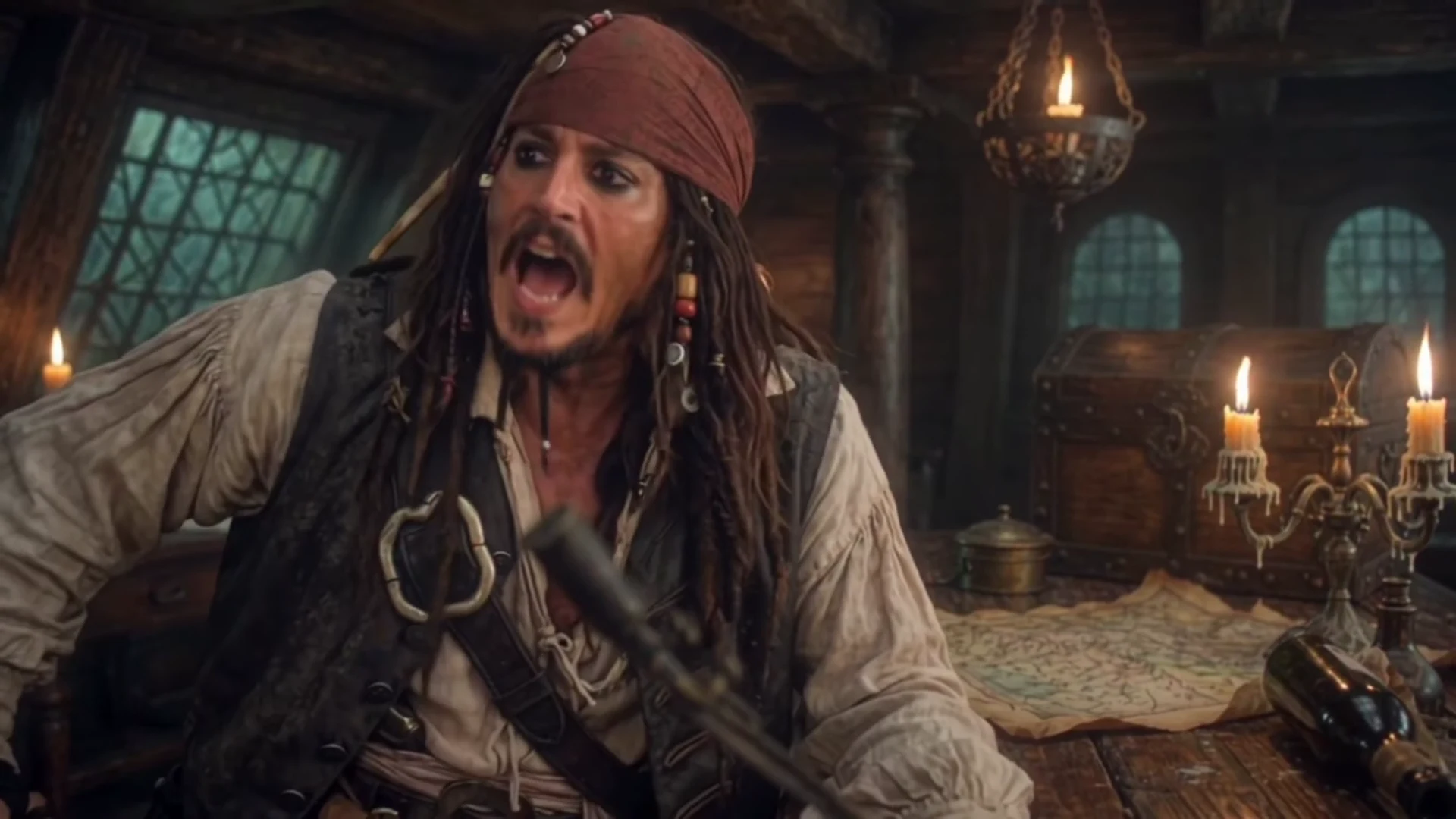
On a vertical canvas, scale the landscape picture until both side edges fit. The empty area above or below can carry a short setup line. The captain, desk and brass telescope all remain visible.
If you want the face to fill more space, pause where the captain leans forward. Adjust the crop around the open mouth with a little space above the head. Check it against the quieter opening before committing.
Move to the end without moving the crop. A finger entering at the side can disappear even when the centered face is sharp. Widen the crop if the gesture loses its direction.
Try a setup line in the empty band outside the image. Inside the picture, the lower part carries the hands, telescope and desk while the upper center carries the face, leaving little room for large subtitles.
Play the vertical file from start to finish with sound. The emphasis should meet the forward lean and the final look should have room to settle. Label your posted version as an AI-made scene so a viewer encountering the excerpt understands what they are seeing.
Add a photo for the captain. The background is optional: add a photo to change it.
Add a portrait for the Captain. A clear view of the eyes and mouth helps the expressions read as the speaker leans forward. Use photos of people who agreed to appear.
Choose a setting where someone could sit behind a desk or table. The telescope stays in front of the captain. Leave Background empty to keep the captain’s cabin.
Select 720p or 1080p and review the quote. Listen for the pauses and watch the mouth in the same uninterrupted shot. Leave room at the sides for the pointing gesture.
One landscape shot holds on the captain throughout the speech. The lean, pointing hand and pauses supply the rhythm without a camera cut.
The audio is Kanye West speaking to Zane Lowe in 2013. The template keeps the spoken interview excerpt, distinct from the Yeezus album track of the same name.
One landscape shot holds on the captain throughout the speech. The lean, pointing hand and pauses supply the rhythm without a camera cut.
The audio is Kanye West speaking to Zane Lowe in 2013. The template keeps the spoken interview excerpt, distinct from the Yeezus album track of the same name.
Choose a setting where someone could sit behind a desk or table. The telescope stays in front of the captain. The Background photo is optional. The camera timing and soundtrack stay the same.
637 credits per 720p video. Adding a Background photo costs the same.
Plan a story, keep your character recognizable, and make the finished clip your own.
Cast the captain, keep the ship’s cabin or use your own room, then check the lip sync and framing in the 11.53-second I Am a God pirate video.
Recognize the Kanye West AI trend by its pirate captain, brass telescope and interview audio. See how the same line reads differently when you change the setting.
The pirate captain mouths Kanye West’s 2013 BBC Radio 1 interview with Zane Lowe. Hear how the spoken exchange differs from the song on Yeezus.
Upload 1–2 photos. Everything else is set.