Watch the opener without pausing
Can you tell the two people apart while they face each other? Check the clothes as well as the faces. The movement is fast and an isolated blurry frame is less informative than the whole first exchange.
Video trend
A good-looking opening frame tells you little about the hardest moment of this edit. In the wide shot one character partly covers the other. Review the full fifteen seconds once at normal speed, then use the two cut times to spot-check identity and wardrobe.
Can you tell the two people apart while they face each other? Check the clothes as well as the faces. The movement is fast and an isolated blurry frame is less informative than the whole first exchange.
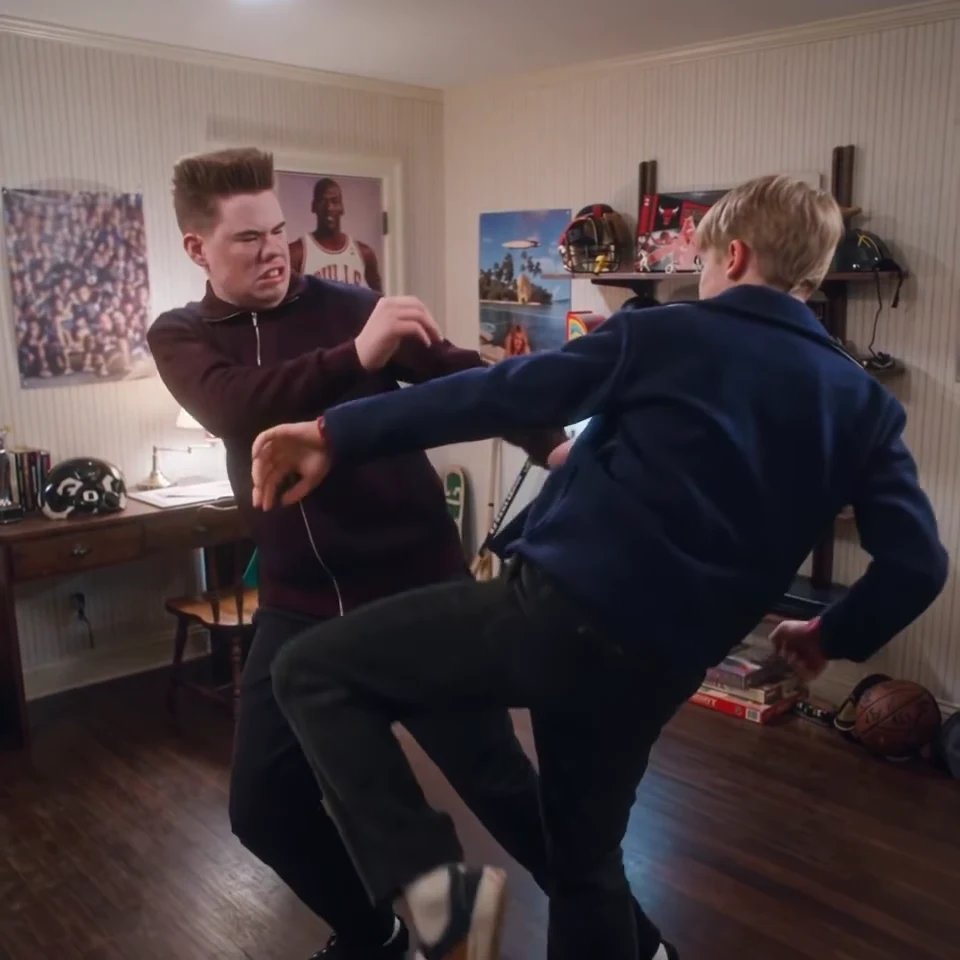
The foreground shoulder belongs to the older brother. Across from it you should recognize the younger brother from the opening. Compare their hair and shirt colors on either side of the first cut.
The last camera angle includes both bodies. Watch the transition from the lift into the landing and look for clothing passing from one figure to the other, especially while their faces are partly hidden.
Watch the floor and the crouching figure together. If a caption or vertical crop obscures one of them, change that layout before you conclude that the generated ending is missing.
Play through the two camera changes with headphones. The slowed telepatía remix should continue across them. If your own edit adds intro music, check where its fade ends.
When the square file looks right but a posting preview cuts off the landing, fit the entire square within a vertical canvas. Leave any explanatory text outside the action area and identify the shared video as AI-made.
Add a photo for the younger brother and older brother. The background is optional: add a photo to change it.
Assign portraits by role. The Younger brother starts on the right of the poster. The Older brother is on the left and performs the final lift. Use photos of people who agreed to appear.
Choose a bedroom or another space with an open floor. A photo showing the far wall helps establish the room from both camera angles. Leave Background empty to keep the brothers’ bedroom.
Select 720p or 1080p and review the quote. Follow the same person's face across the reverse angle. Check the final wide shot before cropping or adding text.
Three square shots tell the gag. A wide view introduces the siblings, the reverse angle changes their screen positions, and the final shot shows the lift and drop.
The bedroom scene is set to the wintrs slowed-reverb remix of Kali Uchis’s telepatía. The melody carries across both camera cuts.
Three square shots tell the gag. A wide view introduces the siblings, the reverse angle changes their screen positions, and the final shot shows the lift and drop.
The bedroom scene is set to the wintrs slowed-reverb remix of Kali Uchis’s telepatía. The melody carries across both camera cuts.
Choose a bedroom or another space with an open floor. A photo showing the far wall helps establish the room from both camera angles. The Background photo is optional. The camera timing and soundtrack stay the same.
796 credits per 720p video. Adding a Background photo costs the same.
Plan a story, keep your character recognizable, and make the finished clip your own.
Trace the bedroom parody’s audio to Kali Uchis’s 2020 album and the wintrs slowed-reverb recording identified in two sections of the edit.
Choose both character photos, keep the room consistent across the reverse angle and check the last five seconds of the sibling parody.
Upload 2–3 photos. Everything else is set.