Choose the reaction
The person in the younger-brother role is the one seen across the older brother’s shoulder in the middle. If a particular friend’s expression is the reason for making the clip, consider that role first.
Video trend
The role labels describe two parts in an AI skit. You can cast two consenting adult friends. One gets the opening flurry and a front-facing reaction in the middle, while the other turns the scene around and carries the ending.
The person in the younger-brother role is the one seen across the older brother’s shoulder in the middle. If a particular friend’s expression is the reason for making the clip, consider that role first.
The older brother appears from behind and the side before the wide finish. A well-lit photo that shows the shape of the hair and shoulders gives the model more than a tightly cropped face.
Use one recognizable outfit per person. If both wear similar hoodies, the reverse angle can make the pair hard to tell apart even when the faces are correct. A clear contrast between tops helps.
The navy jacket and maroon pullover belong to the preview. Your two uploads supply wardrobe and appearance for the edited characters. Choose a favorite shirt if seeing it across the three shots is part of the fun.
If you crop portraits from a picture of the pair together, check the edges for the other person’s cheek or shoulder. Two individual photos also work, preferably with visible hairlines and unobstructed faces.
Show the ending before generating. The younger brother is carried and ends up on the floor. The older brother finishes crouched beside him. Both performers should know which part they are taking.
Add a photo for the younger brother and older brother. The background is optional: add a photo to change it.
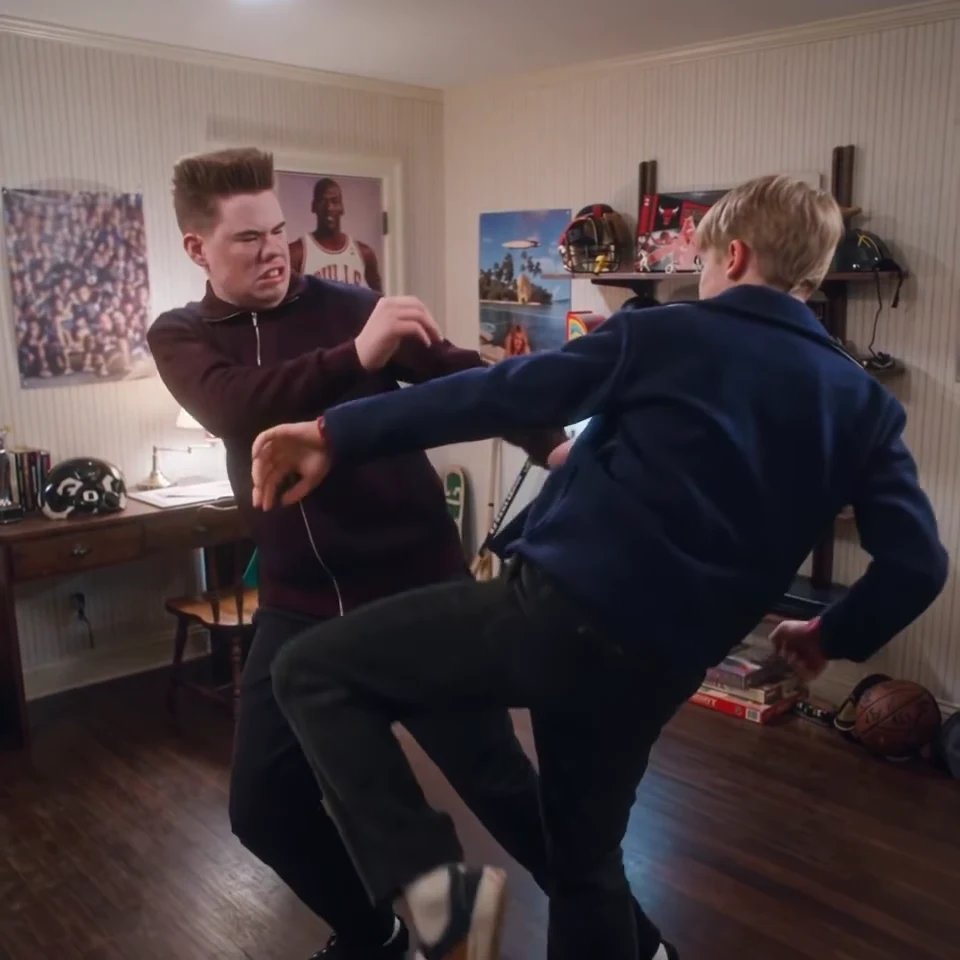
Assign portraits by role. The Younger brother starts on the right of the poster. The Older brother is on the left and performs the final lift. Use photos of people who agreed to appear.
Choose a bedroom or another space with an open floor. A photo showing the far wall helps establish the room from both camera angles. Leave Background empty to keep the brothers’ bedroom.
Select 720p or 1080p and review the quote. Follow the same person's face across the reverse angle. Check the final wide shot before cropping or adding text.
Three square shots tell the gag. A wide view introduces the siblings, the reverse angle changes their screen positions, and the final shot shows the lift and drop.
The bedroom scene is set to the wintrs slowed-reverb remix of Kali Uchis’s telepatía. The melody carries across both camera cuts.
Three square shots tell the gag. A wide view introduces the siblings, the reverse angle changes their screen positions, and the final shot shows the lift and drop.
The bedroom scene is set to the wintrs slowed-reverb remix of Kali Uchis’s telepatía. The melody carries across both camera cuts.
Choose a bedroom or another space with an open floor. A photo showing the far wall helps establish the room from both camera angles. The Background photo is optional. The camera timing and soundtrack stay the same.
796 credits per 720p video. Adding a Background photo costs the same.
Plan a story, keep your character recognizable, and make the finished clip your own.
Trace the bedroom parody’s audio to Kali Uchis’s 2020 album and the wintrs slowed-reverb recording identified in two sections of the edit.
Choose both character photos, keep the room consistent across the reverse angle and check the last five seconds of the sibling parody.
Upload 2–3 photos. Everything else is set.