Keep the bedroom if it tells the story
Leaving Background empty keeps the striped walls, posters and trophies from the preview. Use your own room when its colors or furniture make the scene more personal.
Video trend
The middle shot looks at the younger brother from the other side. A room photo with depth gives that reverse view something to work with. Start with a picture where you can point to the standing area, a wall behind it and enough space above the actors for the final wide shot.
Leaving Background empty keeps the striped walls, posters and trophies from the preview. Use your own room when its colors or furniture make the scene more personal.
A corner shows how two walls meet and how far the floor stretches toward the camera. That can be more informative for the reverse view than a photo aimed straight at a poster.
The two figures briefly stack vertically in the shoulder carry. A room photo dominated by a low lamp, ceiling fan or shelf in the middle gives the finishing shot a busy backdrop.
A desk along a wall can help identify a place. A desk filling the center hides the floor where both characters finish. Compare two viewpoints and keep the one with the clearer playing area.
This setting is meant to hold the two people from the character photos. An empty-room picture gives a clearer signal than a party shot with guests, mirrors full of faces or a large portrait at eye level.
Pause after the cut near five seconds. The furniture need not stay in the same screen positions when the camera reverses. Look instead for consistent surfaces, color and light across the room.
Add a photo for the younger brother and older brother. The background is optional: add a photo to change it.
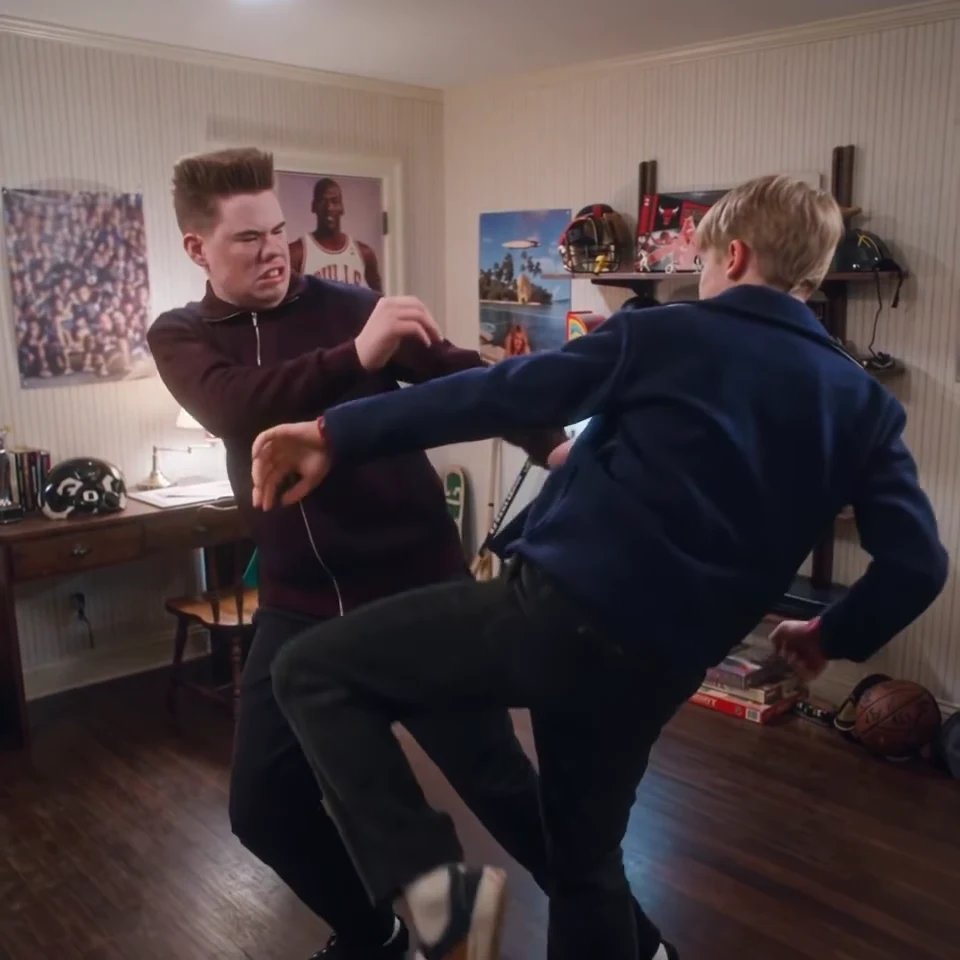
Assign portraits by role. The Younger brother starts on the right of the poster. The Older brother is on the left and performs the final lift. Use photos of people who agreed to appear.
Choose a bedroom or another space with an open floor. A photo showing the far wall helps establish the room from both camera angles. Leave Background empty to keep the brothers’ bedroom.
Select 720p or 1080p and review the quote. Follow the same person's face across the reverse angle. Check the final wide shot before cropping or adding text.
Three square shots tell the gag. A wide view introduces the siblings, the reverse angle changes their screen positions, and the final shot shows the lift and drop.
The bedroom scene is set to the wintrs slowed-reverb remix of Kali Uchis’s telepatía. The melody carries across both camera cuts.
Three square shots tell the gag. A wide view introduces the siblings, the reverse angle changes their screen positions, and the final shot shows the lift and drop.
The bedroom scene is set to the wintrs slowed-reverb remix of Kali Uchis’s telepatía. The melody carries across both camera cuts.
Choose a bedroom or another space with an open floor. A photo showing the far wall helps establish the room from both camera angles. The Background photo is optional. The camera timing and soundtrack stay the same.
796 credits per 720p video. Adding a Background photo costs the same.
Plan a story, keep your character recognizable, and make the finished clip your own.
Trace the bedroom parody’s audio to Kali Uchis’s 2020 album and the wintrs slowed-reverb recording identified in two sections of the edit.
Choose both character photos, keep the room consistent across the reverse angle and check the last five seconds of the sibling parody.
Upload 2–3 photos. Everything else is set.