
Image trend

How to Do the AI Ghostface Trend From One Selfie

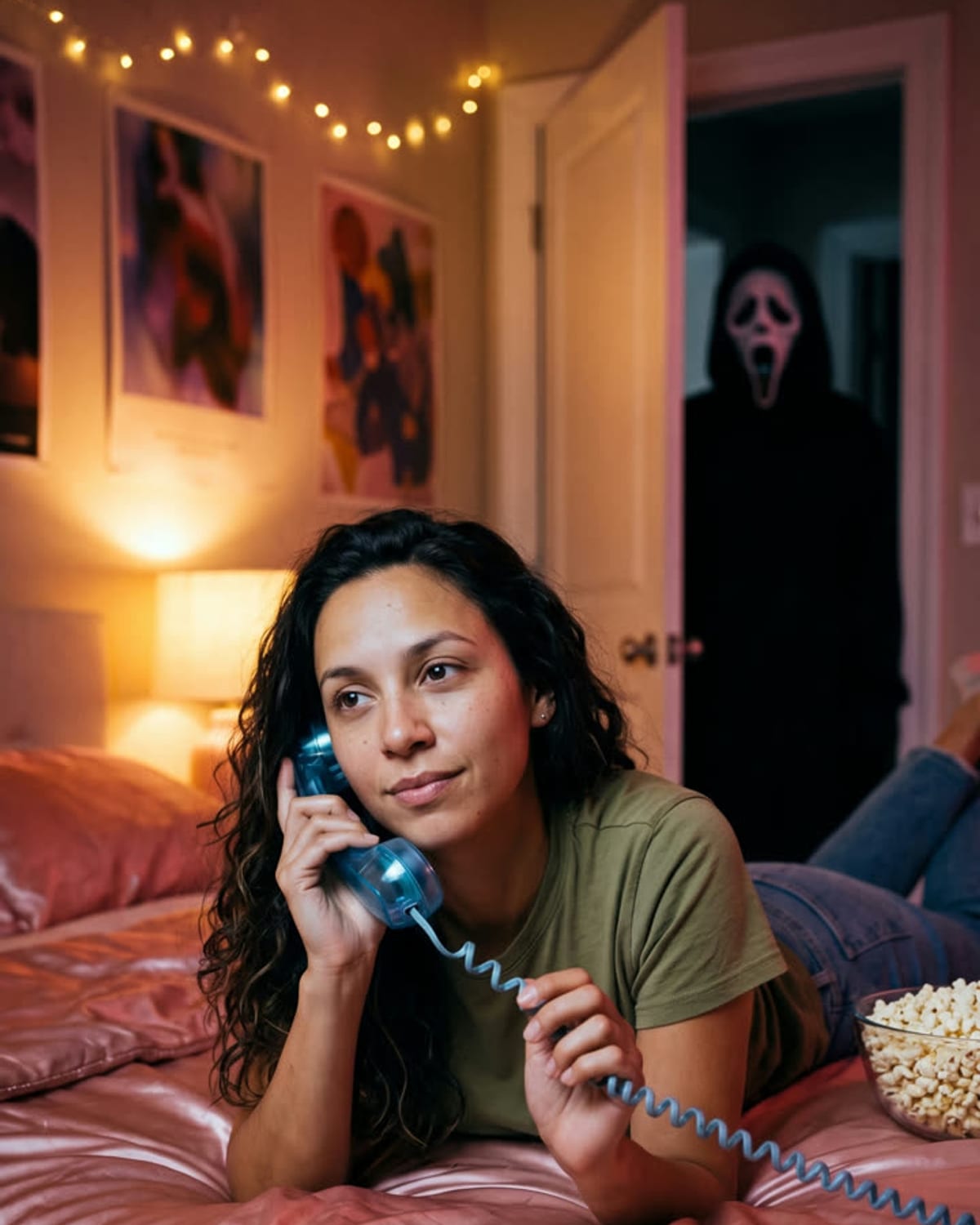
Most guides to this trend ask you to paste a long prompt into a chat image tool and describe the bedroom, the lighting and the figure yourself. Ghostface Call skips that step. The room, the phone and the doorway figure are already fixed, so the only thing you supply is a photo of yourself.

Final image
1 still
Your input
1 photo
Price
from 51 credits
Ghostface Call example result
Ghostface CallExample result

From one selfie to the doorway reveal

01

Step 1: choose a single photo of yourself

Use a picture where your face is sharp and your shoulders and top are in frame, and where nobody else appears. You do not need to be lying down or holding a phone, because the template supplies the pose on the bed and the receiver at your ear. A relaxed, half-smiling expression suits the chatty, unaware mood better than a serious face.

02

Step 2: upload once and let it run

Put the photo in the one upload slot on the Ghostface Call page and start the image. There are no style, room or figure settings to choose. The page says it takes about a minute, and you can leave while it works; the finished 4:5 picture is saved with your other assets.

03

Step 3: check both halves before posting

The joke needs two readable things: you, happily on the call, and the masked figure behind you. Open the result at full size and look at your face under the warm lamp light, then at the doorway. If either is weak, try a different, better-lit upload rather than editing the image, since the scene itself cannot be changed.
Explore the Ghostface Call trend

How to make it

On the phone in bed, with a masked figure in the doorway. Add one clear photo; the look is already set.

The photo you add

  • 1. You

    A clear photo of your face and upper body in good light.

  1. 01

    Upload your photo

    Pick a clear photo of your face and upper body.

  2. 02

    We set the scene

    The bedroom, the phone and the figure in the doorway take about a minute.

  3. 03

    Download and post

    Save the image and share it anywhere.

01

Still you

Your face, hair and look carry over from your photo.

02

A real 90s film look

Flash-lit grain, a corded phone and a bedroom straight out of a late-90s horror film.

03

Spooky, not gory

The figure just watches from the doorway. No blood, no violence.

Photo tips

  • Face sharp and well lit
  • Upper body visible
  • Natural expression
  • Just you in the photo

Questions & answers

How many photos do I need?

One: a clear photo of you.

Is my photo private?

Your photos are used to make your image. Only upload photos of yourself, or of people who have agreed to it.

Can I use the result commercially?

Check your plan's terms for what you can do with generated images. They apply to your result.

How long does it take?

About a minute. You can leave the page; the finished Ghostface Call image is saved to your assets.

Is it scary or violent?

It is eerie, not gory. The masked figure only stands in the doorway; there is no weapon or blood.

Ideas for your next photo

Pick a premise, choose the right photo, and turn one finished image into a post worth sharing.

Explore the AI photo trend playbook →

Make your Ghostface Call image

One photo, about a minute. A chunky 90s phone, satin sheets and someone watching from the dark.

Make this image