
Image trend

How to Make a Catrina AI Portrait

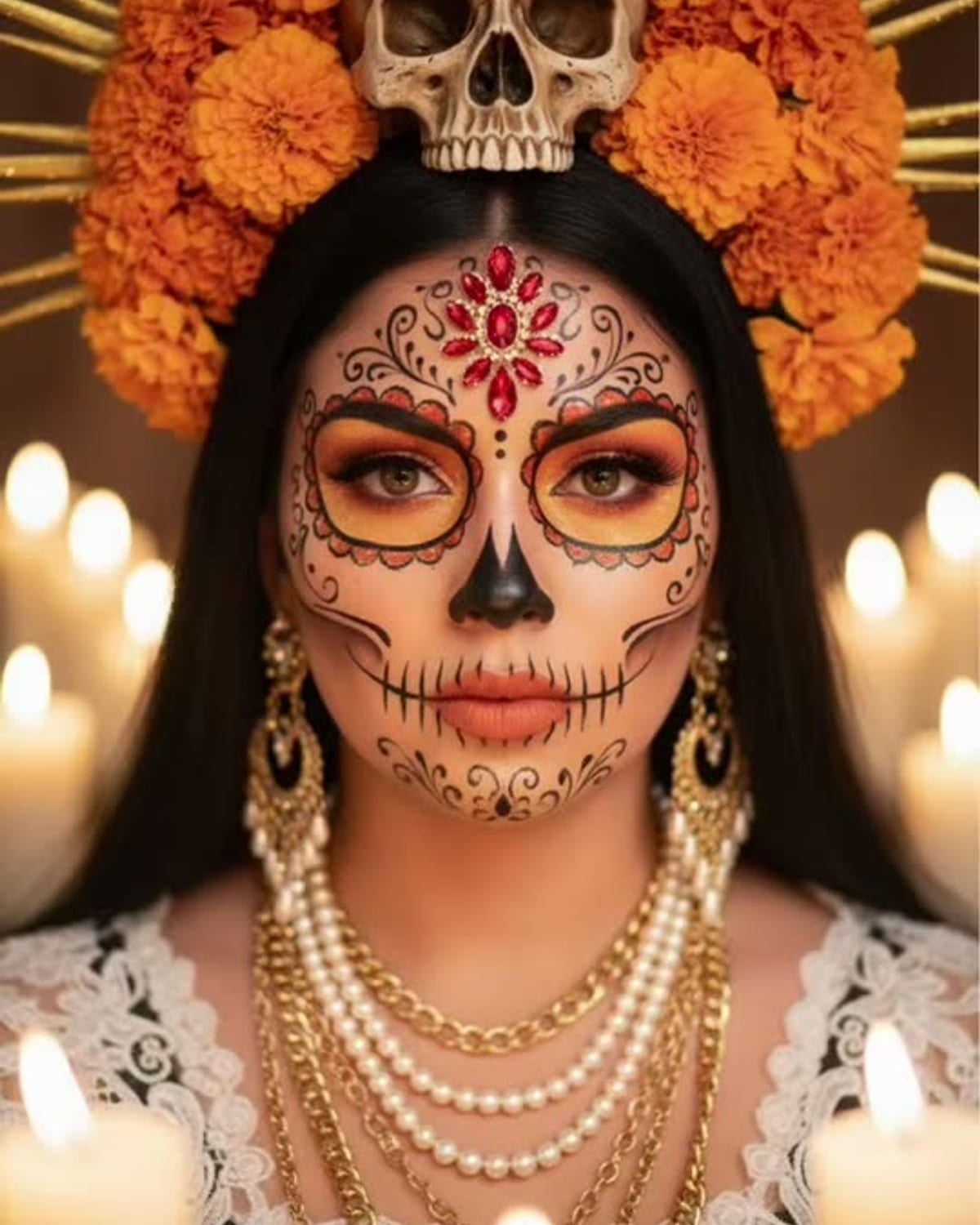
In October 2025, Mexican outlets including Milenio and TV Azteca published step-by-step guides to making a "foto de Catrina con IA" by pasting a prompt into a chat image tool. Oakgen's Catrina Makeup template replaces the prompt with a fixed portrait, so your only job is choosing the face photo.

Final image
1 still
Your input
1 photo
Price
from 51 credits
Catrina Makeup example result
Catrina MakeupExample result

One face photo, one candlelit portrait

01

Step 1: pick a front-facing photo

The paint has to follow your eyes, nose and mouth, so use a photo where your face is large, sharp and turned toward the camera. Hair pulled back from the forehead gives the floral details more room. Leave out sunglasses, hats and anything covering part of your face.

02

Step 2: upload it to the single slot

Add the photo on the Catrina Makeup page and start the portrait. There is no outfit, hat, background or makeup-style selector: every result is a chest-up candlelit portrait with a red rose crown and a candle in your hands. Some guides elsewhere show a wide-brimmed hat or a marigold field; those looks are not part of this template.

03

Step 3: save it and decide how to share

The finished 4:5 portrait is saved to your assets, ready for a feed post. Before sharing, check that you still look like yourself under the paint and plan a caption that says the image is AI-made. The caption guide for Día de Muertos portraits covers tone and wording if you are unsure.
Explore the Catrina Makeup trend

How to make it

A Day of the Dead portrait in sugar-skull makeup and a crown of red roses. Add one clear photo; the look is already set.

The photo you add

  • 1. You

    A clear, front-facing photo of your face in good light.

  1. 01

    Upload your photo

    Pick a clear, front-facing photo of your face.

  2. 02

    We paint the portrait

    The makeup, roses and candlelight are added in about a minute.

  3. 03

    Download and post

    Save the image and share it anywhere.

01

Makeup on your face

The paint follows your own features, so you are still recognisable under it.

02

Detailed sugar-skull art

Painted eye sockets, petal and dot details and a stitched smile line.

03

Roses and candlelight

A crown of red roses and warm candle glow, with marigolds in the background.

Photo tips

  • Face large, sharp and front-facing
  • Even light, no harsh shadows
  • No sunglasses or hands over your face
  • Hair pulled back works especially well

Questions & answers

How many photos do I need?

One: a clear photo of your face.

Is my photo private?

Your photos are used to make your image. Only upload photos of yourself, or of people who have agreed to it.

Can I use the result commercially?

Check your plan's terms for what you can do with generated images. They apply to your result.

How long does it take?

About a minute. You can leave the page; the finished Catrina Makeup image is saved to your assets.

Does it work for men?

Yes. The makeup and portrait suit anyone, and they follow your own features and hair.

Ideas for your next photo

Pick a premise, choose the right photo, and turn one finished image into a post worth sharing.

Explore the AI photo trend playbook →

Make your Catrina Makeup image

One photo, about a minute. Painted sugar-skull details, red roses and candlelight.

Make this image