
Oakgen.ai

Video trend

Chandelier Party AI Video: Crop, Caption and Post It

Some AI video tools call this trend the chandelier party, after the crystal chandeliers that hang over the whole Burning Bridges scene. Oakgen's template exports it in landscape 16:9, the shape of the original music video, but most people will post it on vertical apps. This page covers that step: where you are in the frame second by second, how to crop it, where text can go and what to put in the caption.

Final video
15 seconds
Your input
1 photo
Quality
720p
THE ORIGINAL15 SEC / 16 / 9
Burning BridgesYour photo. This scene.

From landscape to vertical

01

Know where the lead is

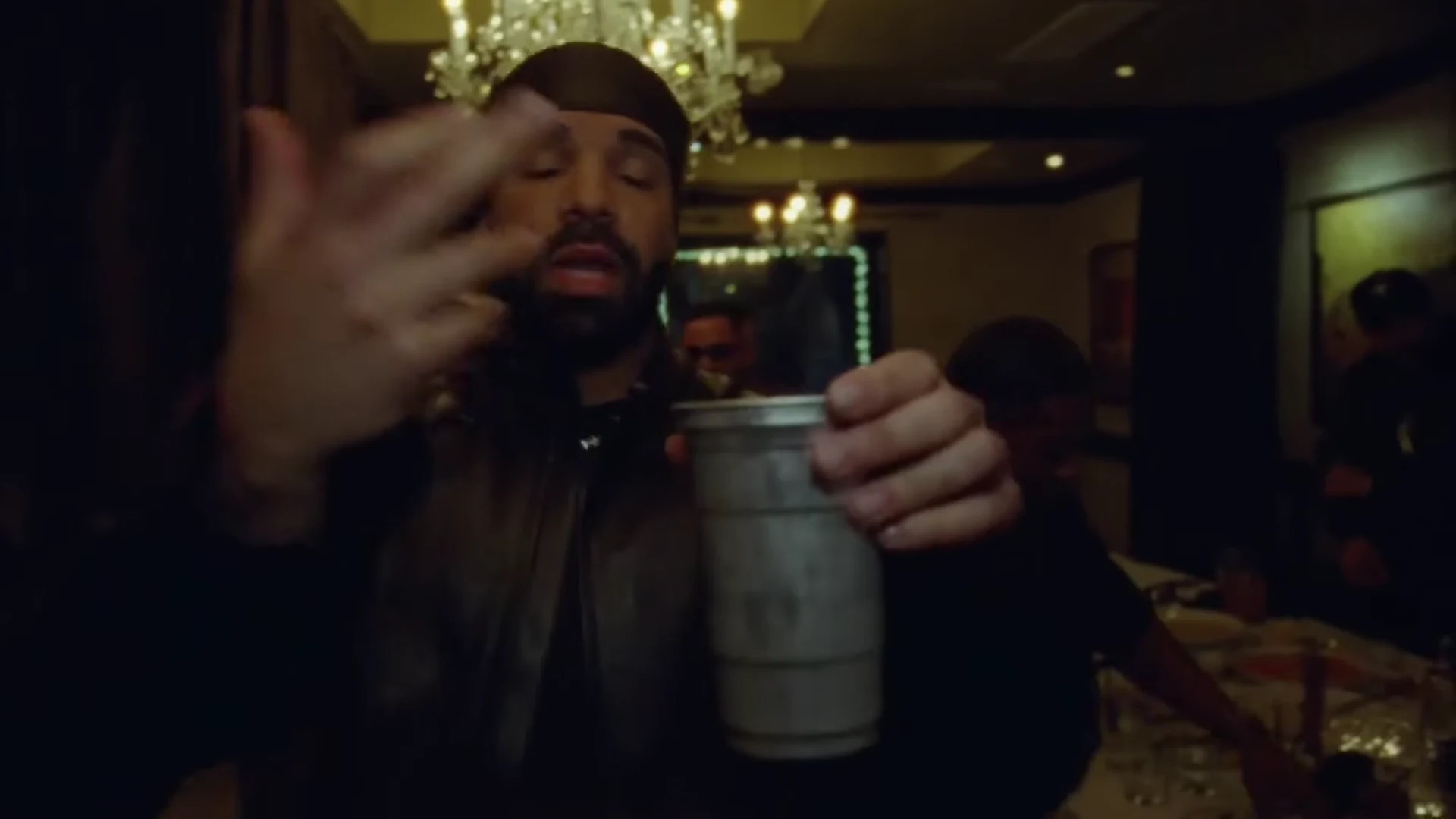
For roughly the first 8 seconds the lead stands in the middle of the frame, close to the camera, with chandeliers above and the crowd to both sides. From about 9 to 12 seconds he turns side-on toward the crowd and sits a little left of centre while hands reach in from the edges. From about 12 seconds he turns back to the lens and stays central to the end.
02

Cropping to 9:16

Because the lead is mostly central, a centre crop keeps him for most of the clip. What it loses is the room: the chandeliers at the top corners and the crowd at the sides, which is half of what makes the trend recognisable. During the turn to the crowd, nudge the crop left. If the app allows it, posting the full 16:9 frame inside a vertical post keeps the whole party.

03

Where text can go

The centre of the frame is your face, and the hand gestures and cup reach toward the lens, often filling the lower middle. The top band, under the chandeliers, is the safest place for a short line of text in the landscape frame; on a vertical post with bars, put text in the bars. Keep it off the hands at 2 seconds, when the cup comes up to the camera.

04

Caption ideas

Make the caption the situation, not the song: "Me arriving at the function after saying I would not come", "Group chat when someone finally replies", "Walking in like I paid for the chandeliers". One line is enough; the cup comes up to the camera at about 2 seconds and the caption should be read by then.

05

Label it as AI

Say the video is AI-made in the caption, and turn on the app's AI-content label if it has one. Do not word it as if it were footage from the real party or as if Drake were involved, and only post a face that agreed to be in it. If you show the official video next to yours, label which clip is yours.

06

Check the sound before you post

The song is explicit, so check that it fits the account and the audience. If the app mutes commercial music, use its own licensed copy of the song and line it up with the start of your clip. The Burning Bridges song page covers the audio questions in more detail.

Explore the Burning Bridges trend

How to make it

Add a photo for the lead.

The roles in the Burning Bridges original reference
Lead in the Burning Bridges source video
Lead
  1. 01

    Add your photo

    Upload one clear photo of yourself or of someone who agreed to appear. A sharp, front-facing face with the whole head and hair visible works best; the outfit does not matter.

  2. 02

    Review quality and price

    Choose 480p, 720p or 1080p and review the quote. It includes the full video, your photo preparation and three scene preparations.

  3. 03

    Check the close-ups

    Watch your face when the cup comes up to the lens, the fingers in the fast hand flicks and the crowd behind you, then download your landscape MP4 with the original song.

01

You are the lead

One photo gives the lead your face, hair and build. The template is built to replace the face from the music video; check the close-ups before you share.

02

The party look stays

The black leather jacket with the striped sleeves, the silver chain and the silver cup are the look of the trend, so you wear them whatever your photo shows. There is no durag: your own hair stays visible.

03

The whole 15 seconds

The hand flicks across the lens, the cup raised to the camera, the points, the turn into the crowd and the close finish, on the original song, in one landscape clip.

04

The original as reference

The preview is an excerpt of the official Burning Bridges music video. It is the motion and timing reference, not an Oakgen result.

Photo tips

  • One person per photo
  • Sharp, front-facing face
  • Whole head and hair in frame
  • Any outfit works: the party look is added
  • Use a photo of someone who consented
  • Check your face in the close-ups

Questions & answers

What is the Burning Bridges AI trend?

It is a 15-second landscape AI clip that puts you in the lead spot of the party scene from Drake's Burning Bridges music video: a dim, crowded room under crystal chandeliers, a silver cup in your hand, flicking, pointing and performing right at the handheld camera while the crowd moves behind you. Oakgen's template puts your face and hair on the lead and keeps the look, the room, the crowd, the moves and the song.

Where does it come from?

From the official music video for Burning Bridges, the Drake song released in May 2026. The preview is the first 15 seconds of the video's chandelier-lit party scene. AI video tools now list one-photo recasts of the scene as the Drake Burning Bridges AI trend, a name that also borrows the song's viral "where she at?" line. Oakgen's 15-second excerpt does not include a hand-over-the-eyes gesture.

Is this made with Drake?

No. Oakgen is not affiliated with Drake or his label. The music video is only the motion and timing reference, and the lead's face is always replaced with the face from your photo.

Do I have to wear the outfit?

The look is part of the trend. Whatever you wear in your photo, the video dresses you in the black leather jacket with the striped sleeves and the silver chain and puts the silver cup in your hand. Your face, hair and build come from your photo, and no durag is added.

Is the song in the video?

Yes. Your video keeps the original audio of the excerpt: Drake's Burning Bridges. The lyrics contain strong language, so check where you post it.

Do I rap along?

The lead performs toward the camera the way the reference does, with the mouth following the song where the reference shows it. Lip movement is generated, so check the close-ups before you share.

Who else is in the video?

The crowd of people behind the lead stays as background people with their own appearances. Only the lead takes your face.

Whose photo can I use?

Your own, or a photo of someone who agreed to be in the video. Do not upload photos of celebrities, public figures or anyone who has not consented, and label AI videos clearly when you share them.

How long is the video?

15 seconds in landscape 16:9, following the handheld camera from the first hand flick to the close finish.

Is the preview generated by Oakgen?

No. It is an excerpt of the official music video used as the reference, not an Oakgen result. Review your face, hands and the cup before sharing.

How much does it cost?

3,102 credits per 720p video. The quote includes your photo preparation, three scene references and the complete video. Check it before generating.

Ideas for your next video

Plan a story, keep your character recognizable, and make the finished clip your own.

Explore the video trend playbook →

Make your Burning Bridges video

Upload 1 photo. Everything else is set.

Make this video