The Burning Bridges AI trend is one shot from Drake's official music video with a new face at the front: a man in a leather jacket and silver chain, holding a silver cup, performing straight into a handheld camera in a dim room full of chandeliers and cheering men. You supply the face. This guide goes in order: the photo, the costume, the quote, then a second-by-second check of the finished clip and how to post it. If you want the background first, the song, the scene and what "Where she at?" means, read the Drake Burning Bridges AI trend explained.
Your face at the front of the party
Add one photo, review your credit quote and make the 15-second Burning Bridges video with the chandeliers, the crowd and the song.
What the template gives you
The template follows a 15-second excerpt of the official video: landscape 16:9, one handheld shot, the original song audio. The lead leans into the lens, flicks a hand at it, raises the silver cup to the camera, points, touches his chain, turns side-on to the crowd behind him, turns back to point straight into the camera and ends with an open hand raised beside his face. The room, the chandeliers and the crowd of men in caps and jackets stay exactly where they are.
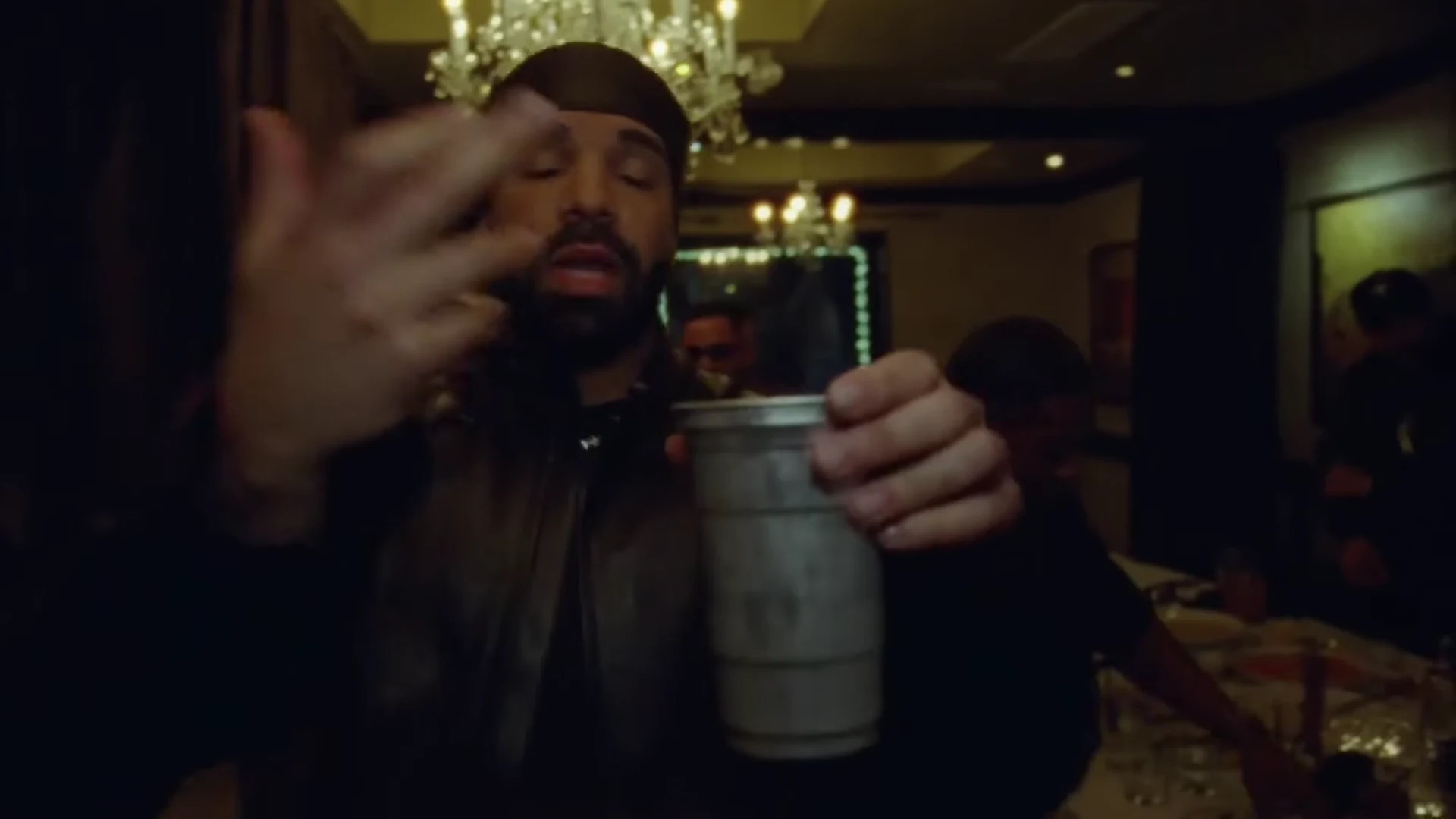
The cup raised to the camera. This is an excerpt of the official Burning Bridges music video, the template's reference, not an Oakgen output.
Step 1: Pick the photo
- One person, nobody else in the frame.
- Your own photo, or one of someone who agreed to be in the video. Never a celebrity or public figure, and never Drake.
- Face sharp and turned to the camera, the whole head and hairline visible, no sunglasses.
- Take off a hat or hood if you can. The template drops the reference's durag and shows your own hair, so it needs to see it.
- Even light. The scene is dark and warm; a photo that is already dark or heavily filtered leaves the template guessing.
- Any outfit is fine. The jacket and chain are added.
Pick for the close-up. This is not a trend where you shrink into the background: the camera is an arm's length from your face for nearly all 15 seconds. Casting yourself as the party lead covers what the photo controls in more detail.
Step 2: Know what the costume does
The black leather jacket, the silver chain and the silver metal cup are the look of the trend, so Oakgen treats them as costume and props: everyone who makes this video wears and holds them. Your face and your hair come from your photo. The one part of the reference look that is not kept is the black durag, so the template has your hair to work with instead of covering it.
Everyone else in the room stays as background people: the men behind you, the man in the tan jacket at your side and the hands that reach in from the crowd. You cannot add friends to the crowd with this template.
Step 3: Check the quote and generate
Choose a quality, 480p, 720p or 1080p, and read the quote. The studio shows the price for the full video before anything starts, and the generate button stays off until the photo is added. The video is made in one pass, so a later fix means a new run of the whole clip at the quote shown.
Step 4: Check the result, beat by beat
Watch it twice: once with sound, looking at the gestures and the crowd, and once muted, looking only at your face and hands. Then go through the beats. Times are approximate, from our frame-by-frame look at the reference.
| Time (about) | What happens | What to check |
|---|---|---|
| 0 to 1 s | Close to the lens, looking down into it, a hand reaching toward the camera | Your face and hairline already match your photo. No durag. |
| 1 to 3 s | A hand flick at the lens, then the silver cup lifted up to the camera | One cup, held in one hand, metal and silver. Five fingers on the flicking hand. |
| 3 to 6 s | A small step back, cup at the waist, pointing, head tilted back | The leather jacket and chain stay on. Your face holds as the head tilts. |
| 6 to 9 s | A hand on the chest and chain, the crowd close behind | The chain stays one chain; the men behind keep their places. |
| 9 to 12 s | Turning side-on to the crowd, hands reaching in from the edges | Your profile still looks like you. Nobody in the crowd takes your face. |
| 12 to 14 s | Turning back, pointing straight into the lens up close | Pause here: it is one of the largest your face appears. The pointing hand has five fingers. |
| About 14 to 15 s | An open hand raised beside the face, cup in the other hand | Two hands, one cup. The excerpt ends here; there is no scanning gesture. |
The chandeliers should hang where they did at the start, and the room should stay one room. The crowd's energy lives mostly in the picture here, laughing and reaching in, while the sound is the song. If you were hoping for the "Where she at?" hand-over-the-eyes search that AI video tools describe, Oakgen's 15-second excerpt does not contain a full version of it; the "Where she at?" page explains why.
Common flaws and the one change to try
These are the problems we would expect from how the template works and how dark and close the scene is. We have not measured how often each happens.
The face up close is not quite you. Use a sharper, front-facing photo with even light and re-run.
The hair is wrong, or a head covering appears. A hat, a hood or a tight crop leaves the template guessing. Use a photo where the whole head is visible.
A hand blurs or gains fingers. Fast hand flicks right in front of the lens are one of the hardest things for AI video. Re-run with the same photo before changing anything.
The cup doubles or changes. There should be one silver metal cup throughout. Re-run with the same photo.
Your own clothes appear instead of the jacket and chain. That is a miss: the jacket and chain should always be there. Re-run with the same photo.
Your face drifts during the turn to the crowd. Side-on views are where faces tend to change. A photo where your face is clear and evenly lit gives the template the most to hold on to.
Step 5: Check the sound, caption it, post it
Play it with sound before you post. The song is explicit and the 15 seconds contain strong language, so make sure it fits the account and the audience. You perform toward the camera with the music, but it is not a precise lip-sync. If an app mutes commercial music, use its own licensed copy of the song and line it up with the start of your clip. The Burning Bridges song page covers the clean-version question and the audio in more detail.
The video is landscape. For vertical apps you sit mostly in the middle of the frame, so a centre crop works for most of the clip; nudge it left for the turn to the crowd between about 9 and 12 seconds. Caption the situation, not the song: "Me arriving at the function after saying I would not come". Say it is AI in the caption, use the app's AI label if it has one, label which clip is yours if you show the official video next to it, do not tag Drake or word it as if he were involved, and only post a face that agreed to be in it. Cropping and captioning a chandelier party video has more on the crop, text placement and captions.
Made one and want another? Toosie Slide puts your face on a suited dancer to another Drake song, and how to make the Toosie Slide AI trend walks through it. Burning Bridges was added at the same time as Closed on Sunday and Champagne Shoot.
Frequently asked questions
How many photos do I need for the Burning Bridges trend?
One. It is required, because the lead in the reference is Drake in his official music video and that face is never kept in your video.
Do I need a photo in a leather jacket?
No. The template dresses you in the black leather jacket and silver chain and puts the silver cup in your hand whatever your photo shows. Your face and hair come from the photo; the reference's durag is dropped.
Is the song in the video?
Yes. The video keeps the original song audio from the 15-second excerpt, "Burning Bridges" by Drake. It contains strong language.
Will my mouth match the lyrics?
You perform to the song toward the camera, the way the lead does in the reference. It is not a precise lip-sync, so do not expect every word to line up.
What shape and length is the video?
15 seconds, landscape 16:9, one continuous handheld shot, at 480p, 720p or 1080p.
Is the preview video made by Oakgen?
No. It is an excerpt of the official Burning Bridges music video, shown as the motion and timing reference. We have not published an Oakgen result for this template, so compare your video with the reference rather than assuming they will match.