0 to 3.5 seconds: the speaker
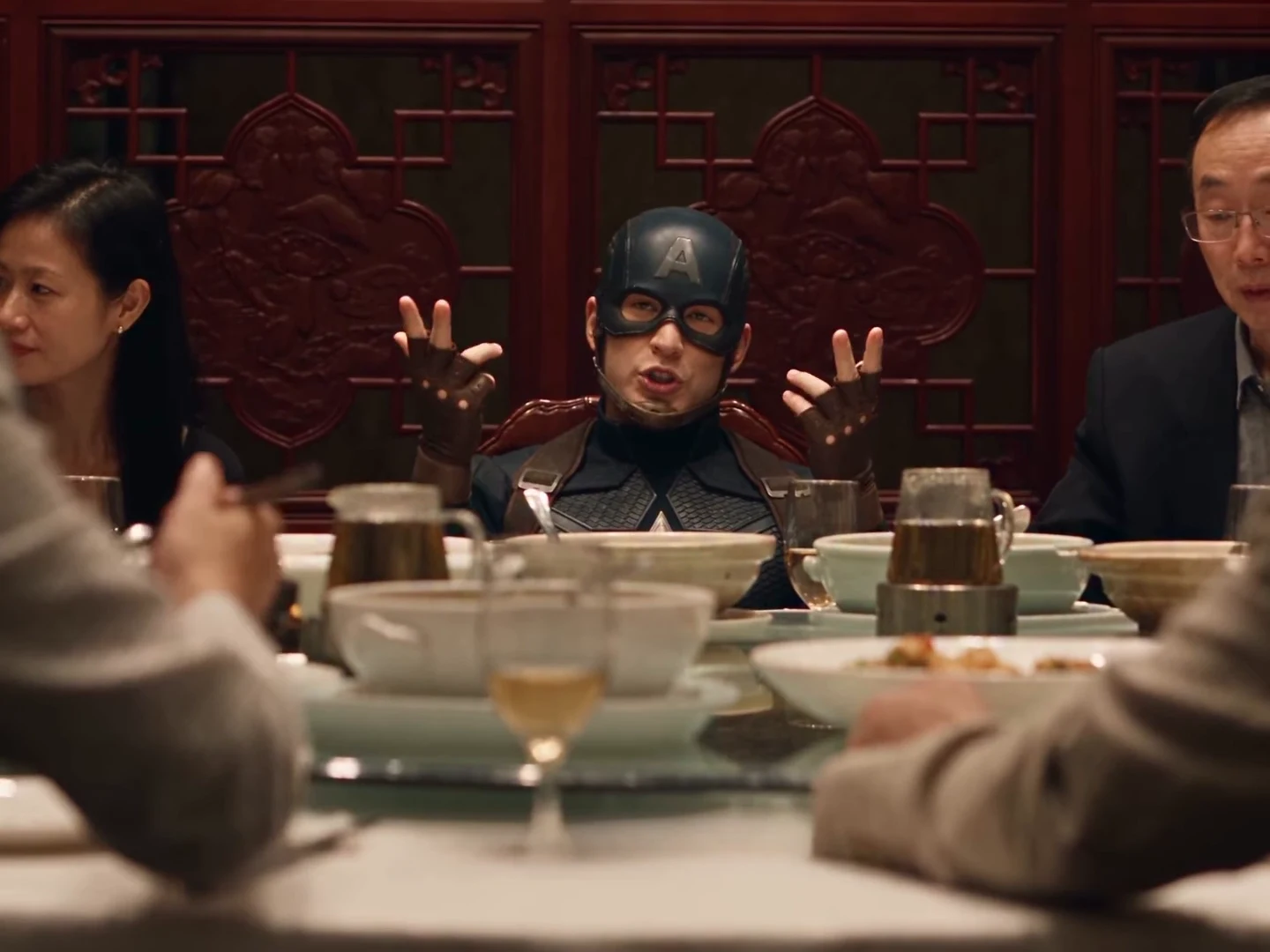
Across the white tablecloth, the guest of honour raises both hands with two fingers extended. The people at either side and the blurred heads in front establish a crowded table before anyone stands up.
Video trend
The seated speaker disappears completely less than four seconds into Captain China. That cutaway is part of the scene. Here is where each person belongs, including the short reaction that can look like the start of a different video.
Across the white tablecloth, the guest of honour raises both hands with two fingers extended. The people at either side and the blurred heads in front establish a crowded table before anyone stands up.
A man leans toward the woman beside him, shielding his words with his hand. The camera stays with the pair for nearly four seconds. Both are supporting guests and the speaker is out of frame.
Back at the head of the table, the speaker leans away and raises a palm. Compare it with the pointed gesture at the opening. The smaller movement changes the tone before the next, more physical shot.
A higher angle shows the guest lifting a meatball with chopsticks and lowering it into an older guest’s bowl. The seated guest waves his hands and the server briefly pats his back.
The camera follows the guest of honour around the outside of the table. Seated guests look up and wave. Hands cross the foreground, briefly hiding parts of the moving subject.
The person in your photo occupies the speaker, server and walker roles. The man whispering, his neighbor and the person receiving the food remain in their assigned seats. There is just one performer to cast.
Add a photo for the guest of honour. The background is optional: add a photo to change it.
Use one clear portrait for the Guest of honour. The people seated around the table keep their parts throughout the scene. Use photos of people who agreed to appear.
Use a room with space behind a round table. The tablecloth, guests, serving dishes and chopsticks stay in the scene. Leave Background empty to keep the banquet room.
Select 720p or 1080p and review the quote. Review the serving shot at full width so you can see the hand, chopsticks and bowl together.
The edit moves from a gesture across the table to a close view of the chopsticks. Watch the older guest’s bowl as the meatball changes hands, then look for the guests waving.
The song is 八方来财 by SKAI ISYOURGOD, also released under the English title Stacks from All Sides. The banquet gestures belong to the AI parody.
Use a room with space behind a round table. The tablecloth, guests, serving dishes and chopsticks stay in the scene. The Background photo is optional. The camera timing and soundtrack stay the same.
1,009 credits per 720p video. Adding a Background photo costs the same.
Plan a story, keep your character recognizable, and make the finished clip your own.
Cast the guest of honour, choose a banquet room, and review the whisper, serving shot and closing walk before sharing your Captain China AI video.
Find the Chinese title, English release name and meaning of the Captain China banquet song, and learn where the “sushi don’t lie” nickname came from.
Upload 1–2 photos. Everything else is set.