Locate the table footprint
Imagine placing a wide round table in the photo. It needs space on both sides for people to sit. A view straight at a flat wall tells the model much less about the floor available for those chairs.
Video trend
A location change has to work from the head of the table and from behind the seated guests. Look at the room photo as though you were planning where that table would go. The optional Background input supplies the setting for the whole sequence.
Imagine placing a wide round table in the photo. It needs space on both sides for people to sit. A view straight at a flat wall tells the model much less about the floor available for those chairs.
In the last shot the guest walks around the table while the camera pans. Look for a room with visible space behind where the guests would sit. A doorway packed with furniture is a poor reference for that move.
The serving shot looks down toward a bowl. A room photo with a floor, a back wall and a corner gives clear clues about depth for this view. A detail of wallpaper can set a color but says little about the room.
Use a photo of the empty place for Background and put the guest’s portrait in the performer input. People already standing in the room can compete with the diners that the template keeps around the table.
The white cloth, glass lazy Susan, dishes and guests belong to the action. The replacement setting surrounds them. If the appeal of your location depends on a different centerpiece, expect the serving dish and the bowl to occupy that space.
At about 7.4 seconds the film returns to the speaker after the whisper. Check a landmark behind the table in both shots, then check the light during the walk. Leave Background empty when you want the original carved screens.
Add a photo for the guest of honour. The background is optional: add a photo to change it.
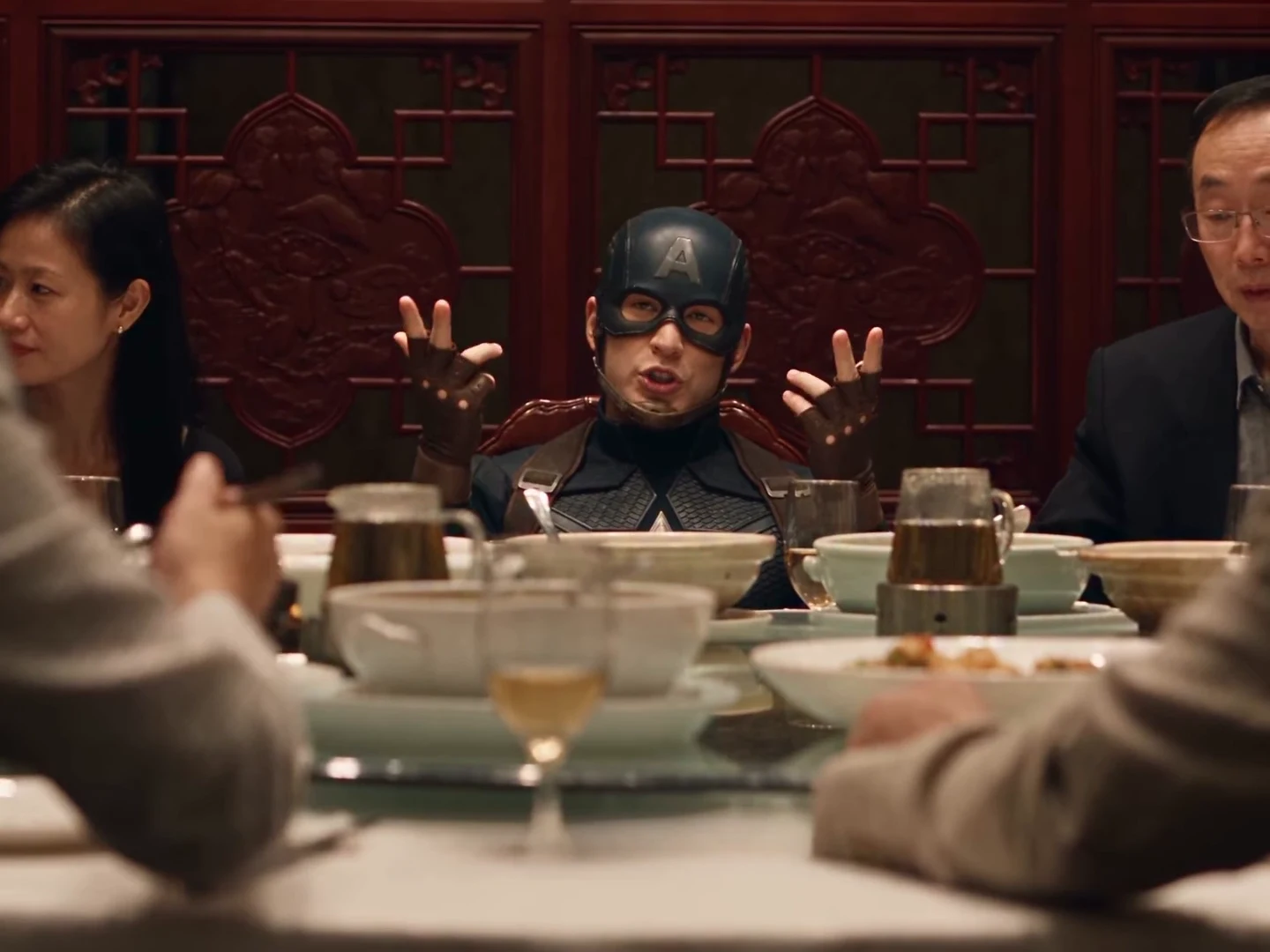
Use one clear portrait for the Guest of honour. The people seated around the table keep their parts throughout the scene. Use photos of people who agreed to appear.
Use a room with space behind a round table. The tablecloth, guests, serving dishes and chopsticks stay in the scene. Leave Background empty to keep the banquet room.
Select 720p or 1080p and review the quote. Review the serving shot at full width so you can see the hand, chopsticks and bowl together.
The edit moves from a gesture across the table to a close view of the chopsticks. Watch the older guest’s bowl as the meatball changes hands, then look for the guests waving.
The song is 八方来财 by SKAI ISYOURGOD, also released under the English title Stacks from All Sides. The banquet gestures belong to the AI parody.
Use a room with space behind a round table. The tablecloth, guests, serving dishes and chopsticks stay in the scene. The Background photo is optional. The camera timing and soundtrack stay the same.
1,009 credits per 720p video. Adding a Background photo costs the same.
Plan a story, keep your character recognizable, and make the finished clip your own.
Cast the guest of honour, choose a banquet room, and review the whisper, serving shot and closing walk before sharing your Captain China AI video.
Find the Chinese title, English release name and meaning of the Captain China banquet song, and learn where the “sushi don’t lie” nickname came from.
Upload 1–2 photos. Everything else is set.