ChatGPT
 Claude
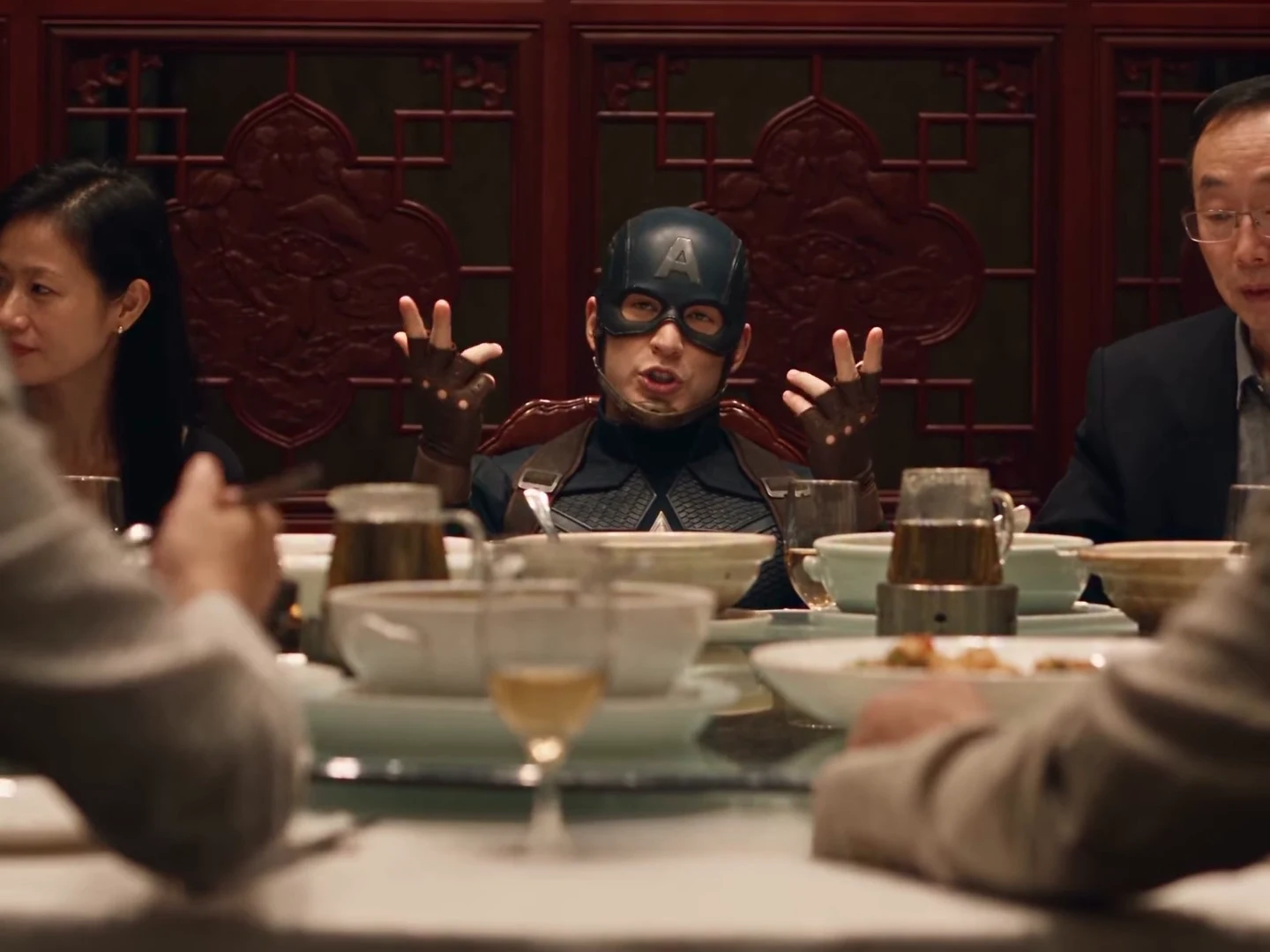
A family dinner photo may suggest a perfect guest for Captain China. Before uploading it, zoom in. Can you see the guest’s hairline, shoulders and shirt without someone else leaning into the frame? Those details appear first in a seated speech and later from the side as the guest serves food. A clear portrait of the same person can work better than the picture that gave you the idea.
Cast the person who gets up
Open Captain China and choose one person who has agreed to appear in this AI scene. They get the most conspicuous seat, raise their hands to address the table, stand to serve an older guest and finish by walking around the room. If you wanted your friend to be the diner receiving the meatball, that is a different part. The recipient and the whispering pair belong to the reference.
Look at the guest’s clothes as carefully as their face. The prompt asks for the outfit from the uploaded photo, with the helmet, shield and armor removed. A shirt with a distinct collar can read clearly in the opening and help you recognize the person as they turn away. If the portrait ends at the shoulders, the model has to fill in the lower body for the walk. Use a wider photo when the trousers or shoes are part of the joke. Guest photo guide
Decide whether to bring your own room
Leaving Background empty gives you the restaurant’s carved screens and warm walls. To move the scene, add a separate picture of your place. Imagine a round table there, chairs all the way around it and a path for someone to walk behind them. A shot taken from the corner of a dining room can show the floor and two walls, which gives the different camera angles a common reference. A close-up of a decorative wall gives the camera little idea of where the guests can sit.
The table travels with the action, along with its cloth, dishes and glass lazy Susan. Choose a room for the atmosphere around those objects. There is no need to stage a bowl or hold chopsticks in either input. Choose your quality, read the displayed quote, then generate. Background examples and checks
Review three revealing moments
| Pause near | What to check |
|---|---|
| 3.5 seconds | The cut leaves the guest for two neighbors whispering. Neither neighbor should have picked up your guest’s face. |
| 11 to 15 seconds | Follow the chopsticks from the serving dish to the bowl. Watch the face in profile and the seated diner’s reaction. |
| The last four seconds | Follow the guest behind the chairs. Hair, sleeves and room light should carry through as raised hands pass in front. |
Play the full 19 seconds with sound. The original excerpt of 八方来财 carries across the cutaways. If the jump to the whispering guests feels sudden, compare it with the preview before trimming it away. It is the audience’s reaction to the speech. The song story gives the name to use when someone asks what is playing.
For a vertical post, first try the full 4:3 image inside the taller canvas. A tight center crop can turn a two-person whisper into a shot of half a face or cut the bowl off at the moment the food lands. Label your edit as AI-made and check the music options available for the account where you plan to share it.
Cast the banquet guest
Start with one portrait, then keep the restaurant or choose your own setting.
Frequently asked questions
How many people can I cast?
One guest of honour. The same person speaks, serves food and walks around the room. The remaining guests keep their roles.
Can I keep the restaurant?
Yes. Leave Background empty for the original room, or supply an image of a place you want to use across the five shots.