Pick a photo taken out and about
Look for a full or half-body shot on a street, at a café terrace or by a shop window. A coffee cup or similar small item in hand is optional and gets drawn with you.
Image trend
Prompt versions of this effect need careful wording to stop the model drawing over the background. The template already limits the pencil to you, so the steps are mostly about the photo.
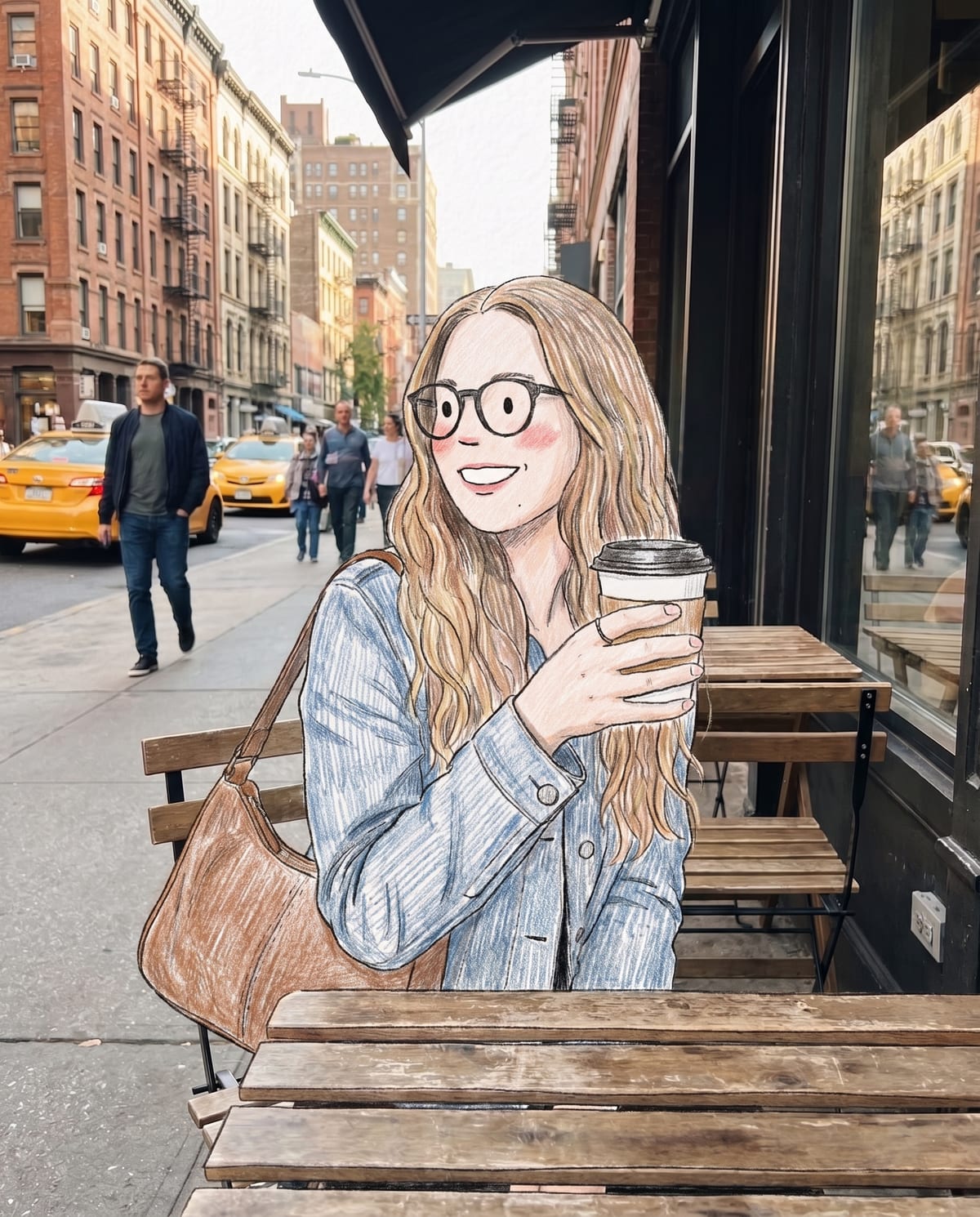
Look for a full or half-body shot on a street, at a café terrace or by a shop window. A coffee cup or similar small item in hand is optional and gets drawn with you.
There are no style choices, sliders or prompts. The doodle is ready in about a minute and saved to your assets.
Because pose, scale and position are kept, the photo and the doodle sit almost on top of each other, which suits a swipe or split-screen comparison. Add any words yourself, since the image comes without them.
Your street portrait, with you redrawn as a pencil doodle. Add one clear photo; the look is already set.
A portrait of you out and about: on the street, at a café terrace, by a shop window.
Pick a photo of you on a street, at a café or by a shopfront.
You turn into a doodle character in about a minute.
Save the image and share it anywhere.
You and the small things you hold become the doodle. The street behind you stays a real photo.
Your glasses, hair and outfit colours carry over into the drawing.
Visible hatching, rosy blush and a paper texture on the drawn parts.
One: a street or café portrait of you.
Your photos are used to make your image. Only upload photos of yourself, or of people who have agreed to it.
Check your plan's terms for what you can do with generated images. They apply to your result.
About a minute. You can leave the page; the finished Doodle Street Portrait image is saved to your assets.
Pick a premise, choose the right photo, and turn one finished image into a post worth sharing.
Doodle street portrait ideas: choose a street that stays real, a small prop that turns into pencil, and a before-and-after post with captions that say it's AI-made.
The AI doodle trend adds scribbles over your photo; the doodle character trend redraws you and keeps the street real. Compare the two, their sources, and what Oakgen's Doodle Street Portrait makes.
One photo, about a minute. A real street, with a hand-drawn you standing in it.