Show the outfit, not only the face
A tight selfie leaves the model to invent trousers and shoes for the full-body poses. A waist-up or full-length photo gives it real clothes to repeat, which keeps the figures looking like one outfit on one person.
Image trend
The sheet repeats whatever your photo shows, so the upload decides how well all the poses hold together. These are the choices that matter.
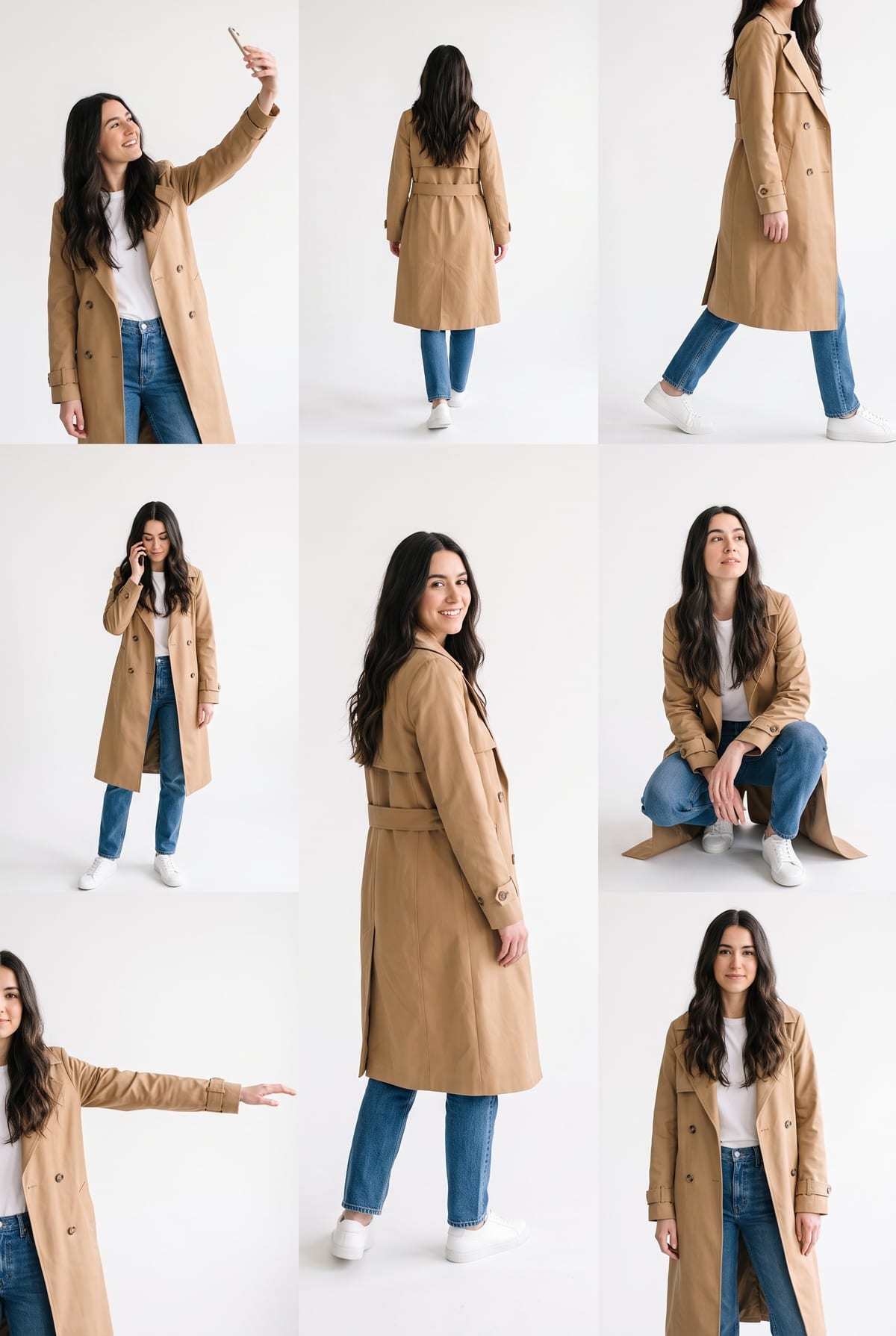
A tight selfie leaves the model to invent trousers and shoes for the full-body poses. A waist-up or full-length photo gives it real clothes to repeat, which keeps the figures looking like one outfit on one person.
Use even light, eyes visible and no sunglasses or low cap. Many small figures need a face the model can recognise from the photo, and a hidden face is the usual reason the figures drift apart.
Use a photo with only you in it and with your hands and head fully inside the frame. Group photos, mirrors and heavy filters make it harder to tell which person is the subject.
One photo of you, laid out as a multi-pose lookbook sheet. Add one clear photo; the look is already set.
A clear photo of you, face and outfit visible, ideally from the waist up or full length.
Pick a clear photo where your face and outfit are easy to see.
Your sheet is built in about a minute, with each pose on a white page.
Save the image, or crop single poses for stories and carousels.
Selfie, walking, back view, phone call and a crouch, all in one frame.
The clothes, hair and accessories from your photo carry across every pose.
No scene and no text, so the sheet is easy to crop, post or reuse.
One: a clear photo of you with your face and outfit visible.
Your photos are used to make your image. Only upload photos of yourself, or of people who have agreed to it.
Check your plan's terms for what you can do with generated images. They apply to your result.
About a minute. You can leave the page; the finished Lookbook Poses image is saved to your assets.
No. It is Oakgen's own template that makes a similar multi-pose sheet from one photo. It does not use or connect to Instagram's editor.
No. The pose set is fixed, and each result varies a little. Crop the poses you like.
Pick a premise, choose the right photo, and turn one finished image into a post worth sharing.
The Instagram Lookbook multiple-pose photo, step by step as tutorials show it, what to try if you can't find it, and how Oakgen's version differs and compares.
Plan a multiple-pose lookbook photo: which outfit to upload, what the poses are, how to crop the sheet into posts and captions that say it is AI-made.
One photo, about a minute. The same you, in about eight poses, on one white sheet.