1. Choose the photo
One person, head and shoulders, face forward, hair fully visible, mouth uncovered, no hat and no sunglasses. The interview fills the frame for almost six seconds, so the face carries the opening.
Video trend
The One More Thing Manager AI trend takes one photo and returns a 23-second landscape video in which you are the calm manager: the interview, the sideline, the shush, the bench and the trophy. Here is the whole process from choosing the photo to posting, with the checks that catch the common problems.
One person, head and shoulders, face forward, hair fully visible, mouth uncovered, no hat and no sunglasses. The interview fills the frame for almost six seconds, so the face carries the opening.
Whatever you wear in the photo is worn in every shot. Want the look? Wear a plain black top in the photo. Otherwise any outfit works; if the photo only shows your top, plain dark trousers and shoes are added for the full-body shots. Glasses only appear if your photo has them.
Open the One More Thing Manager trend and add the photo to the Manager slot. It is the only slot and it is required: the reference manager is never kept.
Choose 720p or 1080p and read the quote, which covers the full 23 seconds. It is a Kling V4 edit of the real parody clip. 720p is a good first check of the face; the wide sideline and trophy shots gain the most from 1080p.
The interview: your face, and the mouth moving only during the answer. The shush and bench: one finger at the lips, the same hair and outfit across the bench angles. The trophy shots: your face on you, not on a player, and no readable text on jerseys or ribbons. Lip sync follows the reference clip and is not guaranteed.
Place the 4:3 file on a vertical canvas, add subtitles if you want them, caption it and say it is an AI parody. Use only photos of people who agreed to appear, and do not suggest Steve Jobs, a team or a brand is involved.
If the face drifts after a cut or the mouth moves during the question, generate again with a clearer, more front-facing photo rather than posting the first result.
Add a photo for each role shown below. All roles need a photo.
Use a head-and-shoulders photo, face forward, hair fully visible and no hat. Use your own photo or one of someone who agreed to appear.
Pick 720p or 1080p and review the quote. It covers the full 23-second video.
Watch the interview close-up for the mouth and the shush, bench and trophy shots for the face, then download your landscape 4:3 MP4 with the original voice track and label it as AI-made parody when you post.
The template follows the parody clip's shots and moves, but the manager comes from your photo: face, hair, build and outfit in every shot. The reference manager's face, glasses, beard, black mock-neck top and jeans are not kept, and no one's likeness is copied from the reference.
Your video keeps the reference clip's soundtrack: the interviewer's question, the calm 'I'm not feeling the pressure' answer and the beat under the montage. It is the same voice track as the Elon Musk Mourinho template and it is not Steve Jobs' voice. No separate audio goes to the video model; the original track is put back at the end.
A tight interview close-up, a crouching sideline celebration, a chin flick under the floodlights, a water bottle, a laughing phone call, the shush, the bench, a medal and trophy celebration, a corridor, a stairwell, a handshake and hug, and a final trophy lift.
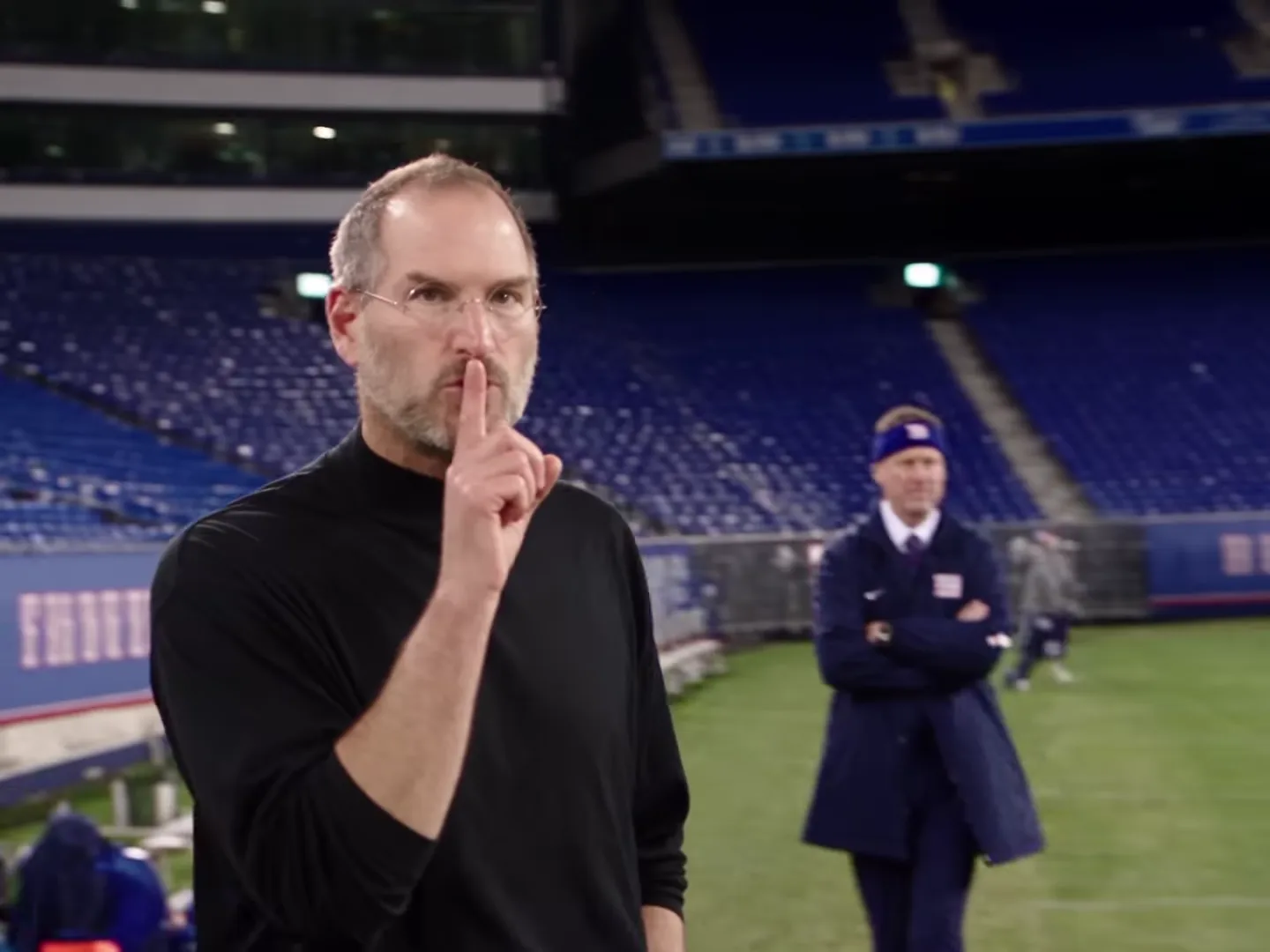
The preview is an AI-made parody, not real footage of Steve Jobs, and he did not make, endorse or appear in it. The interview backdrop, team marks, kit logos, jersey numbers and the trophy are asked for as plain, unreadable shapes in your version.
An AI-made parody in which a manager who looks like Steve Jobs stays completely calm: he answers a post-match interview with the famous 'You cannot put pressure on me' line, then celebrates on a stadium sideline, takes a phone call, shushes the crowd, sits on the bench and lifts a trophy. It travelled with the caption 'One more thing', the line Steve Jobs used to close his product keynotes. Oakgen's template keeps the shots and the voice track and puts the person from YOUR photo in the manager's place.
No. The preview is an AI-made parody clip, not real footage of Steve Jobs, and he did not make, endorse or appear in it. Oakgen is not affiliated with or endorsed by Steve Jobs, his estate or any team, league, brand or sponsor, and your video does not show him: the manager is the person in your photo.
The parody was shared with the caption 'One more thing', a nod to the line Steve Jobs used before a final surprise at his product keynotes. Nobody says it in the clip; the joke is the look-alike plus the calm manager format. The trend is named after that caption, so 'One More Thing Manager' is our label for it, not an official title.
It is the same calm-manager format with a different look-alike: the same interview voice track and the same cut pattern for the first 21 seconds, at an American football stadium instead of a football ground, and two more seconds at the end with a handshake, a hug and a trophy lift. If you want the original version, try the Elon Musk Mourinho template.
Yes. Your video keeps the reference clip's original voice track and beat: the interviewer's question, the calm answer and the music under the montage. Your photo changes how the manager looks, not the words or the voice, and the template does not take a new script or voice recording.
No. No separate audio or voice sample is sent to the video model, and whatever sound the model returns is thrown away. The manager's mouth follows the speaking in the reference clip, and the original voice track is put back on the finished video. Oakgen does not clone or generate a voice for this template.
No. This reference clip has no on-screen subtitles, and the template asks the model for no captions or text. The voice track carries the lines, and you can add your own captions in your editor before you post.
No. There is no costume. The manager wears the outfit from your photo in every shot, with your own hair and accessories, instead of the reference manager's black mock-neck top, jeans and glasses. If you want the look, wear it in your photo.
No. The template asks for the interview backdrop, the stadium boards, the jackets, the jerseys and the trophy as plain shapes with no readable names, team marks, logos or numbers. The trend is not connected to any team, league, competition, brand or sponsor.
The coaches, staff, the players on the bench and at the trophy celebration and the crowd stay as background people from the AI parody. Only the manager is replaced, and nobody else takes your face.
Yes. A clear photo of a dog or cat makes it the manager, with its own face, fur and markings. The interview close-up and the bench read best; check the paws in the phone call and the trophy shots before you post.
Your own, or photos of people who agreed to be in the video. Do not upload photos of Steve Jobs, other celebrities or anyone who has not consented, and label the video as an AI parody when you share it.
23 seconds in landscape 4:3, with 17 shots cut to the beat, ready to post or place on a vertical canvas for Reels, TikTok and Shorts.
No. It is the AI-made parody reference clip the trend comes from, used for the shots and timing, not an Oakgen result.
1,221 credits per 720p video. The quote covers the complete 23-second video. Check it before generating.
Plan a story, keep your character recognizable, and make the finished clip your own.
Make the One More Thing Manager AI parody with your photo as the calm manager: pick the photo, check the interview, shush and trophy shots, post it labelled.
The Steve Jobs AI football manager clip: what it shows, why it says One more thing, whose voice it uses, what is real and how to make your own responsibly.
Upload 1 photo. Everything else is set.