 Oakgen.ai
What your photo controls
Your face, hair, hair colour, facial hair, skin tone and build. If you are clean-shaven, you stay clean-shaven; the reference man's full beard and wavy hair are not added.
Video trend
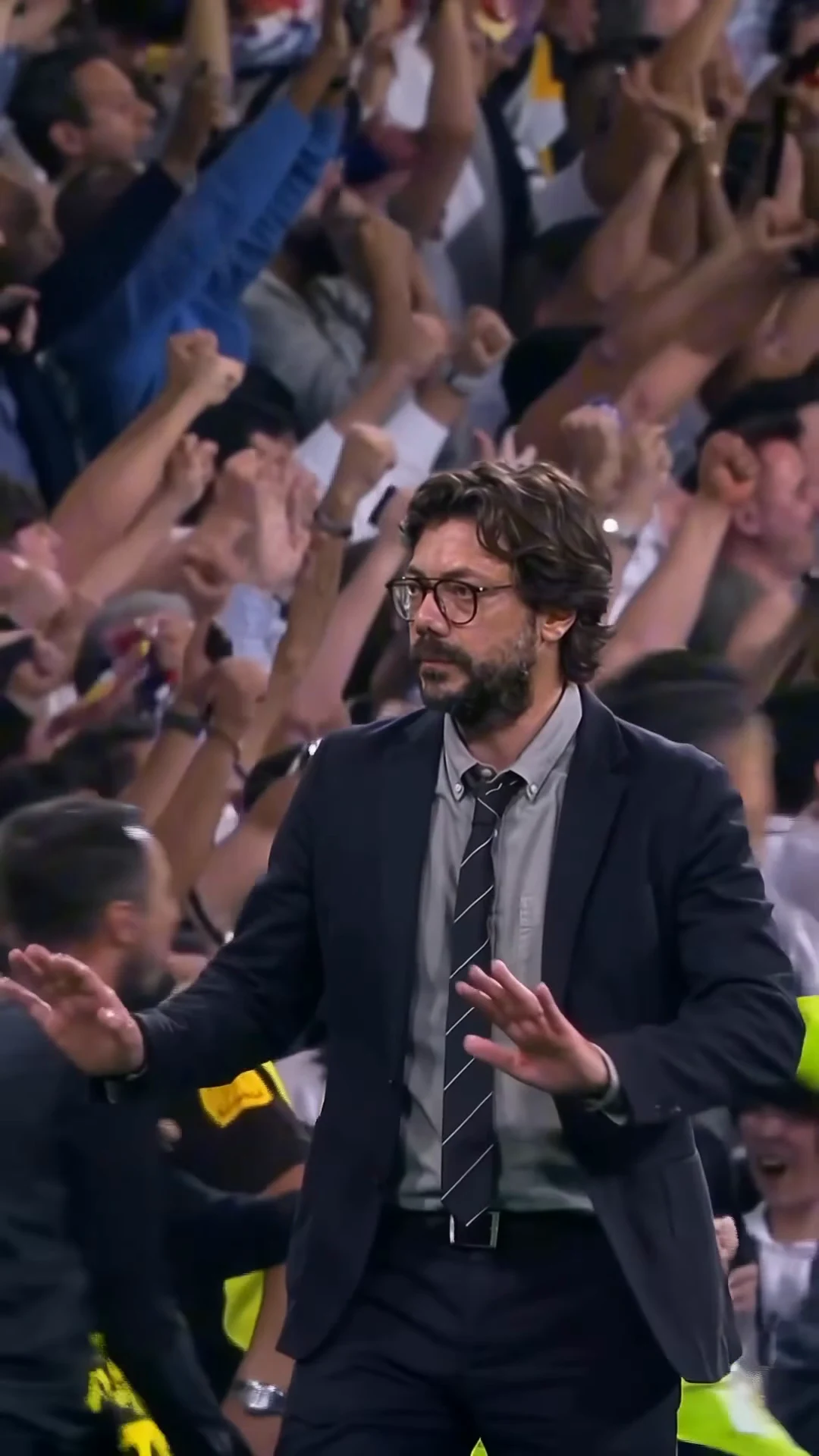
The Stadium Calm Down template has one person in it: a man in a dark suit who turns away from a roaring night crowd and calmly presses both palms down. You supply that person with a single photo. This page is about choosing it: what your photo decides, what the template decides for you and which kinds of photo hold up through the turn and the close waist-up view.
Your face, hair, hair colour, facial hair, skin tone and build. If you are clean-shaven, you stay clean-shaven; the reference man's full beard and wavy hair are not added.
The outfit and the setting. Whatever your photo shows you wearing, the video dresses you in the dark navy suit, light grey shirt, striped dark tie, black belt, watch and thick dark-rimmed glasses, and keeps the stadium, the stewards and the crowd.
The clip opens with the man's back three-quarter to the camera, so the back and side of your hair are on screen before your face is. A photo that shows your whole head, not one cropped at the forehead, gives the template more to work with.
From about 2.5 seconds to the end the camera holds you from the waist up while you look off to the side. That is most of the video, so a sharp, front-facing photo in even light matters more than anything else.
The template adds thick dark-rimmed glasses because they are part of the look. If you wear glasses of your own, a photo without them is the cleaner choice; a different frame in the photo can compete with the template's pair.
Use your own photo or one of someone who agreed to be in the video. Do not upload photos of celebrities, public figures or anyone who has not said yes, and label the result as AI-made when you post it.
Add a photo for the man in the suit.
Upload one clear photo of yourself or of someone who agreed to appear. A sharp, front-facing face with the whole head and hair visible works best; the outfit does not matter.
Choose 480p, 720p or 1080p and review the quote. It includes the full video, your photo preparation and three scene preparations.
Watch your face through the turn, both hands flat and palms down, and the glasses staying on, then download your portrait MP4 with the original soundtrack.
One photo gives the man in the suit your face, hair and build. The video never keeps the face from the reference.
The dark suit, grey shirt, striped tie and dark-rimmed glasses are the look of the trend, so you wear them whatever your photo shows. Your hair and facial hair stay your own.
All 9 seconds from a handheld camera: the turn away from the crowd, the walk forward and both palms pressing down while stewards and players pass behind you.
The preview is the original reference clip with its app badge removed. It is the motion and timing reference, not an Oakgen result.
It is a 9-second portrait clip of one man in a dark suit and dark-rimmed glasses in a packed football stadium at night: he turns away from the roaring crowd, walks forward and calmly presses both palms down, a calm-down gesture, as if the noise has nothing to do with him. Oakgen's template puts your face and hair on that man and keeps the suit, the stadium, the gesture and the soundtrack.
It is named after what happens in it: a calm-down gesture in front of a stadium crowd. The post it comes from was captioned "He is nonchalant", which is why people also call it a nonchalant video.
The soundtrack sings the line "Isn't it lovely, all alone", which matches the chorus of "lovely" by Billie Eilish and Khalid (2018). We matched it from the words in the clip; the post did not carry a song label. Your video keeps the clip's original soundtrack. The man in the video does not sing or lip-sync.
The suit is part of the trend. Whatever you wear in your photo, the video dresses you in the dark suit, grey shirt, striped tie and dark-rimmed glasses. Your face, hair and facial hair come from your photo.
Your own, or a photo of someone who agreed to be in the video. Do not upload photos of celebrities, public figures or anyone who has not consented, and label AI videos clearly when you share them.
From an AI video posted on Instagram on 28 October 2026. The man in it is AI-generated and may resemble a real person, so Oakgen's template never keeps that face and a photo is required.
The original carried an app's "made with" badge in the top-left corner. Oakgen's reference copy has it removed and the template asks for no logos, badges or text, so you can add your own caption when you post.
9 seconds in portrait 9:16, one continuous handheld take from the turn to the last calm-down gesture.
No. It is the original reference clip, not an Oakgen result. Review your face, hands and glasses before sharing.
1,950 credits per 720p video. The quote includes your photo preparation, three scene references and the complete video. Check it before generating.
Plan a story, keep your character recognizable, and make the finished clip your own.
Review your finished Stadium Calm Down AI video by timestamp: your face through the turn, flat palms, the glasses and the crowd, with one fix per re-run.
Make the Stadium Calm Down AI video step by step: pick the photo, know what the suit and glasses change, read the quote, check the gesture and post it as AI-made.
Upload 1 photo. Everything else is set.