
Image trend

Giant Phone AI Photo: Caption and Carousel Ideas

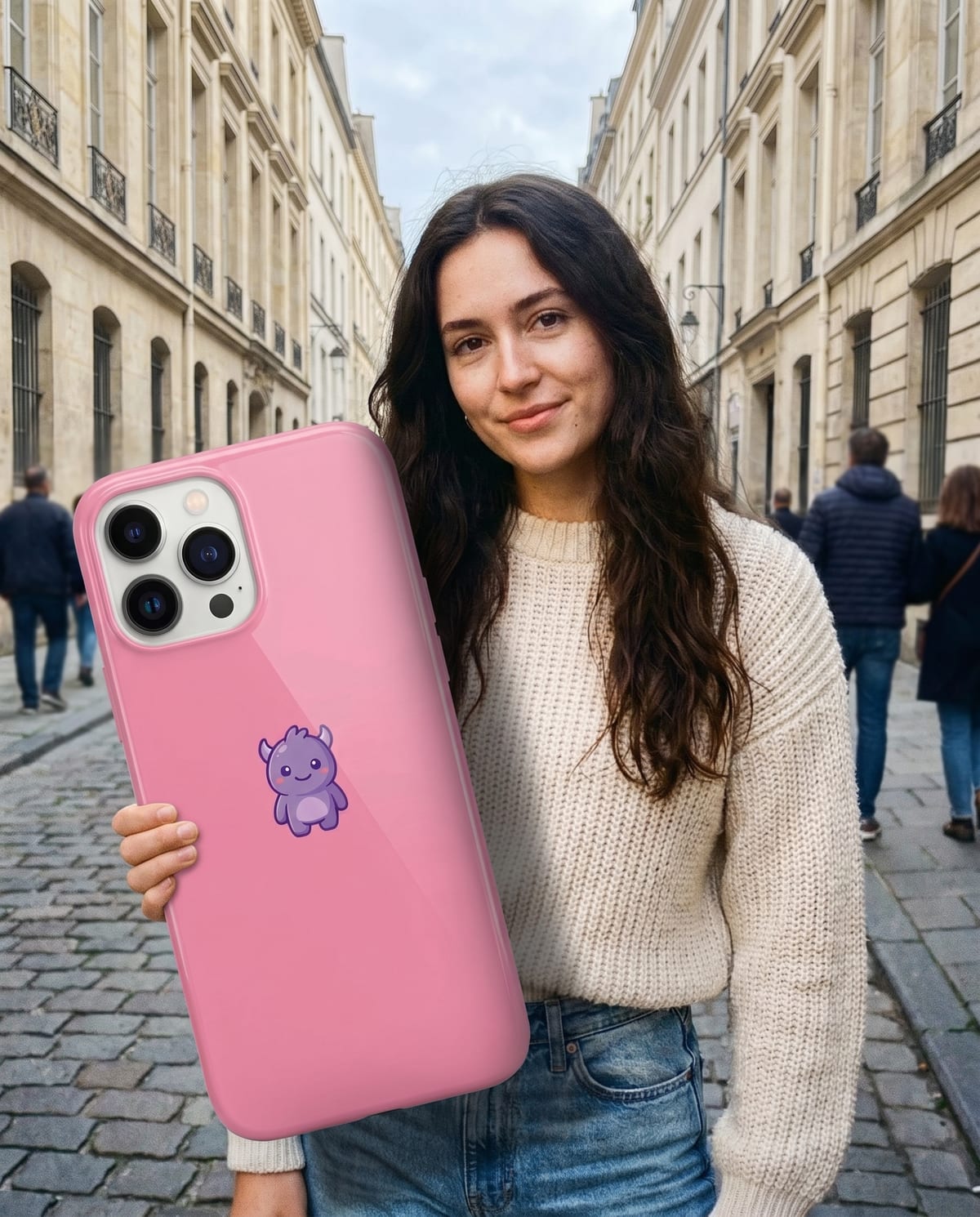
A phone held at billboard size is the most obvious Big Thing Effect subject, because everyone already jokes about screen time. The caption turns the scale gag into a story; the carousel order decides whether viewers get the joke on the first swipe.

Final image
1 still
Your input
2 photos
Price
from 51 credits
Big Thing Effect example result
Big Thing EffectExample result

Three caption patterns and a two-slide reveal

01

Caption patterns that fit an oversized object

Size as a measurement: "My screen time, to scale." Size as a feeling: "Day three of the new job. Ordered the appropriate coffee." Size as a confession: "I'm not saying the new sneakers are a big deal." Pick one per post; a single premise is easier to read than three jokes stacked on one image.

02

A two-slide reveal carousel

Slide one is the plain object photo you uploaded, on its table or sheet. Slide two is the giant version in your hands. The contrast explains itself, so the caption can stay short, and a third slide with a second object turns it into a small series.

03

Labels and logos

Say the picture is AI-made, either in the caption ("AI photo") or with your platform's AI label. If the object carries a brand logo, the image is still your own joke, not a sponsored or official post, so avoid wording that suggests the brand made or approved it.

Explore the Big Thing Effect trend

How to make it

Hold your phone, your ice-cream, your coffee. Absurdly huge. Add a clear photo for each of the 2 slots; the look is already set.

The photos you add

  • 1. You

    A clear photo of you with your upper body visible.

  • 2. Your object

    A photo of the thing you want giant: your phone, an ice-cream, a coffee cup, sneakers.

  1. 01

    Add your photo

    Upload a clear photo of yourself, upper body in frame.

  2. 02

    Add your object

    Upload the thing you want blown up to giant size.

  3. 03

    We build the shot

    About a minute later you have a street photo of you holding it.

  4. 04

    Download and post

    Save the image and share it anywhere.

01

Your exact object

The colours, the case, the shape. The giant version is built from your own photo of it.

02

Still looks like a photo

Daylight, a real street and believable shadows, so the scale gag lands instead of looking cut and pasted.

03

Still you

Your face, hair and outfit carry over from your photo.

Photo tips

  • Face and upper body clearly visible
  • Object photographed alone on a plain background
  • Good, even lighting on both photos
  • One object per photo

Questions & answers

Does the giant-object effect enlarge me or the object I upload?

The object is made oversized, while you hold it in a street-photo scene. Upload your own photo in the person slot and a separate photo of the item in the object slot. This is a giant-object scale effect, rather than a scene where you become a giant towering over a city.

How many photos do I need?

Two: one photo of you and one photo of the object you want giant. Both are needed.

Is my photo private?

Your photos are used to make your image. Only upload photos of yourself, or of people who have agreed to it.

Can I use the result commercially?

Check your plan's terms for what you can do with generated images. They apply to your result.

How long does it take?

About a minute. You can leave the page; the finished Big Thing Effect image is saved to your assets.

What objects work best?

Anything with a clear shape: phones, ice-cream cones, cups, sneakers, bags. Simple, well-lit photos give the cleanest result.
Ideas for your next photo

Pick a premise, choose the right photo, and turn one finished image into a post worth sharing.

Explore the AI photo trend playbook →

Make your Big Thing Effect image

One selfie, one object, about a minute. Then watch your friends ask how you did it.

Make this image