What to look for
Both hands grip the enlarged object in front of you, framed from the upper body up in a casual phone-style shot. Nothing else is resized: you, the street and any passers-by stay true to scale.
Image trend
In this picture you are your normal size, standing on a daylight street and holding something you own that has grown to an absurd scale. Use this page to confirm that is the photo you mean. The comparison guide below sets it against the other giant-object formats in detail.
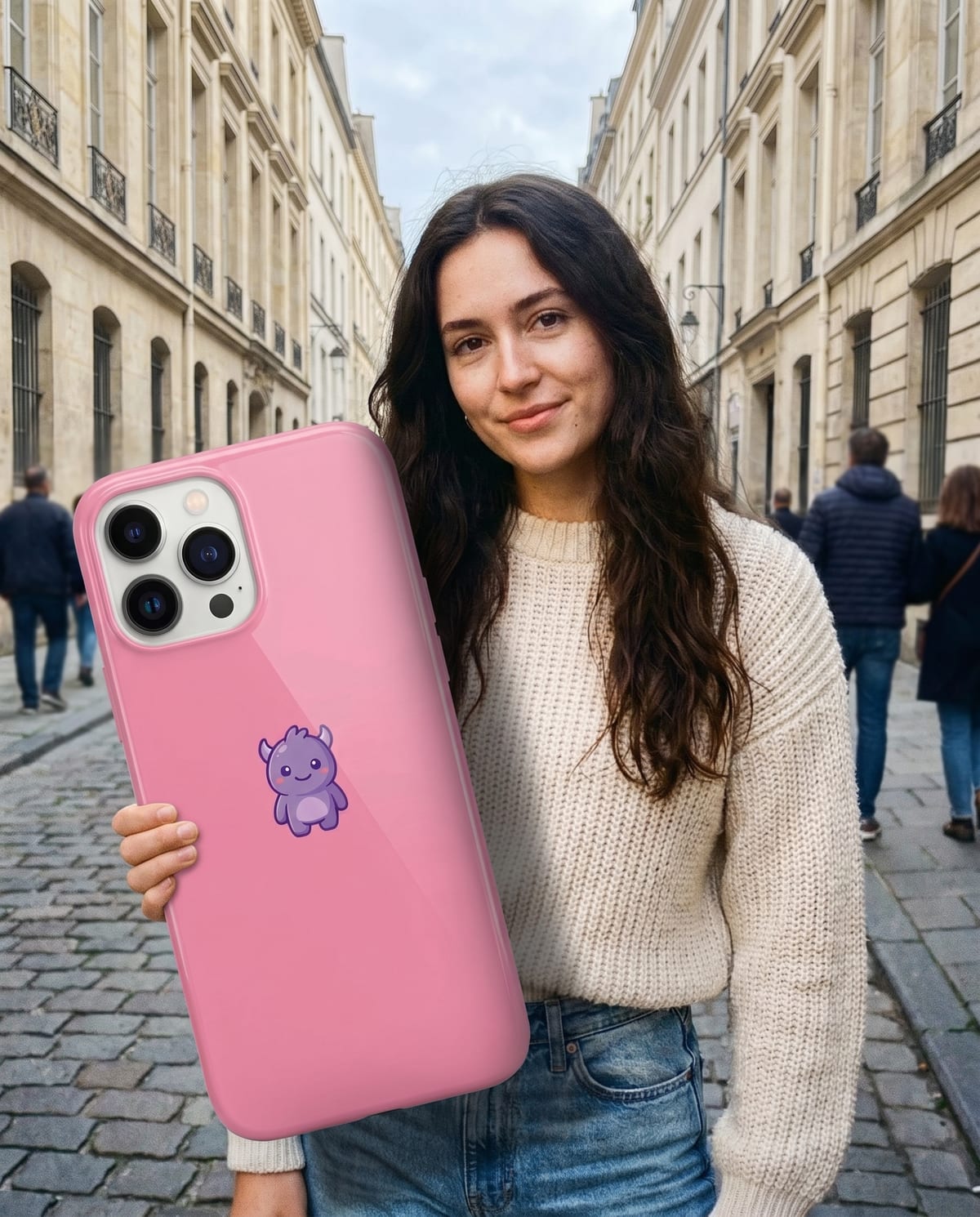
Both hands grip the enlarged object in front of you, framed from the upper body up in a casual phone-style shot. Nothing else is resized: you, the street and any passers-by stay true to scale.
Big Thing Effect is Oakgen's label for the template, and we found no public trend by that exact name. Search terms such as giant object photo or forced perspective describe the same idea more broadly.
You supply a picture of yourself and a picture of one object. There is no size slider, location choice or way to shrink the object, so formats where a tiny you stands on giant food or a phone are something else.
Hold your phone, your ice-cream, your coffee. Absurdly huge. Add a clear photo for each of the 2 slots; the look is already set.
A clear photo of you with your upper body visible.
A photo of the thing you want giant: your phone, an ice-cream, a coffee cup, sneakers.
Upload a clear photo of yourself, upper body in frame.
Upload the thing you want blown up to giant size.
About a minute later you have a street photo of you holding it.
Save the image and share it anywhere.
The colours, the case, the shape. The giant version is built from your own photo of it.
Daylight, a real street and believable shadows, so the scale gag lands instead of looking cut and pasted.
Your face, hair and outfit carry over from your photo.
The object is made oversized, while you hold it in a street-photo scene. Upload your own photo in the person slot and a separate photo of the item in the object slot. This is a giant-object scale effect, rather than a scene where you become a giant towering over a city.
Two: one photo of you and one photo of the object you want giant. Both are needed.
Your photos are used to make your image. Only upload photos of yourself, or of people who have agreed to it.
Check your plan's terms for what you can do with generated images. They apply to your result.
About a minute. You can leave the page; the finished Big Thing Effect image is saved to your assets.
Anything with a clear shape: phones, ice-cream cones, cups, sneakers, bags. Simple, well-lit photos give the cleanest result.
Pick a premise, choose the right photo, and turn one finished image into a post worth sharing.
Giant object photo ideas for the Big Thing Effect: pick an object with a story, photograph it cleanly, write an honest caption and check scale before you post.
Giant object AI photos, miniature-you food shots, giant-phone prompts and giant-person edits compared, and where the Big Thing Effect fits among them.
One selfie, one object, about a minute. Then watch your friends ask how you did it.