Video trend

The Gesi Ka Jali Dance AI Video, Shot by Shot

The Gesi Ka Jali dance is a deadpan hip sway to the song of the same name. Oakgen's version is a 14-second vertical parody in a Christmas house, cut into seven quick shots with one dancer and three people who cannot believe what they are seeing. This page breaks the clip down so you know exactly where each of your four photos will appear.

Final video
14 seconds
Your input
4–5 photos
Quality
720p
THE ORIGINAL14 SEC / 9 / 16
Gesi Ka Jali DanceYour photo. This scene.

The seven shots, the four roles and what stays

01

1. 0 to 3.7 s: the solo pull-back

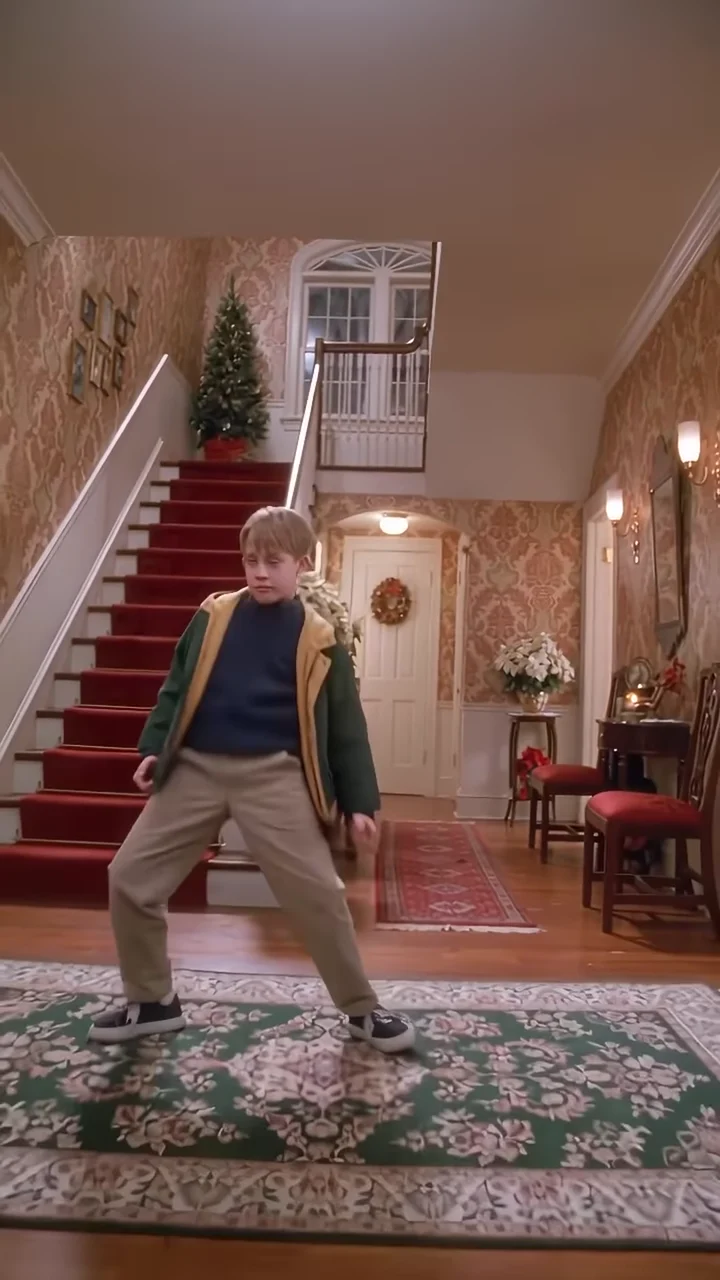
The clip opens on a low close-up of the dancer looking down into the lens with a blank face. The camera pulls straight back until you can see their feet, the green patterned rug and the red-carpeted staircase behind. The feet are planted wide, the knees are bent and the hips swing from side to side. Nobody else is in this shot.
02

2. 3.7 to 5.6 s: the onlookers arrive

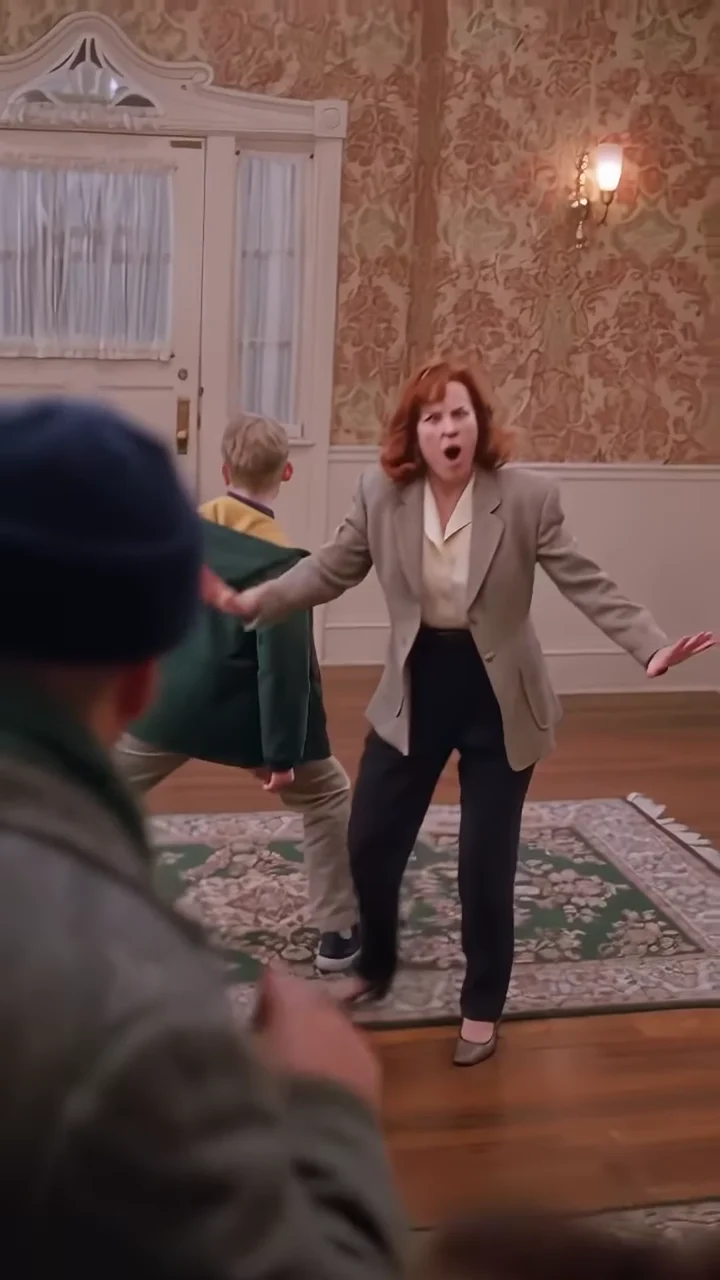
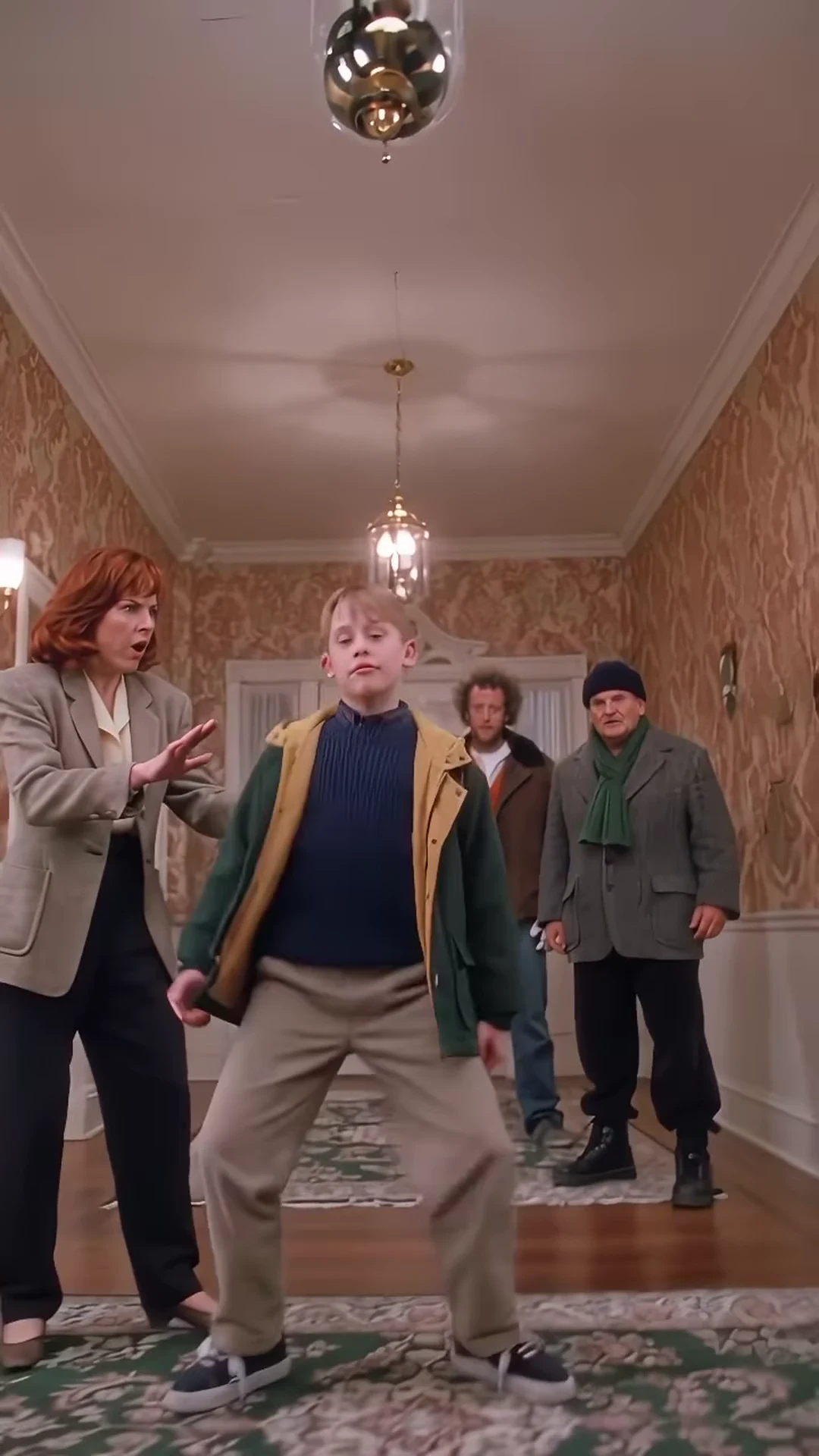
The first cut brings in everyone at once. The dancer is in the middle with their chin up. The Shocked onlooker stares open-mouthed on the left with both hands raised. Behind them on the right stand the Grinning onlooker and, furthest right, the Shouting onlooker, who is still quiet. This is the only shot where all four faces are in view, and it is the preview's poster.

03

3. 5.6 to 7.4 s: the close-up

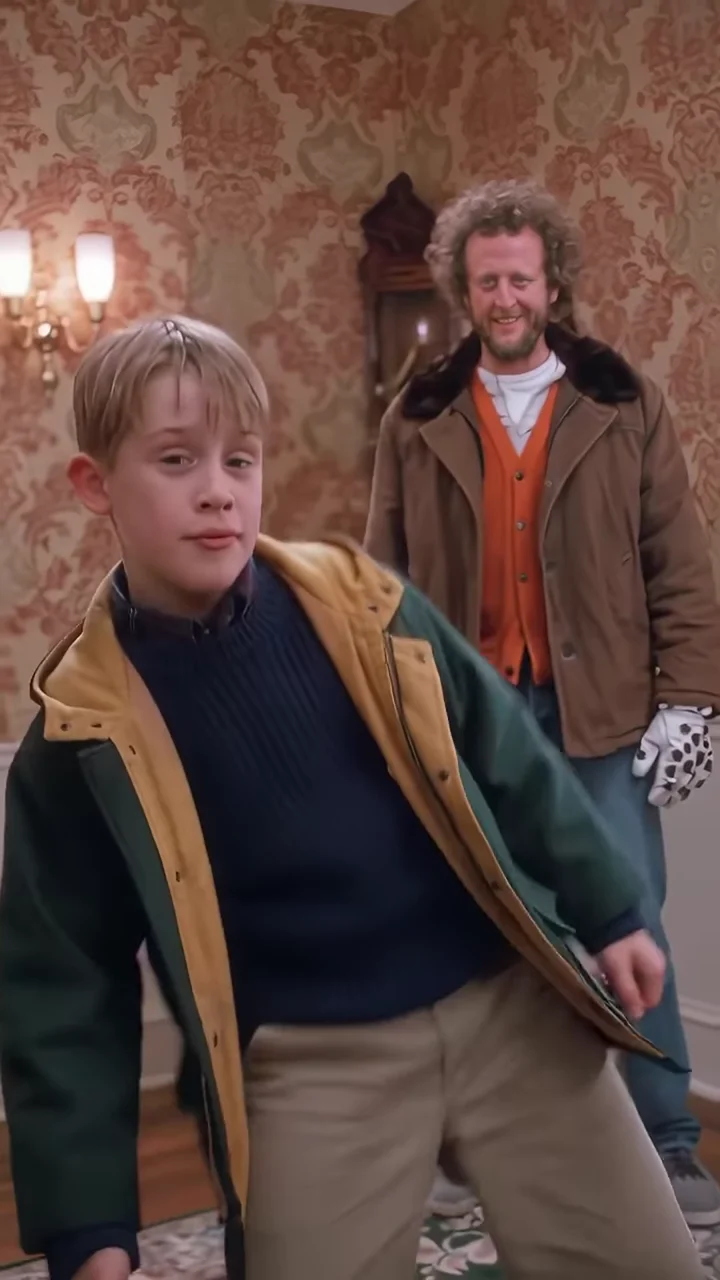
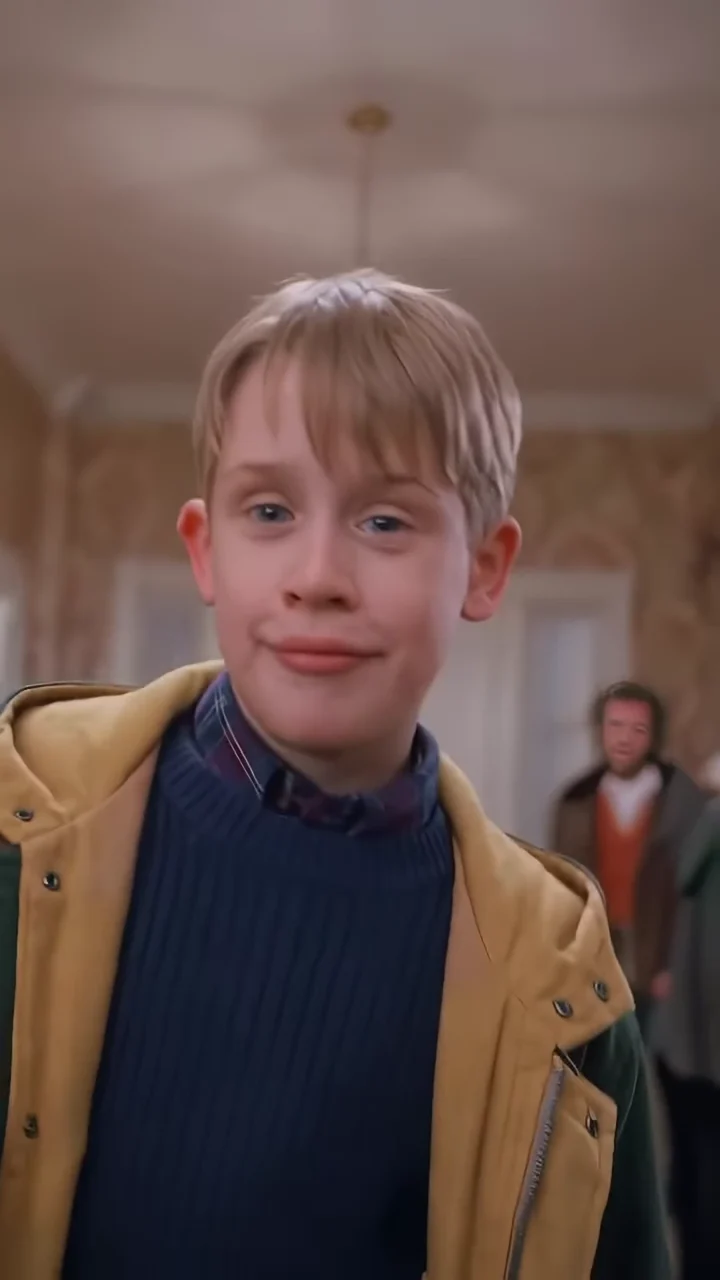
The dancer sways right up against the lens with a small smile. It is the best look at their face in the whole video. The Shocked onlooker is out of focus behind them, and the Grinning onlooker appears briefly in the background.

04

4. 7.4 to 9.1 s: from behind

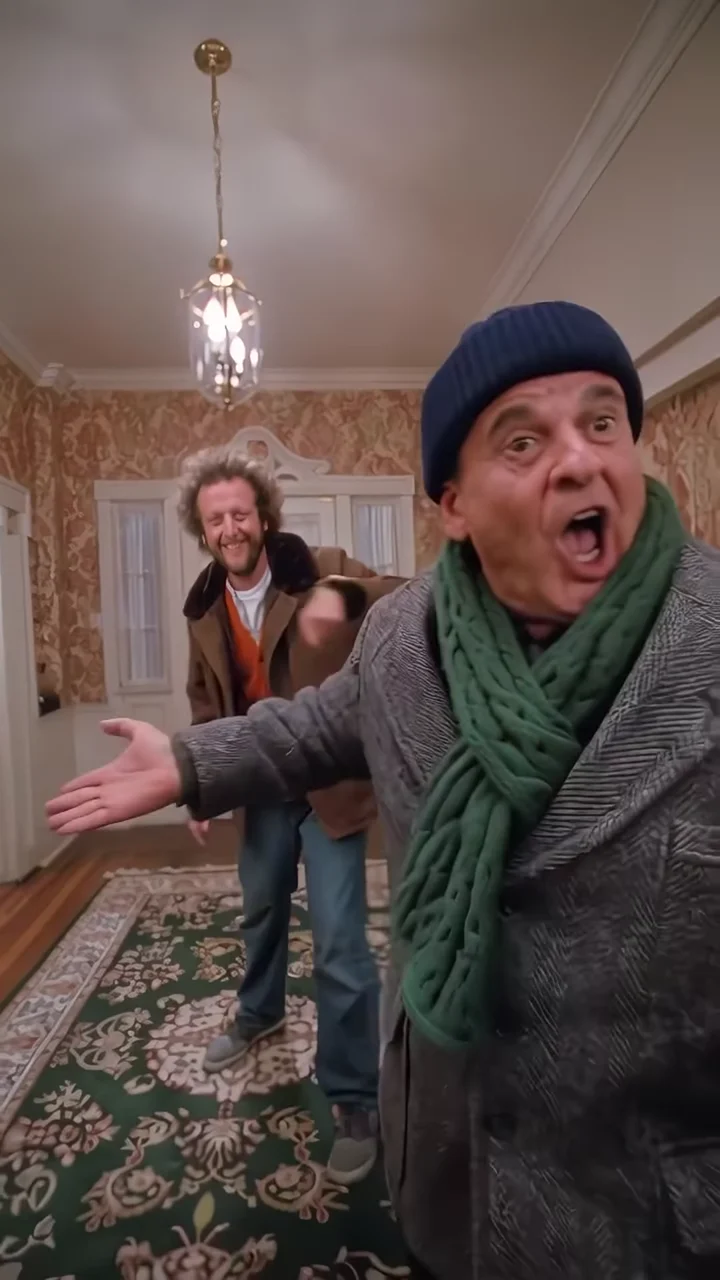
Now the camera looks over the Shouting onlooker's shoulder. The dancer keeps swaying with their back to us, and the Shocked onlooker turns round to the camera with both arms spread wide, as if asking for help.

05

5. 9.1 to 10.9 s: the waving arm

The dancer leans towards the camera while the Shocked onlooker's arm waves across the frame and passes over their face several times. The Grinning onlooker stands behind on the right, enjoying every second.

06

6. 10.9 to 12.1 s: the shout

The Shouting onlooker finally gets a close shot: mouth open, one arm flung out. They then turn round to the Grinning onlooker, who is laughing. It is the only shot without the dancer, and the shortest one, at just over a second.

07

7. 12.1 to 14 s: the staircase finish

The dancer is alone again, this time on the red stairs beside the banister. The tilted camera pulls back while the hip sway carries on to the last frame.

08

8. What your photos replace and what stays

The template asks the model to replace all four people with the people in your photos, including their faces, hair, build and outfits. The moves, cuts, camera and soundtrack follow the reference. The house stays too, unless you add a Background photo. The preview is an AI-made parody, not film footage, and Oakgen is not affiliated with the film or the artist.

Explore the Gesi Ka Jali Dance trend

How to make it

Add a photo for the dancer and shocked onlooker and shouting onlooker and grinning onlooker. The background is optional: add a photo to change it.

Give the Dancer slot to whoever can keep the straightest face and use a full-length photo, because knees and feet are in frame. Save Shouting onlooker for your most dramatic friend, who gets the close reaction shot before the staircase finish.

The roles in the Gesi Ka Jali Dance original reference
Dancer in the Gesi Ka Jali Dance source video
Dancer
Shocked onlooker in the Gesi Ka Jali Dance source video
Shocked onlooker
Shouting onlooker in the Gesi Ka Jali Dance source video
Shouting onlooker
Grinning onlooker in the Gesi Ka Jali Dance source video
Grinning onlooker
Background in the Gesi Ka Jali Dance source video
Background
  1. 01

    Cast the four roles

    Add one sharp, face-forward photo per role, with one person in each. Use a full-length photo for the Dancer if you can, because the dance is all knees and hips. Use your own photos or ones of adults who agreed to appear. Optionally add a wide, evenly lit location photo in Background, with no people in it.

  2. 02

    Choose the quality

    Pick 720p or 1080p and review the quote. It covers the full 14-second video.

  3. 03

    Check the cuts and post

    Watch the close-up, the arm that crosses the dancer's face, the shouting reaction and the staircase finish. Then download your vertical MP4 with the original soundtrack and label it as an AI-made video when you post.

01

The reactions are the joke

The dancer never breaks. Around them one person gasps and flails, one throws out an arm open-mouthed and one just grins. You cast all four, so the group can be your family, your flatmates or your team.

02

Your faces, not theirs

The template asks the model to take every person's face, hair, build and outfit from your photos in all seven shots, instead of the reference coats, blazer, beanie and scarf. An adult photo stays an adult. Check each person after every cut before you post.

03

The song stays

Your video keeps the reference clip's original soundtrack. We matched it to the released recording of "Gesi Ka Jali" by Unticipated Soundz. No audio or voice sample goes to the video model; the original track is put back at the end.

04

No lip-sync to get wrong

Nobody sings or speaks. The dancer keeps a straight face or a small smile, and the open mouths are silent reactions, so the dance and the timing do the work.

05

Your place, if you want it

An optional Background photo tries to rebuild the whole setting from your place in all seven shots while keeping the dance, the reactions and the camera moves. Leave it empty to keep the Christmas house.

Photo tips

  • One person per photo
  • Four different photos
  • Full-length photo for the Dancer
  • Your most dramatic friend as the Shouting onlooker
  • Face forward, hair visible
  • No hat unless you want one in the video
  • Label it as an AI-made video
  • An optional wide background photo with open floor

Questions & answers

What is the Gesi Ka Jali dance?

A loose, bouncy hip sway: feet planted wide, knees bent, hips swinging from side to side on the beat and a completely deadpan face. It is named after the song it is done to. Oakgen's template uses a Home Alone-style parody of it, with one dancer and three people reacting.

Is this the Will Byers dance?

It shares the song and the type of move. People search for the hip sway to this song as the Will Byers dance, the Will Byers dancing meme, the Bouncy Heart hip sway and the Gesi Ka Jali dance. This template makes the Christmas-house version. It does not show Will Byers or any scene from Stranger Things, and Oakgen is not affiliated with the series.

Is this the Home Alone dance trend?

It is an AI-made, Home Alone-style parody of the Gesi Ka Jali dance, set in a Christmas house with a red staircase. It is not a scene or footage from the film. Your video uses the people in your photos, and Oakgen is not affiliated with or endorsed by the film, its makers or its cast.

What song is in the Gesi Ka Jali dance?

"Gesi Ka Jali" by Unticipated Soundz, from Durban, South Africa. The single came out on 13 March 2026 and is listed as gqom. We matched the reference clip's soundtrack to the released recording. Oakgen is not affiliated with or endorsed by the artist, and does not license the song for your posts.

Is the preview made with Oakgen?

No. The preview is the AI-made reference clip, used for the moves and timing, not an Oakgen result. The template asks the model to show only the people in your photos in the four roles; check your result before you post.

How many photos do I need?

Four, one for each role: Dancer, Shocked onlooker, Shouting onlooker and Grinning onlooker. All four are required because the template is set up to replace everyone in the reference. A fifth photo, for the background, is optional.

Who should play each role?

Put the person with the best poker face in Dancer, who is in six of the seven shots. The Shocked onlooker gasps beside the dancer and turns round with their arms out. The Shouting onlooker has the biggest reaction shot, near the end. The Grinning onlooker stands behind, enjoying it.

Can I use the same person more than once?

Each slot needs its own photo. Four different people read best, because the reactions work as a group joke. Reusing one person can make the roles hard to tell apart.

Is there any lip-sync?

No. Nobody sings or speaks. Two onlookers open their mouths as silent reactions, and the dancer keeps a straight face or a small smile.

Is the song sent to the AI model?

No. No audio or voice sample is sent to the video model, and whatever sound the model returns is thrown away. The reference clip's original soundtrack is put back on the finished video.

Can I change the background?

Yes, optionally. Add a location photo in the Background slot and the template tries to rebuild the whole setting in that place in all seven shots, while keeping the dance, the reactions and the camera moves. If your place has no stairs, the finish moves to its floor or ground. A wide, evenly lit photo with open floor and no people works best. Results can vary, so check every shot. The background adds no cost. Leave it empty to keep the Christmas house.

What will we wear?

Whatever is in your photos. The template asks the model to keep each person in the outfit from their own photo in every shot. If a photo shows only the upper body, the lower half gets plain trousers and shoes.

What kind of photo works best?

A sharp, well-lit photo of one person facing the camera, with the hair visible and no sunglasses. Use a full-length photo for the Dancer, who is seen from head to feet. Waist-up photos are accepted for the onlookers, but all three are seen nearly full length at some point, so a longer shot gives the model their real outfit.

Will an adult be turned into a child?

The template asks the model not to. The dancer in the reference is a boy, but the age, build and height are meant to come from your photo. Check the wide and staircase shots in your result.

Can my pet do the dance?

A clear photo of a dog or cat is accepted in any role, and that role follows the pet's species. The reactions use hands and arms, so a pet may look different from the reference. We have not tested pets in this template, so check the paws and every cut.

Can I post it on TikTok or Instagram?

You can download and share it. The song belongs to its rights holders and Oakgen does not license it for your posts, so check the music rules of the platform you post on, and label the video as AI-made.

Whose photos can I use?

Your own, or photos of adults who agreed to be in the video. Do not upload photos of children, public figures or anyone who has not consented, and label the video as AI-made when you share it.

What quality can I choose?

720p or 1080p. 720p is enough for a phone feed; 1080p helps in the wide and staircase shots, where faces are small.

How long is the video?

14 seconds in vertical 9:16, with seven shots and six cuts.

How much does it cost?

743 credits per 720p video. The quote covers the complete 14-second video. Check it before generating.

Ideas for your next video

Plan a story, keep your character recognizable, and make the finished clip your own.

Explore the video trend playbook →

Make your Gesi Ka Jali Dance video

Upload 4–5 photos. Everything else is set.

Make this video