
Image trend

Tim Burton Filter vs Gothic Dolls Portrait

Both looks borrow from the same storybook-gothic mood, but they answer different questions. A filter asks what you would look like as a character. This portrait asks what it would feel like to be surrounded by them. Use the differences below to decide.

Final image
1 still
Your input
1 photo
Price
from 51 credits
Tim Burton-Style Girls example result
Tim Burton-Style GirlsExample result

Pick the look you actually want

01

How each treats your face

Transformation filters, as described in BeautyPlus and YouCam write-ups, enlarge your eyes, pale your skin and often add stitches or a gummy smile, so the result is a drawn or stop-motion version of you. The gothic dolls portrait keeps you photographic and unchanged, but hides your eyes behind someone's hands. Choose the filter for a profile picture; choose the portrait for a scene.

02

What fills the frame

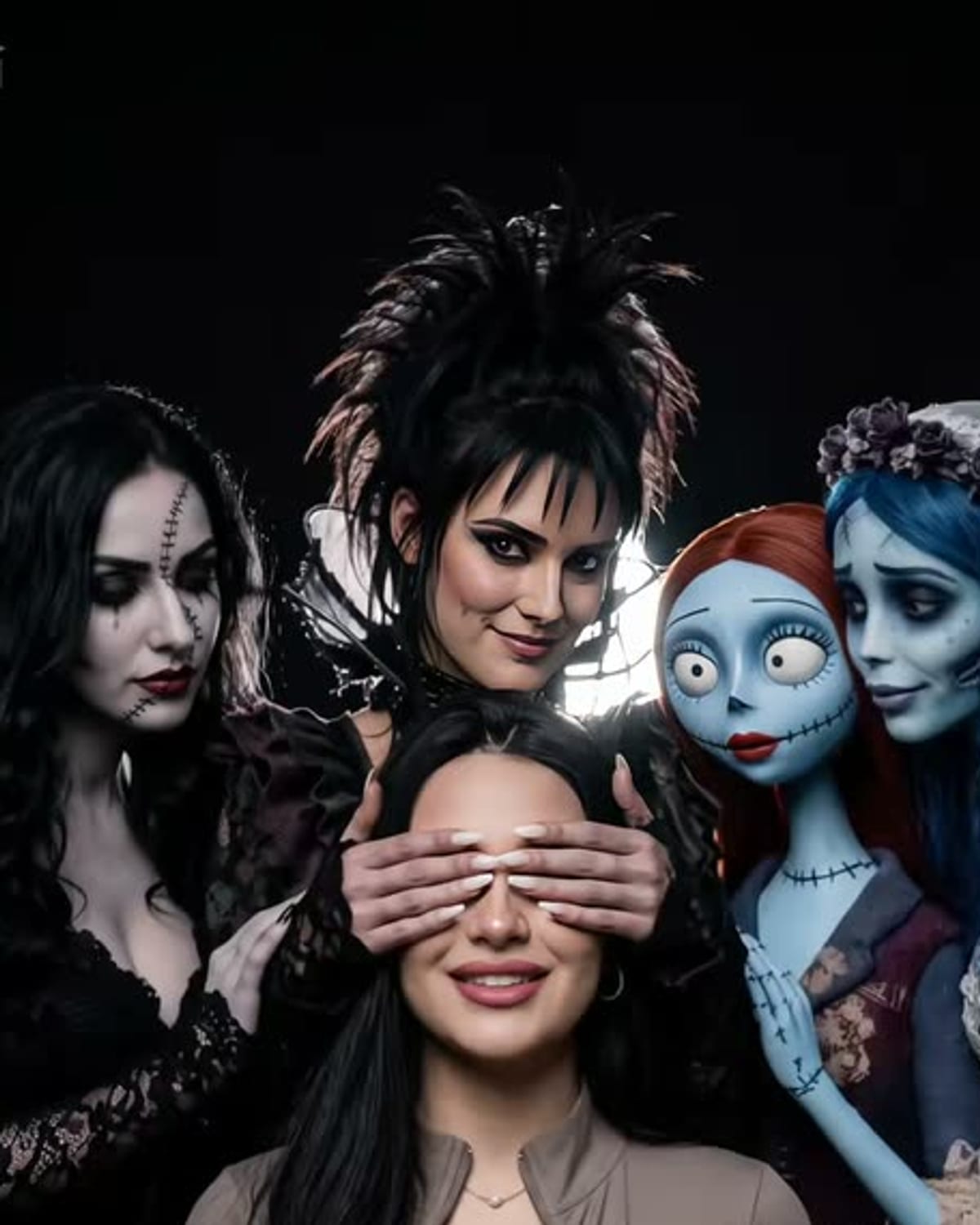
A filter usually shows one character, often with a crooked or twisted backdrop. The portrait is crowded on purpose: four pale women, several cracked porcelain dolls and you, against a plain charcoal studio backdrop with soft dramatic light. If you want a single bold face, the filter suits better; if you want an eerie group photo, the portrait does.

03

Which suits your post

For a carousel, the portrait pairs well with your original photo as a before-and-after, because you are still recognisably yourself. For an avatar or sticker-style image, a transformation filter crops more cleanly. Whichever you post, say it is AI-made and describe it as Burton-inspired rather than official.
Explore the Tim Burton-Style Girls trend

How to make it

A dark studio portrait with pale gothic women and dolls leaning in. Add one clear photo; the look is already set.

The photo you add

  • 1. You

    A clear photo of your face and upper body in good light.

  1. 01

    Upload your photo

    Pick a clear photo of your face and upper body.

  2. 02

    We build the portrait

    The gothic cast and the studio light take about a minute.

  3. 03

    Download and post

    Save the image and share it anywhere.

01

Still you

Your face, hair and outfit stay yours, even with a hand across your eyes.

02

A storybook-gothic cast

Pale skin, dark-ringed eyes, striped and lace dresses and cracked porcelain dolls.

03

Studio lighting

A dark backdrop and soft, dramatic light like an editorial shoot.

Photo tips

  • Face sharp and well lit
  • Upper body in frame
  • Seated or relaxed pose works best
  • Just you in the photo

Questions & answers

Does this turn me into a gothic doll?

No. This template places you in the centre of a dark studio portrait, with gothic women and porcelain dolls leaning in around you. One woman covers your eyes. It is a surrounding-cast composition, rather than a filter that turns your own face into a doll or animated character.

How many photos do I need?

One: a clear photo of you.

Is my photo private?

Your photos are used to make your image. Only upload photos of yourself, or of people who have agreed to it.

Can I use the result commercially?

Check your plan's terms for what you can do with generated images. They apply to your result.

How long does it take?

About a minute. You can leave the page; the finished Tim Burton-Style Girls image is saved to your assets.

Will my face be covered?

Partly. One of the women covers your eyes with her hands, so your mouth, hair and outfit show who you are.

Ideas for your next photo

Pick a premise, choose the right photo, and turn one finished image into a post worth sharing.

Explore the AI photo trend playbook →

Make your Tim Burton-Style Girls image

One photo, about a minute. Pale faces, dark eyes and a hand over yours.

Make this image