
Image trend

Tim Burton-Style AI Portrait: Best Photo to Upload

Most portrait templates depend on your eyes to keep you recognisable. This one covers them, so the rest of your appearance has to do the work. Compare a few photos against these points before you upload.

Final image
1 still
Your input
1 photo
Price
from 51 credits
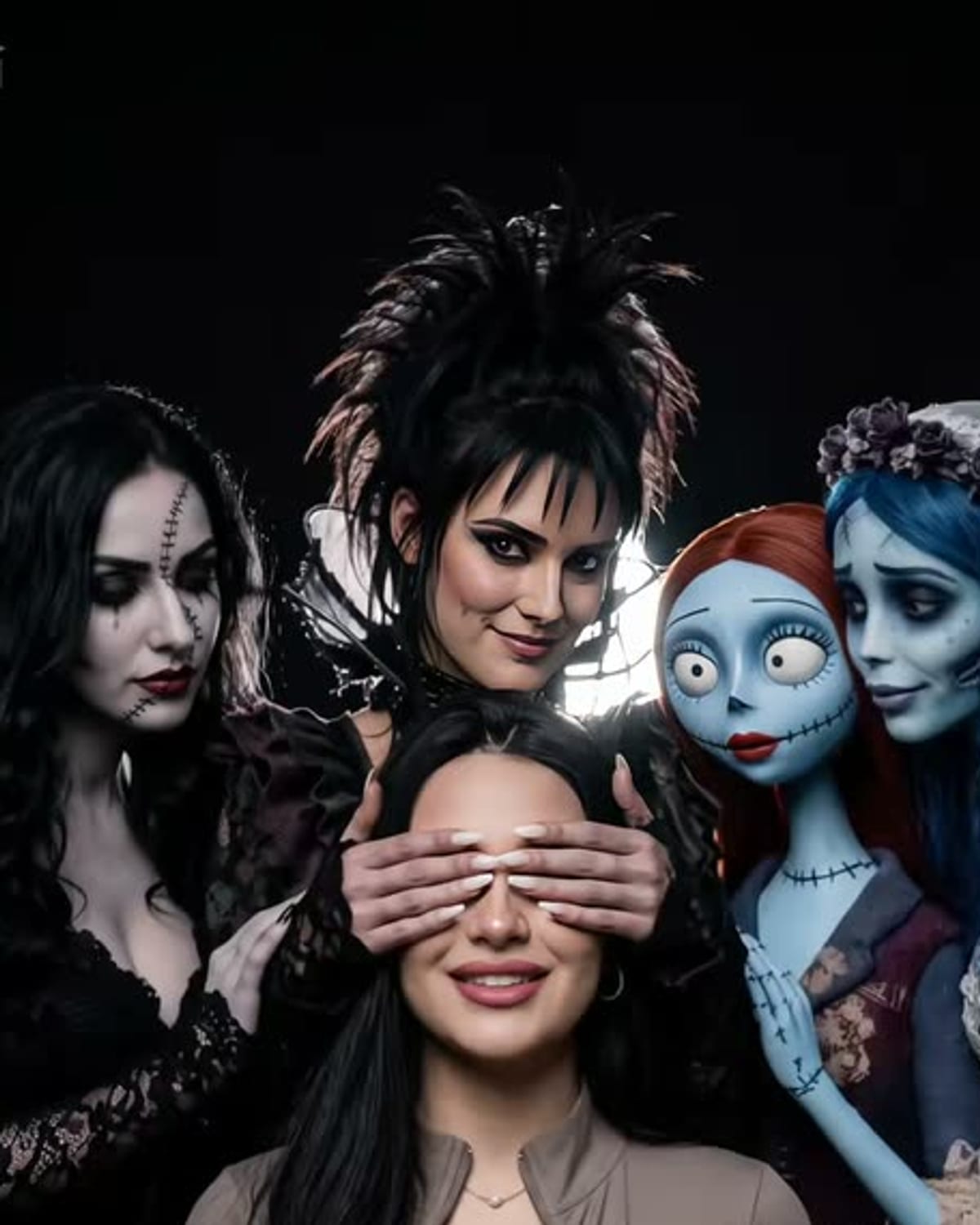
Tim Burton-Style Girls example result
Tim Burton-Style GirlsExample result

Photos that stay recognisable with eyes covered

01

Features that do the recognising

Your smile, lips, nose, jaw and hairline are what remain visible below the hands. A photo with a natural, closed-mouth or soft smile keeps the lower face clear. Strong haircuts, fringes, colours and earrings help even more, because they sit outside the covered area.

02

Outfit and contrast

The scene is muted and dark, with black, white and lace around you. Clothing that contrasts with it, such as a coloured jumper or a pale shirt, helps you stand out from the cast. An all-black outfit can still work, but it blends into the women's dresses and the charcoal backdrop.

03

Photos that work against you

Skip group shots, since the template already adds four people and needs to know which one is you. Very tight face-only crops leave out the hair and outfit you need, and dark or blurry photos lose detail in the desaturated, grainy finish. Use a photo of yourself, or of someone who has agreed to it.
Explore the Tim Burton-Style Girls trend

How to make it

A dark studio portrait with pale gothic women and dolls leaning in. Add one clear photo; the look is already set.

The photo you add

  • 1. You

    A clear photo of your face and upper body in good light.

  1. 01

    Upload your photo

    Pick a clear photo of your face and upper body.

  2. 02

    We build the portrait

    The gothic cast and the studio light take about a minute.

  3. 03

    Download and post

    Save the image and share it anywhere.

01

Still you

Your face, hair and outfit stay yours, even with a hand across your eyes.

02

A storybook-gothic cast

Pale skin, dark-ringed eyes, striped and lace dresses and cracked porcelain dolls.

03

Studio lighting

A dark backdrop and soft, dramatic light like an editorial shoot.

Photo tips

  • Face sharp and well lit
  • Upper body in frame
  • Seated or relaxed pose works best
  • Just you in the photo

Questions & answers

Does this turn me into a gothic doll?

No. This template places you in the centre of a dark studio portrait, with gothic women and porcelain dolls leaning in around you. One woman covers your eyes. It is a surrounding-cast composition, rather than a filter that turns your own face into a doll or animated character.

How many photos do I need?

One: a clear photo of you.

Is my photo private?

Your photos are used to make your image. Only upload photos of yourself, or of people who have agreed to it.

Can I use the result commercially?

Check your plan's terms for what you can do with generated images. They apply to your result.

How long does it take?

About a minute. You can leave the page; the finished Tim Burton-Style Girls image is saved to your assets.

Will my face be covered?

Partly. One of the women covers your eyes with her hands, so your mouth, hair and outfit show who you are.

Ideas for your next photo

Pick a premise, choose the right photo, and turn one finished image into a post worth sharing.

Explore the AI photo trend playbook →

Make your Tim Burton-Style Girls image

One photo, about a minute. Pale faces, dark eyes and a hand over yours.

Make this image