
Oakgen.ai

Video trend

How to Check Your One Who Knocks AI Video

A talking close-up is the hardest thing for a generated video to get right, because viewers read faces more closely than anything else. This clip gives you more than 8 seconds of one. Go through these checks once at full speed with the sound on, then again slowly, in this order. Most of them take seconds, and they tell you whether to post or to run it again with a better photo.

Final video
15 seconds
Your input
1 photo
Quality
720p
THE ORIGINAL15 SEC / 16 / 9
The One Who KnocksYour photo. This scene.

The checks, in order

01

Is it still you at 7 seconds?

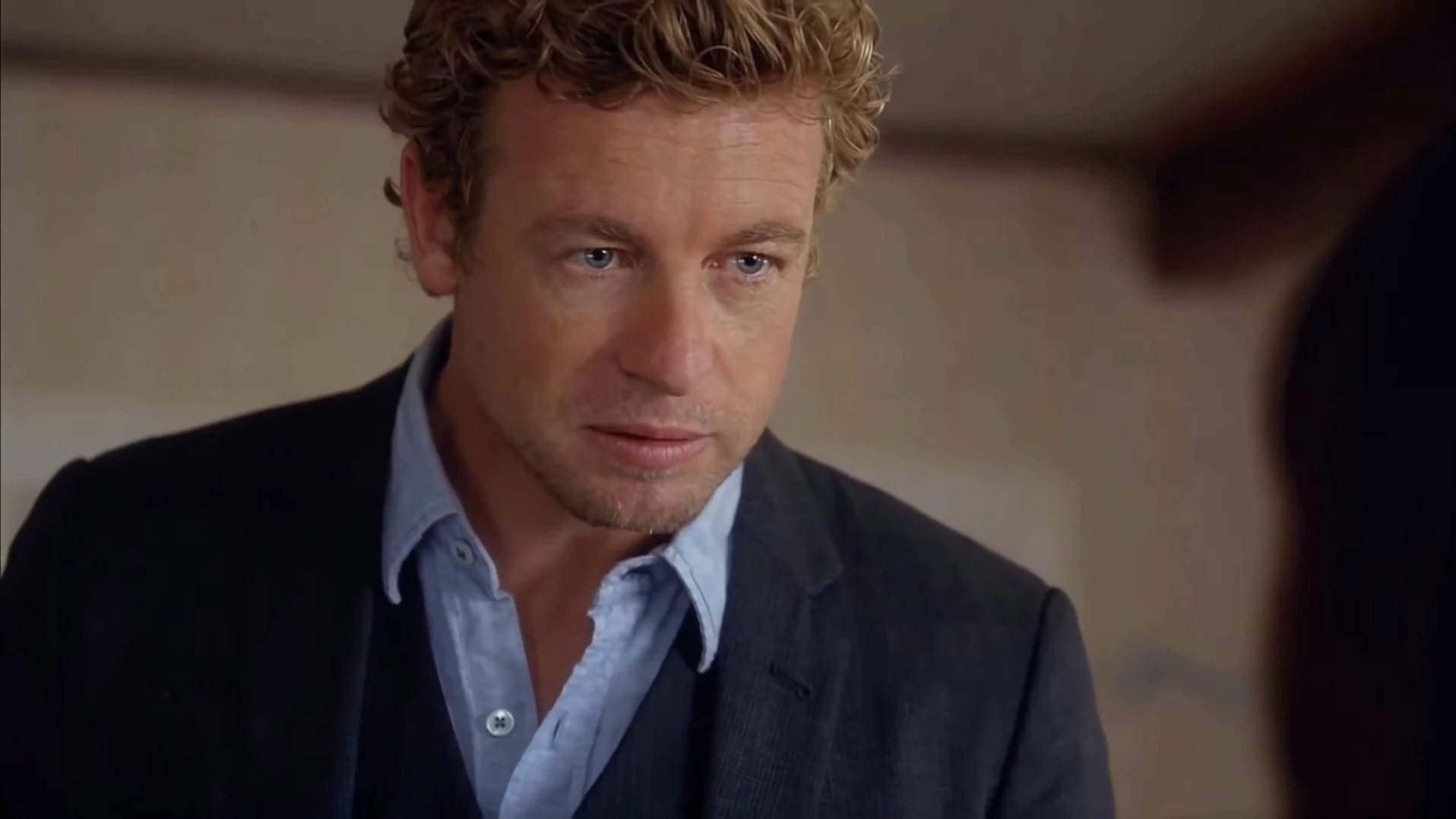
Pause on the first frame of the close-up, at about 6.6 seconds. That is the largest your face appears for the first time, so identity problems show here first. If it looks like a relative of yours instead of you, the most likely fix is a sharper, closer photo, not another run with the same one.
02

Does the mouth match the words?

Watch "I am the danger" at about 6.6 to 8 seconds and "I am the one who knocks" at about 11.5 to 14.2 seconds. The hard consonants are the test: the mouth should close on "am" and open on "knocks". The mouth follows the timing of the reference performance, and the original audio is laid back on at the end, so a small drift is possible. A clear mismatch is worth a re-run.

03

Is the mouth quiet when nobody is talking?

From about 3.9 to 6.6 seconds the camera is on the listener, and her lips should stay closed even though a voice is speaking. Then check the last second of the clip, where your mouth should be shut for the held stare. Moving lips in either spot breaks the joke.

04

Do the hands look right?

Your hand rises in the first shot, in the first 4 seconds, and again toward your chest around 10 to 11 seconds. Count the fingers in both, at normal speed and paused. A brief smear during fast movement is normal in generated video and passes at full speed. An extra finger you can see at full speed does not.

05

Is anything left over from the guide?

Look for grey patches on either person, thin cyan lines across a face or a faint grid. The prompt forbids them, but it is an instruction to a model, so confirm it, particularly on the listener in the second shot and along your hairline in the close-up. Also check that no text or logo has appeared anywhere in the room.

06

When to run it again

Re-run for a wrong face, a clear lip mismatch, visible guide marks or an obviously broken hand. Change the photo first if the face was the problem; change nothing but the run if a one-off glitch was. Testing at the lowest quality is the cheapest way to judge a new photo before you pay for 1080p.

Explore the The One Who Knocks trend

How to make it

Add a photo for each role shown below. All roles need a photo.

The roles in the The One Who Knocks original reference
Speaker in the The One Who Knocks source video
Speaker
  1. 01

    Upload the speaker

    Add one clear photo of yourself or of someone who agreed to appear. A sharp face near the camera with the whole head and hair visible works best, because the close-up is tight. Your outfit stays.

  2. 02

    Review quality and price

    Choose 480p, 720p or 1080p and review the quote. It includes the full video and the photo preparation.

  3. 03

    Check the close-up

    Watch your face from 7 seconds, your mouth on "I am the danger" and "knocks", and the closed lips in the final stare before downloading your landscape MP4.

01

Your face, for 8 seconds straight

More than half the clip is one unbroken close-up of the speaker. Your face, hair, build and outfit all come from your photo, so whoever you cast carries the joke.

02

The whole speech

All 15 seconds in landscape, from "You clearly don't know who you're talking to" through "I am the danger" to "I am the one who knocks" and the held stare after it.

03

The original audio

Your video keeps the clip's original voice and timing. You do not record anything, and your photo does not change the voice.

04

Just one photo

The speaker is the only role you fill. The preview is the reference clip, not an Oakgen result, and its performers are never reused: the listener is an invented woman generated for each video.

Photo tips

  • One person in the photo
  • Sharp face, close to the camera
  • Whole head and hair in frame
  • Your own outfit stays
  • Cast against type
  • Use photos of people who agreed

Questions & answers

What is The One Who Knocks trend?

It is a 15-second AI video built on the "I am the danger" speech. One person stands over someone seated on a bed and calmly says they are not in danger, they are the danger, ending in a long close-up on "I am the one who knocks". Oakgen's template puts your face, hair, build and outfit on the speaker and keeps the room, the cuts and the audio.

Where is the line from?

The line is from "Cornered", season 4, episode 6 of Breaking Bad, which aired in 2011. This is an unofficial fan-style template that is not connected to the show, and its picture is not the original footage.

Is I Am the Danger a different trend?

No. Both lines are in the same speech and the same 15 seconds. We did not find an established name for this exact template, so Oakgen uses its closing line.

Will it use my voice?

No. The video keeps the clip's original audio, so you are heard in the speech's voice, and it says "Skyler" whoever the listener looks like. You do not record anything.

Do I need a photo?

Yes, one, and it is required. The speaker in the reference is never kept, so your photo always takes the role. The listener is invented by the template and needs no photo.

Do I keep my own clothes?

Yes. There is no costume. Your outfit comes from your photo, so a hoodie stays a hoodie, which often makes the speech funnier.

Whose photos can I use?

Use photos of yourself or of people who agreed to be in the video. Do not upload photos of actors, celebrities or anyone who has not consented, label AI videos clearly when you share them and keep it obviously a joke.

Does the mouth match the words?

The mouth follows the timing of the reference performance, and the original audio is restored at the end. These are instructions to a model, so check the close-up before posting and re-run if the lips clearly drift.

How is it different from You Tweaking?

You Tweaking is a two-person reaction skit that needs two photos. The One Who Knocks is one person, one speech and a long close-up, so one face carries the whole joke.

Can I use a photo of my pet?

The template is written for a person talking in close-up. An animal photo is not blocked, but the result is untested and the mouth timing may not look right.

How long is the video?

15 seconds in landscape 16:9, from the opening warning to the held stare.

Is the preview generated by Oakgen?

No. It is the reference clip the trend comes from, not an Oakgen result. Review the face, mouth and hands in your video before sharing.

How much does it cost?

1,912 credits per 720p video. The quote includes the photo preparation and the complete video. Check it before generating.

Ideas for your next video

Plan a story, keep your character recognizable, and make the finished clip your own.

Explore the video trend playbook →

Make your The One Who Knocks video

Upload 1 photo. Everything else is set.

Make this video