
Video trend

You Tweaking AI Trend

"You Tweaking" is the title Ausar gives to a short template of a 15-second skit: a man in a black hat and a woman with an orange handbag take turns on screen, trading a few lines built around her telling him "you tweaking". Oakgen uses the same name and lets you swap in your own photos. This page is the overview for anyone who saw the name and wants to know what the clip is, who the two roles are, how the recreation works, and which details nobody has confirmed.

Final video
15 seconds
Your input
1–2 photos
Quality
720p
REFERENCE RECREATION15 SEC / 4 / 3
You TweakingSource: @ausar.ai · You Tweaking AI reel

The trend in plain terms

01

What the trend is

A single studio scene against a plain light-grey backdrop, cut together from shots of one person at a time. A man holds a small black device up near his chin while a woman holds hers and looks over her shoulder. They talk, he bites a knuckle while she laughs, and then comes the exchange the trend is named for: she calls him out for tweaking, he asks how, and she says it back to him. The tone is a deadpan comic argument between two people, not an action scene.

02

The two roles

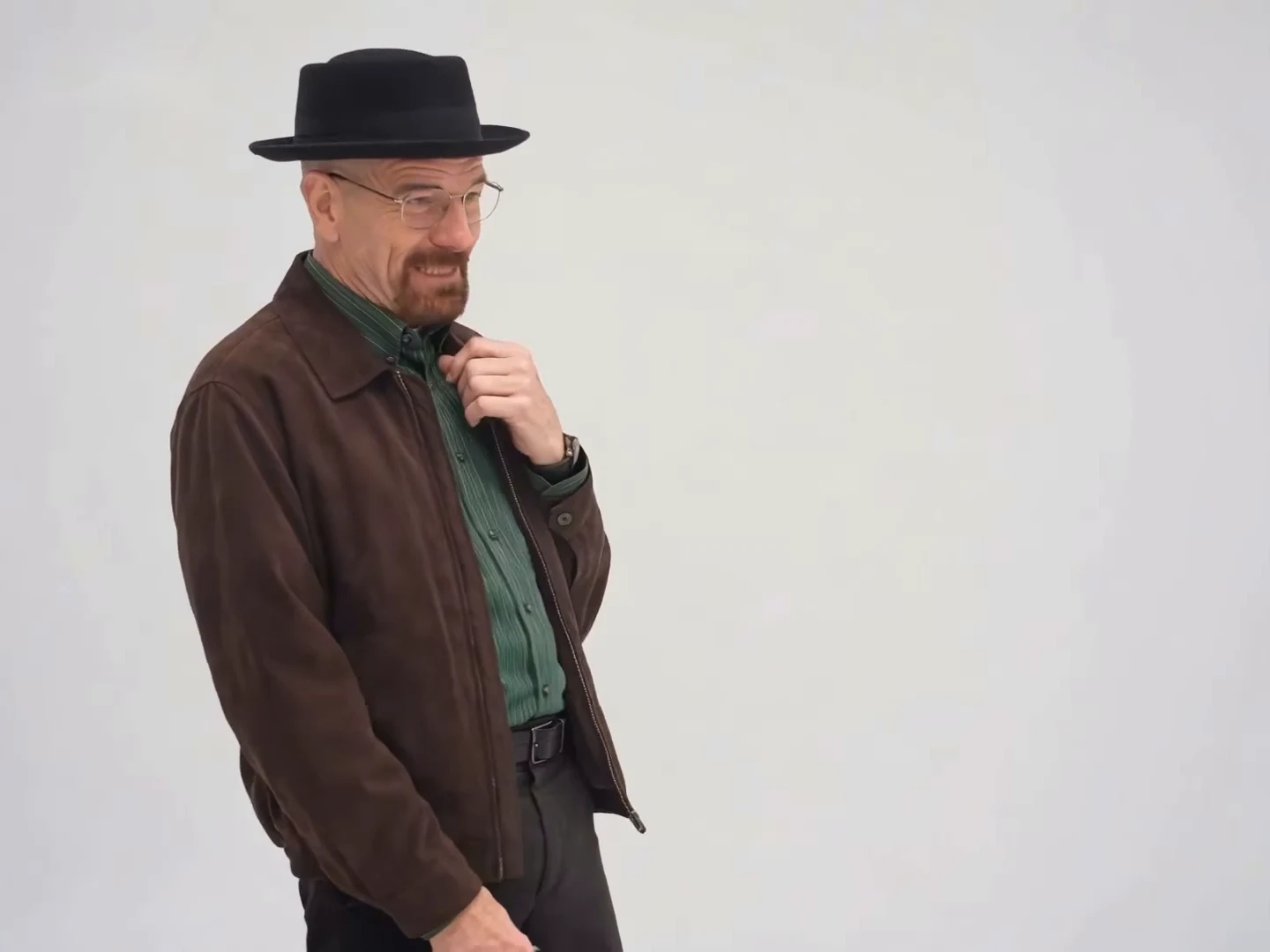
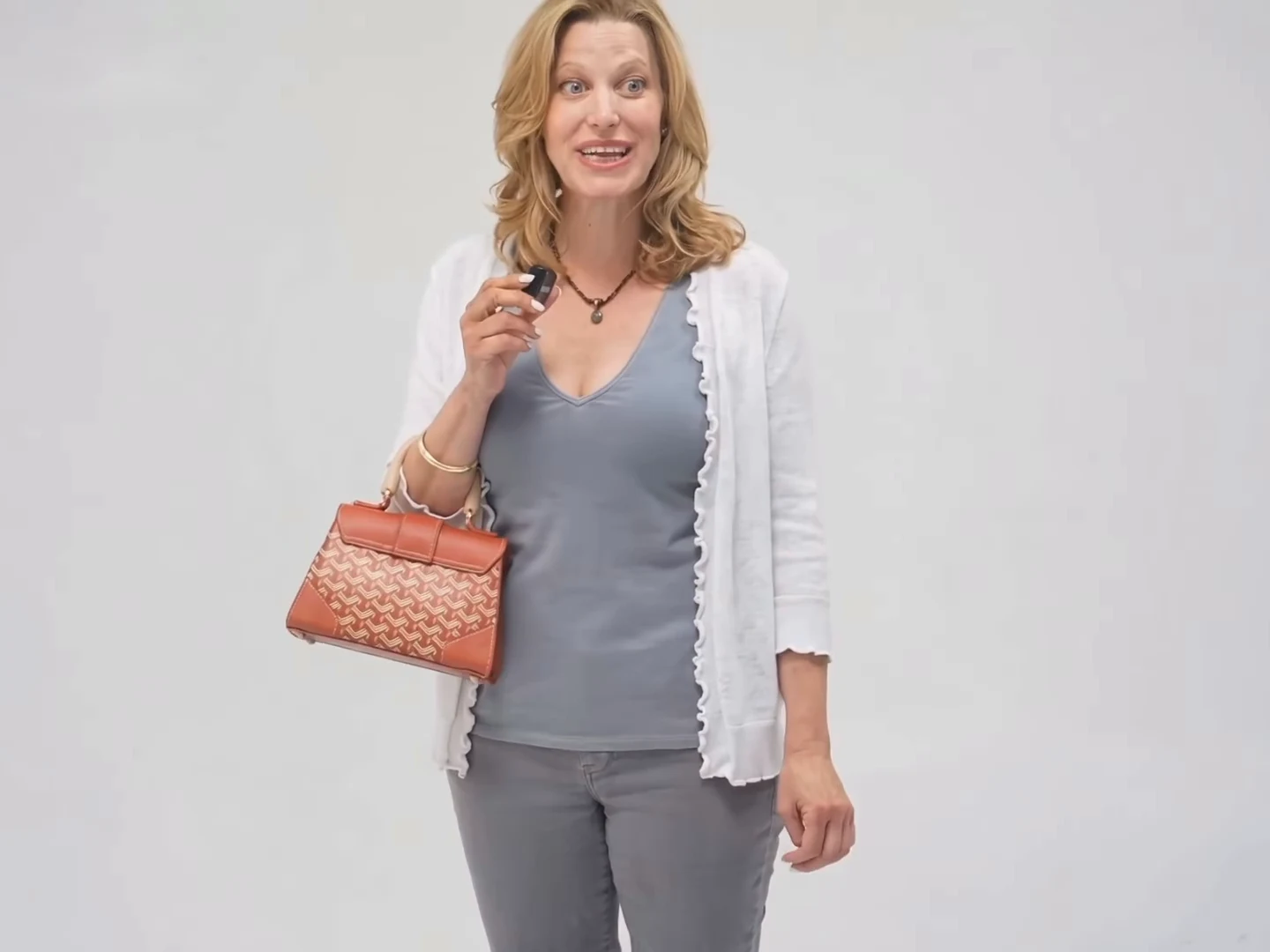
Oakgen calls them the hat character and the handbag character. The hat character is a man in a black pork-pie hat, brown jacket and green shirt. The handbag character is a blonde woman in a white cardigan over a grey top, carrying an orange handbag. They never appear in the same frame. In the studio each role has its own photo slot, so the person you put in the hat slot appears only in the hat character's shots, and the same goes for the handbag slot.

03

What "tweaking" means here

In current slang, tweaking means acting erratic, wild or out of line, and the skit plays it for comedy: each character accuses the other of behaving strangely. Nothing in the clip needs more explanation than that, and your caption does not either. Spellings seen on other templates include tweaking and tweakin.

04

How the recreation works

You add a photo for one role or both, pick a resolution, check the quote and wait for the result. The output is 15 seconds in 4:3 landscape and keeps the source soundtrack, and your characters' lips follow the dialogue already in it. You cannot rewrite the lines, move the backdrop or change the cuts: the shot order is part of the template, so your photos decide who plays each part. A role you leave empty keeps the character from the reference.

05

How the shots are laid out

The edit has ten cuts, producing eleven shots. The hat character is on screen in six of them, about 9.6 of the 15 seconds. The handbag character is in five, about 5.4 seconds. The shots alternate, so each photo only has to hold up in its own shots. Both people hold a small black device that looks like a clip-on microphone transmitter, which is a prop, not food. The dialogue page has the cut times.

06

What is and is not known

The name "You Tweaking" is Ausar's own template title, shown on its public template list. The clip is on a reel from @ausar.ai dated October 21, 2026, with the caption "Walt is trippin". We could not find an earlier upload, a named sound or a creator for the original exchange, and we have not established whether the voices were captured with the picture or added afterward. We have no search-volume data, so we make no claim about how popular the phrase is. The preview on the trend page is the credited reel, not an Oakgen result.

Explore the You Tweaking trend

How to make it

Choose the roles you want to change. Add a photo for each selected role.

Hat character in the You Tweaking source video
Hat character
Handbag character in the You Tweaking source video
Handbag character
  1. 01

    Choose your characters

    Add a clear photo for the hat character, the handbag character or both. Use photos of yourself or of people who have agreed to appear. One character per photo.

  2. 02

    Review quality and price

    Choose 480p, 720p or 1080p. The credit quote includes the full 15-second edit and the preparation of only the photos you select.

  3. 03

    Check the skit

    Watch each cut, check that the right character is in each shot and review the close-up before downloading your landscape MP4 with sound.

01

Two characters, two photos

The hat character and the handbag character come from your photos: face, hair and outfit. Add both to cast the whole skit, or add one and keep the other from the reference.

02

Cut by cut

The 15-second clip alternates between the two characters against a plain grey studio backdrop. They are never in the same frame, so each photo only has to work for its own shots.

03

Reactions on the beat

Both characters hold a small black device like a clip-on microphone transmitter and react with a hand to the mouth, a hand to the chin and raised eyebrows. In the reference the man's voice and the woman's voice trade short lines, so check that each mouth moves only on its own voice.

04

An attributed AI source

The preview is the credited @ausar.ai reel, not an Oakgen result. We have not verified the original sound or who made it, so we do not label it with a guessed source.

Photo tips

  • One character per photo
  • Use sharp, front-facing faces
  • Show the hat or the outfit you want
  • Use photos of people who consented
  • Check the close-up near the end

Questions & answers

What is the You Tweaking AI trend?

It is a short studio reaction skit where two characters take turns reacting to each other, one wearing a hat and one holding a handbag. In slang, tweaking means acting wild or erratic, and the skit plays that for comedy. Oakgen's version lets your photos play both roles.

What do they say in the You Tweaking video?

Transcribed from the clip by machine, so the wording may differ slightly. The lines that come through consistently are "he tweaking" and "you tweaking" in the woman's voice, "I'm tweaking, how?" in the man's voice and a short "huh?" at the end. The male voice belongs to the hat character and the female voice to the handbag character, and a voice can run over the other person's shot. The other lines are unclear, so we do not quote them. The original audio and who made it are not verified.

Who are the hat and handbag characters?

They are the two roles in the reference clip: a man in a black hat, brown jacket and green shirt, and a blonde woman in a white cardigan with an orange handbag. In Oakgen you replace them with your own characters.

Is this a Breaking Bad meme?

The credited reel's caption points to a character from that show, so the skit is a fan-style parody. Oakgen is not affiliated with the show, and the templates use your photos rather than any actor's likeness.

Can I use a photo of someone else?

Only use photos of yourself or of people who have agreed to appear. Do not upload private photos of others or anyone's likeness without permission, and label AI videos clearly when you share them.

How many photos do I need?

Add one photo per character, up to two. A role left empty keeps the character from the reference. Because the two never share a frame, each photo only affects its own shots.

Does it keep the original sound?

Yes. The final MP4 keeps the reference dialogue and reactions. We have not verified the original audio or its creator, so we do not guess its source. Generated lip sync can vary, so check each cut.

How long is the video?

The output is 15 seconds in landscape 4:3 format, covering the full alternating sequence.

Can I change the dialogue or setting with a prompt?

No. The studio backdrop, the cuts and the dialogue are fixed by this reference. Your choices are the photos and the output resolution.

Is the preview generated by Oakgen?

No. It is the attributed @ausar.ai reel and a source reference. Likeness, hat and handbag details can vary in generated results, so review your video before sharing.

How much does it cost?

3,173 credits per 720p video. This two-role price includes both photo preparations. Selecting fewer roles reduces preparation costs; the complete video is still edited. Review your selected quote before generating.
Ideas for your next video

Plan a story, keep your character recognizable, and make the finished clip your own.

Explore the video trend playbook →

Make your You Tweaking video

Upload 1–2 photos. Everything else is set.

Make this video