
Oakgen.ai

Video trend

One Who Knocks AI Trend: Captions, Covers and Who to Cast

The whole video is a contrast between a terrifying speech and the person giving it, so what you post around the clip matters as much as the clip. The picture and sound are already fixed. What you control is who is in it, what the caption says and which frame people see first. Here is what to do with each.

Final video
15 seconds
Your input
1 photo
Quality
720p
THE ORIGINAL15 SEC / 16 / 9
The One Who KnocksYour photo. This scene.

Making it land

01

Cast against type

Choose the least threatening person who agrees to it: the gentlest coworker, your mum, the friend who apologises to furniture. A menacing-looking person just plays it straight, and the joke disappears. Get a clear yes from them first, and share the result with them before you post it.
02

Captions that work

Stay deadpan and specific, and let the caption set up a small stake. "Me when the group chat asks who's bringing snacks." "HR asked if I felt safe at work." "My landlord asked if the rent would be late." "Me after one gym session." Do not explain the reference: people who know it get more out of it that way.

03

Pick the cover

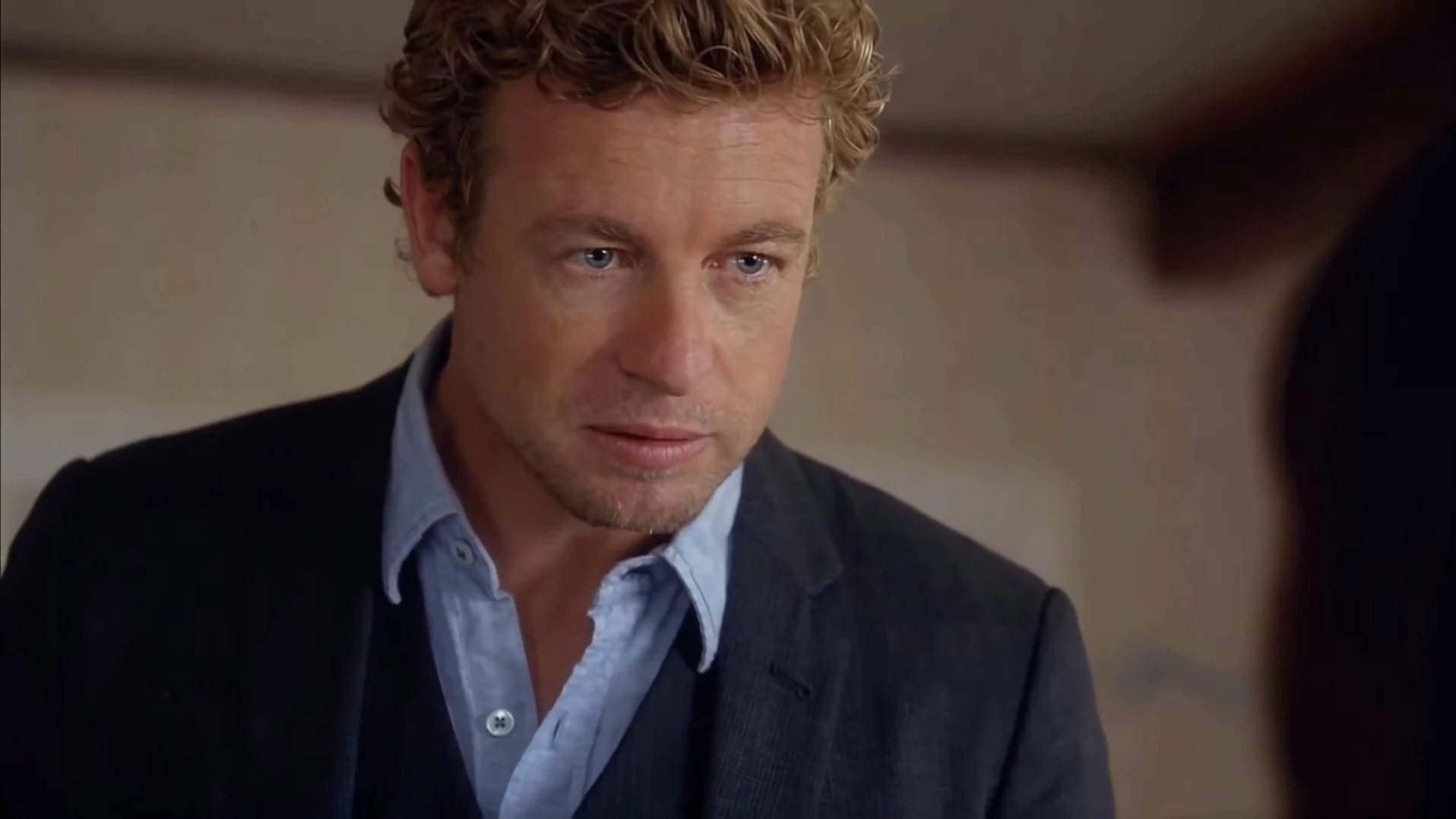
Use a frame from the close-up, just after 6.6 seconds on "I am the danger", or the held stare at the end. A clear large face reads at thumbnail size. The opening medium shot is smaller and less striking, and a frame of the listener doesn't show your face at all.

04

The first second is not the hook

The biggest laugh comes late, at 7 and 14 seconds, so put the setup in text on screen from the very start to keep people watching. Then leave the last second untouched. The silence after "knocks" is the punchline, and clipping it costs you the rewatch.

05

Handling the 16:9 frame

The video comes out landscape, like a TV scene, and looks right that way. On vertical feeds, place it in the middle with your caption in the space above it, instead of cropping. A crop of the first shot would lose the listener, and a crop of the close-up can cut off gestures.

06

Label it

Say that it is AI-made, in the caption or with the platform's AI label, and do not imply that a real person said any of this. Keep it obviously a joke, and never point it at a real person as an actual threat, since the speech is a threat if it is taken out of the meme.

Explore the The One Who Knocks trend

How to make it

Add a photo for each role shown below. All roles need a photo.

The roles in the The One Who Knocks original reference
Speaker in the The One Who Knocks source video
Speaker
  1. 01

    Upload the speaker

    Add one clear photo of yourself or of someone who agreed to appear. A sharp face near the camera with the whole head and hair visible works best, because the close-up is tight. Your outfit stays.

  2. 02

    Review quality and price

    Choose 480p, 720p or 1080p and review the quote. It includes the full video and the photo preparation.

  3. 03

    Check the close-up

    Watch your face from 7 seconds, your mouth on "I am the danger" and "knocks", and the closed lips in the final stare before downloading your landscape MP4.

01

Your face, for 8 seconds straight

More than half the clip is one unbroken close-up of the speaker. Your face, hair, build and outfit all come from your photo, so whoever you cast carries the joke.

02

The whole speech

All 15 seconds in landscape, from "You clearly don't know who you're talking to" through "I am the danger" to "I am the one who knocks" and the held stare after it.

03

The original audio

Your video keeps the clip's original voice and timing. You do not record anything, and your photo does not change the voice.

04

Just one photo

The speaker is the only role you fill. The preview is the reference clip, not an Oakgen result, and its performers are never reused: the listener is an invented woman generated for each video.

Photo tips

  • One person in the photo
  • Sharp face, close to the camera
  • Whole head and hair in frame
  • Your own outfit stays
  • Cast against type
  • Use photos of people who agreed

Questions & answers

What is The One Who Knocks trend?

It is a 15-second AI video built on the "I am the danger" speech. One person stands over someone seated on a bed and calmly says they are not in danger, they are the danger, ending in a long close-up on "I am the one who knocks". Oakgen's template puts your face, hair, build and outfit on the speaker and keeps the room, the cuts and the audio.

Where is the line from?

The line is from "Cornered", season 4, episode 6 of Breaking Bad, which aired in 2011. This is an unofficial fan-style template that is not connected to the show, and its picture is not the original footage.

Is I Am the Danger a different trend?

No. Both lines are in the same speech and the same 15 seconds. We did not find an established name for this exact template, so Oakgen uses its closing line.

Will it use my voice?

No. The video keeps the clip's original audio, so you are heard in the speech's voice, and it says "Skyler" whoever the listener looks like. You do not record anything.

Do I need a photo?

Yes, one, and it is required. The speaker in the reference is never kept, so your photo always takes the role. The listener is invented by the template and needs no photo.

Do I keep my own clothes?

Yes. There is no costume. Your outfit comes from your photo, so a hoodie stays a hoodie, which often makes the speech funnier.

Whose photos can I use?

Use photos of yourself or of people who agreed to be in the video. Do not upload photos of actors, celebrities or anyone who has not consented, label AI videos clearly when you share them and keep it obviously a joke.

Does the mouth match the words?

The mouth follows the timing of the reference performance, and the original audio is restored at the end. These are instructions to a model, so check the close-up before posting and re-run if the lips clearly drift.

How is it different from You Tweaking?

You Tweaking is a two-person reaction skit that needs two photos. The One Who Knocks is one person, one speech and a long close-up, so one face carries the whole joke.

Can I use a photo of my pet?

The template is written for a person talking in close-up. An animal photo is not blocked, but the result is untested and the mouth timing may not look right.

How long is the video?

15 seconds in landscape 16:9, from the opening warning to the held stare.

Is the preview generated by Oakgen?

No. It is the reference clip the trend comes from, not an Oakgen result. Review the face, mouth and hands in your video before sharing.

How much does it cost?

1,912 credits per 720p video. The quote includes the photo preparation and the complete video. Check it before generating.

Ideas for your next video

Plan a story, keep your character recognizable, and make the finished clip your own.

Explore the video trend playbook →

Make your The One Who Knocks video

Upload 1 photo. Everything else is set.

Make this video