
Image trend

Jack-o'-Lantern Head AI Photo: Result Checklist

A pumpkin head image can look right at thumbnail size and still have a problem up close. Work through it from the neck down before you share it.

Final image
1 still
Your input
1 photo
Price
from 51 credits
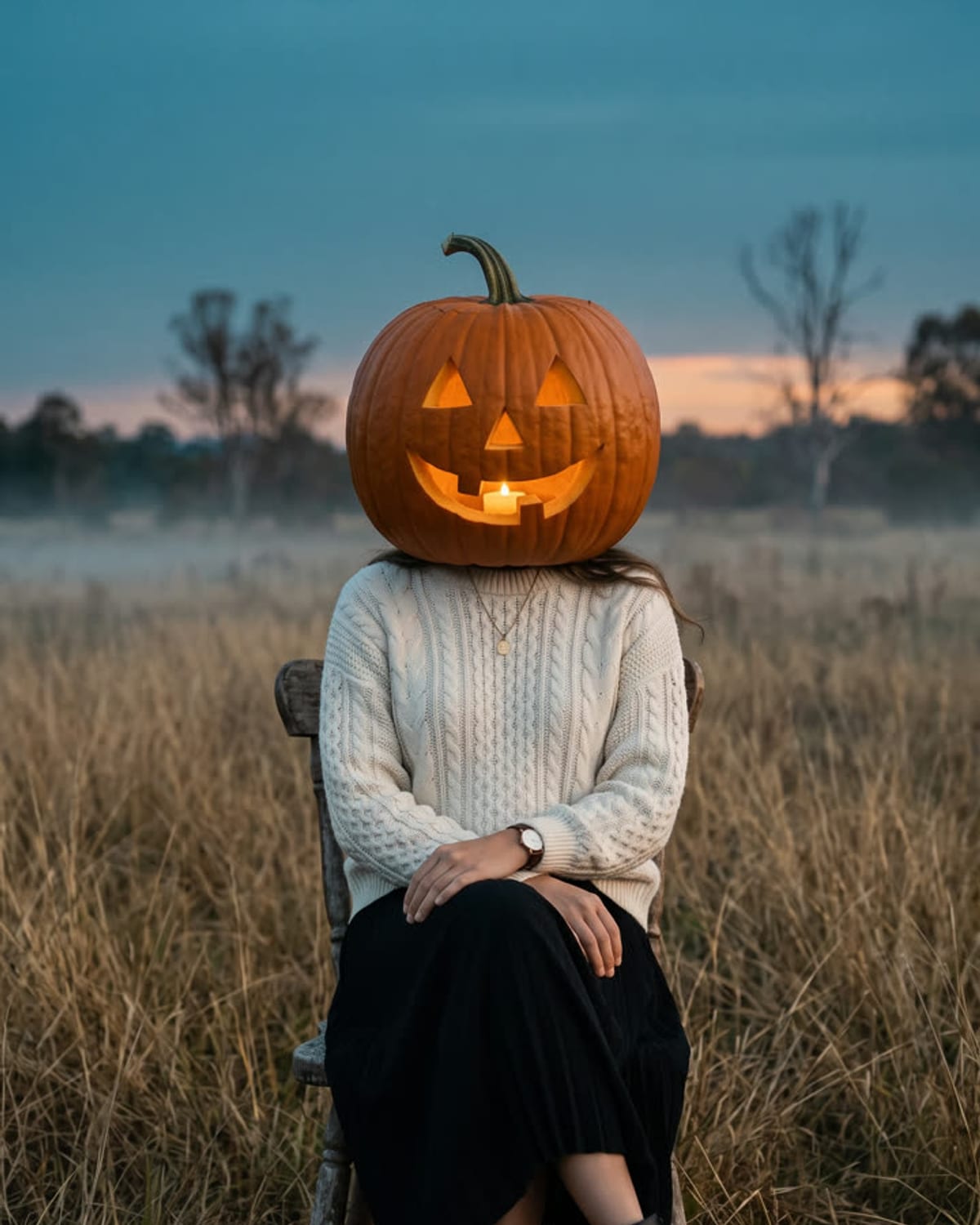
Pumpkin Head example result
Pumpkin HeadExample result

Reviewing a pumpkin head result from collar to shoes

01

Scale and seat of the pumpkin

The carved head should sit on the neck and collar at roughly the size of a real head. If it floats above the collar or swallows the shoulders, the source photo probably had the neck hidden or the person cropped too tightly at the top.

02

Clothing and hands against the original

Put the result beside your upload and compare colours, layers, logos and accessories. Then look at both hands for extra or merged fingers. These are the details friends use to recognise you, so a mismatch matters more here than in a face portrait.

03

Feet and the bottom edge

Shoes and hems should be complete, not clipped by the frame or blended into the grass. When they are missing, the cause is usually a source photo that ended at the shins; retake it with your feet in view rather than generating again from the same picture.

Explore the Pumpkin Head trend

How to make it

Your outfit, your pose, and a glowing jack-o'-lantern for a head. Add one clear photo; the look is already set.

The photo you add

  • 1. You

    A full-body or knee-up photo of you so your outfit is clearly visible.

  1. 01

    Upload your photo

    Pick a photo that shows your whole outfit.

  2. 02

    We swap the head

    Your head becomes a glowing jack-o'-lantern in about a minute.

  3. 03

    Download and post

    Save the image and share it anywhere.

01

Your own outfit

Your clothes, shoes and stance carry over, so it still reads as you.

02

A carved, glowing head

A real-looking pumpkin with a carved grin and candlelight shining through.

03

Film-photo mood

Dusky autumn light, a wide field and soft grain like a shot on film.

Photo tips

  • Whole outfit in frame, head to at least the knees
  • Standing pose with arms visible
  • Even daylight works best
  • Just you in the photo

Questions & answers

Can I make a couple portrait or choose another pumpkin-head scene?

This template is set up for one person, using one photo, in an open autumn field at dusk. It does not offer a couple mode or a scene selector. Choose a source that shows your outfit and pose; those are the personal details the pumpkin-headed portrait is designed to carry over.

How many photos do I need?

One: a photo of you that shows your outfit.

Is my photo private?

Your photos are used to make your image. Only upload photos of yourself, or of people who have agreed to it.

Can I use the result commercially?

Check your plan's terms for what you can do with generated images. They apply to your result.

How long does it take?

About a minute. You can leave the page; the finished Pumpkin Head image is saved to your assets.

Will my face still show?

No. Your head is fully replaced by the pumpkin; your outfit, body and pose are what make it yours.
Ideas for your next photo

Pick a premise, choose the right photo, and turn one finished image into a post worth sharing.

Explore the AI photo trend playbook →

Make your Pumpkin Head image

One photo, about a minute. Your clothes, a carved pumpkin head and a dusky autumn field.

Make this image