Video trend

1v1 Dunk AI Video: Cast the Attacker and the Defender

1v1 Dunk is a 15-second, portrait one-on-one basketball clip: the attacker beats the defender off the dribble, dunks, celebrates toward the camera, beats her again, dunks a second time in slow motion over her head and celebrates once more. You cast both players with your own photos, and you can also move the game to a new place with an optional location photo. This page is about the two players: what each role does, how much of each person the camera actually shows, and which photo to give each slot so the right person ends up doing the scoring.

Final video
15 seconds
Your input
2–3 photos
Quality
720p
REFERENCE RECREATION15 SEC / 9 / 16
1v1 DunkSource: @scrambledai · 1v1 basketball AI parody

Who plays which part

01

The possession in one paragraph

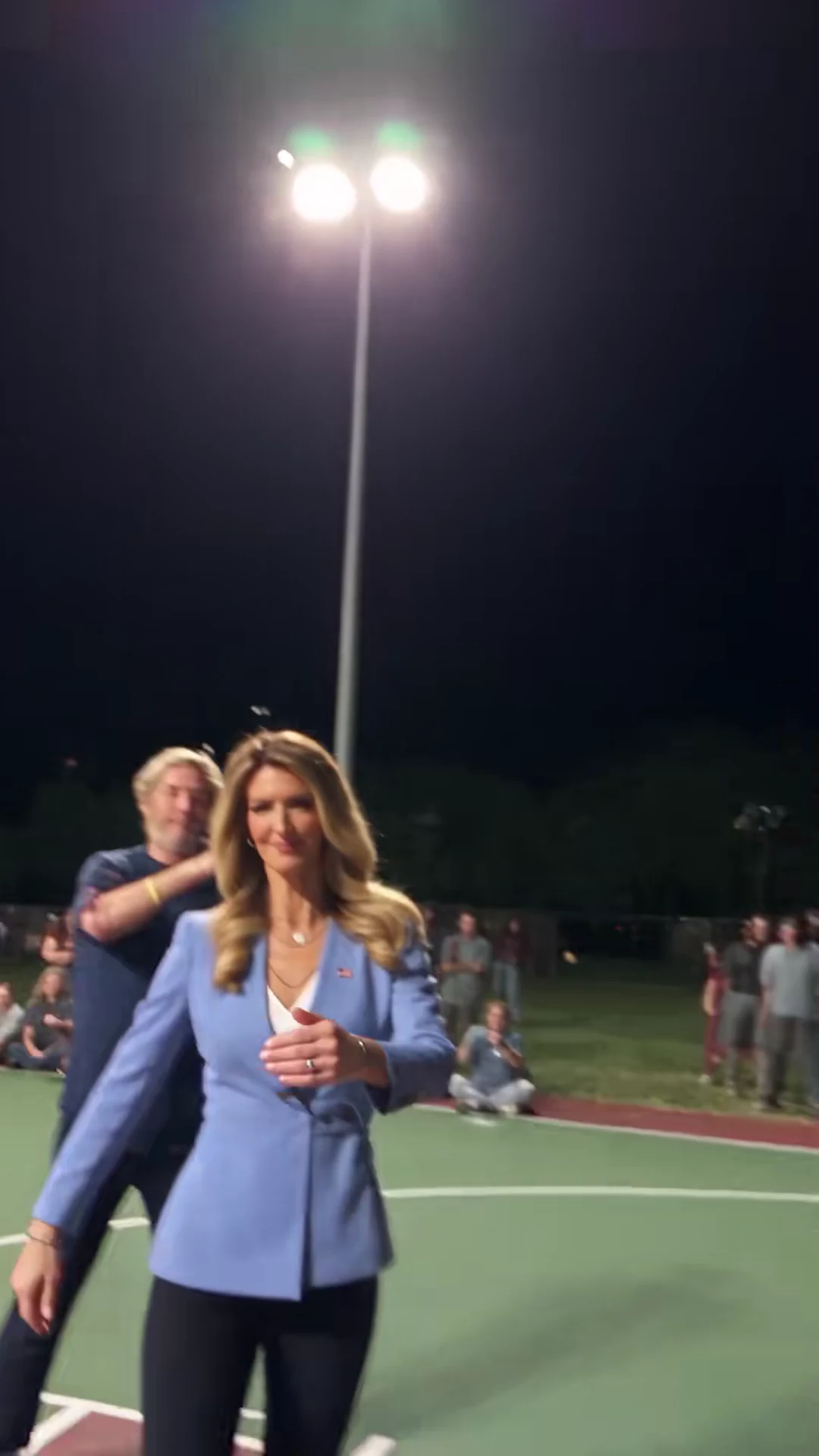
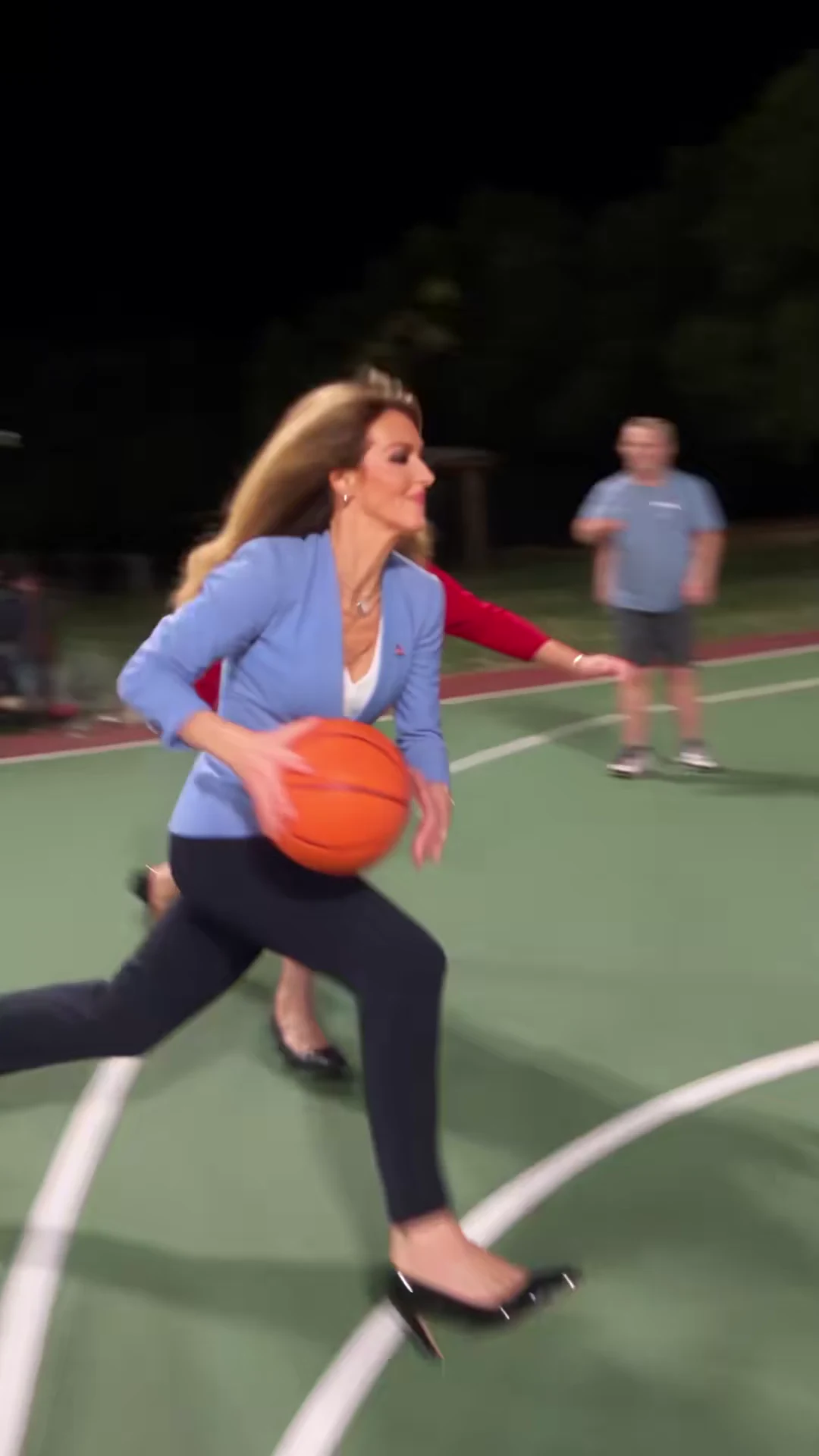
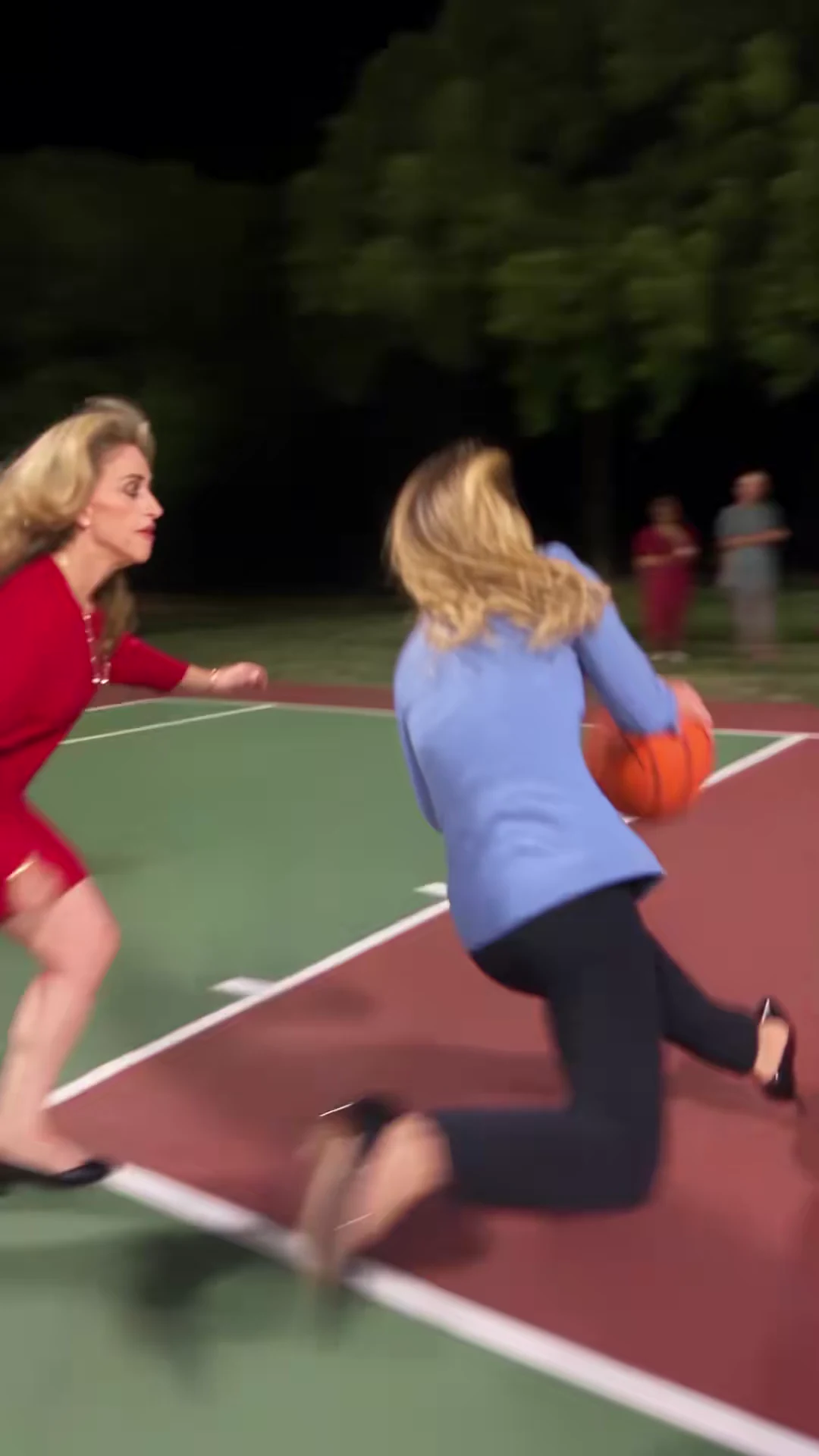
The clip opens wide on a floodlit outdoor court at night. The attacker, in a light-blue blazer, white top, black trousers and heels, crosses over and drives past the defender, who wears a red suit-style outfit. By about 1.5 seconds she is hanging on the rim for the first dunk. The ball drops through the net, and from about 3.5 to 5.8 seconds she stands near the baseline with the ball bouncing and celebrates toward the camera, a line of spectators behind her. A second drive starts at about 5.8 seconds, and from about 7.2 to 10.3 seconds she rises over the defender in slow motion, legs split, ball held above the rim. A second celebration runs from about 11.9 to 14 seconds before the camera whips up to the floodlights and back to the attacker walking toward the lens.

02

Role 1: the Attacker

The attacker is the star. She is on screen for almost the whole 15 seconds and is the only person seen facing the camera for long stretches: during both celebrations she stands still, square to the lens, at full-body or three-quarter size. That makes her face and outfit the most visible thing in the video. Put the person who should get the credit, the bragging rights or the joke in this slot. A sharp, front-facing photo with the face clearly visible and good resolution gives the template the most to work with.

03

Role 2: the Defender

The defender is seen very differently. She appears in profile during the two drives (about 0.5 to 1.2 seconds and 6.0 to 6.8 seconds) and then spends both dunks in the foreground with her back to the camera, watching the ball go through the hoop. Viewers recognise her mostly by hair, build and outfit rather than by her face. When you cast a friend here, choose a photo that shows the hair and clothing clearly as well as the face; a tight face crop gives the template little to carry into those over-the-shoulder shots.

04

Two players required, the court optional

Every 1v1 Dunk video needs two photos: one for the attacker and one for the defender. The reference players are not reused in your video, so both roles are always cast from the photos you upload, and the studio will not start a job without both. The Court slot is the only optional one: leave it empty to keep the original floodlit night court, or add a location photo to move the game somewhere else. That makes two or three photos per video. The credit quote always includes preparing both player photos; a location photo adds no character preparation. Read the quote before you generate.

05

Choosing who scores on whom

The roles are not symmetrical, so the casting is the joke. The attacker gets two dunks and two celebrations; the defender gets beaten twice and watches from behind. If you want a rematch with the roles reversed, that is a second video with the photos swapped between the two slots, not a setting inside one video. Use photos of yourself or of people who have agreed to appear, one person per photo.

06

What your photos do not change

The choreography, cuts, slow-motion timing, single ball and hoop are part of the template. Your photos change who plays each part; they do not add moves, change who wins or put the two players face to face at the end. The source's sound is kept: there is no speech, and the audio carries the label "original sound - Scrambled.ai" with no named song. The preview on the trend page is the credited source clip, not an Oakgen result.
Explore the 1v1 Dunk trend

How to make it

Add a photo for the attacker and defender. The court is optional: add a photo to change it.

Attacker in the 1v1 Dunk source video
Attacker
Defender in the 1v1 Dunk source video
Defender
Court in the 1v1 Dunk source video
Court
  1. 01

    Pick your players and court

    Upload a clear photo for the attacker and one for the defender, and optionally a photo of the place you want them to play. Full-body photos carry the outfit through the jumps.

  2. 02

    Review quality and price

    Choose 480p, 720p or 1080p and review the quote. It includes the full video, both player preparations and the scene preparation.

  3. 03

    Check the dunks

    Watch the ball, hands and rim on both dunks, the defender's rear views and the taunt before downloading your portrait MP4 with the original sound.

01

Three things to swap

Both players come from your photos: each takes their face, hair and outfit from their own upload. An optional location photo moves the whole game somewhere else, from a school gym to an office or a beach court.

02

The whole possession

The 15-second portrait clip keeps the crossover and drive, the first dunk, the taunt to the camera, the second drive and the slow-motion flying dunk over the defender, with the original whip-pan cuts.

03

A friendly taunt

The template asks for the attacker's celebration as a raised "number one" finger toward the camera. Check the celebration frames before you share.

04

An attributed AI source

The preview is @scrambledai's AI basketball parody, used as the motion and timing reference. It is not an Oakgen-generated result, and its players are never reused: both roles come from your photos.

Photo tips

  • One person per photo
  • Show the outfit you want on court
  • Keep faces and hair clear
  • Pick visibly different players
  • Use a wide, well-lit location photo
  • Check the ball and rim on both dunks

Questions & answers

What is the 1v1 Dunk trend?

It is a one-on-one AI basketball parody: the attacker crosses over and drives past the defender, dunks, taunts the camera, then finishes a slow-motion flying dunk over the defender. 1v1 Dunk is Oakgen's name for it, taken from the "1v1" and "dunk" wording creators use for these basketball templates.

Can I change the court?

Yes. Add a location photo in the Court slot and the whole game moves there, while the hoop, ball, players and camera moves stay. Leave it empty to keep the floodlit outdoor night court.

Do I have to replace both players?

Yes. The attacker and the defender each need a photo, so the reference players never appear in your video. The court is optional: leave it empty to keep the floodlit outdoor night court.

Which player is the attacker?

The attacker has the ball the whole time: they drive, dunk twice and celebrate toward the camera. The defender guards the drive and is mostly seen from behind in the foreground during the dunks.

How is it different from Poster Dunk?

Poster Dunk is a single slow-motion dunk on a fixed court. 1v1 Dunk follows a full one-on-one possession with two dunks and a taunt, and it lets you replace the court as well as both players.

How long is the video?

The output is 15 seconds in portrait 9:16 format, matching the reference from the first dribble to the final walk toward the camera.

Does it keep the original sound?

Yes. The final MP4 keeps the reference's music and crowd sound. The source labels it only as original sound, so we do not name a track or artist.

Whose photos can I use?

Use photos of yourself or of people who agreed to be in the video. Do not upload photos of public figures or anyone who has not consented.

Is the preview generated by Oakgen?

No. It is the attributed source AI parody, shown for its moves and timing. Your result uses your two players and, if you add one, your court; review the ball, hands, faces and the celebration before sharing.

How much does it cost?

3,173 credits per 720p video. The quote includes both player preparations, the scene references and the complete video; a court photo adds no character preparation. Check the quote before generating.

Ideas for your next video

Plan a story, keep your character recognizable, and make the finished clip your own.

Explore the video trend playbook →

Make your 1v1 Dunk video

Upload 2–3 photos. Everything else is set.

Make this video