 Oakgen.ai
What you add
One photo, for the lead in the suit. It is required. There are no other roles to fill: the defender, the other players, the referees and the fans stay as they are in the reference.
Video trend
Before you make the video it helps to know exactly what the template asks for and what it gives back. There is one photo slot, three quality settings and one fixed look. Here is what each part does, what the quote includes and what lands in your downloads.
One photo, for the lead in the suit. It is required. There are no other roles to fill: the defender, the other players, the referees and the fans stay as they are in the reference.
Quality: 480p, 720p or 1080p. Higher quality costs more. The look, the length and the move are the same at every setting, so 480p is a cheap way to check that your photo works.
The black suit, white shirt, dark tie and dress shoes, the packed arena, the move from the sideline dribble to the closing walk, every cut and the timing. Uniforms, court paint and the ball are asked to carry no names, numbers or logos.
The quote in the studio covers three things: preparing your photo, preparing four scene references that show you in the suit at key moments, and making the complete 15-second video. You see the full number before you start.
A 15-second portrait 9:16 MP4 with the original soundtrack, ready for Reels, TikTok or Shorts.
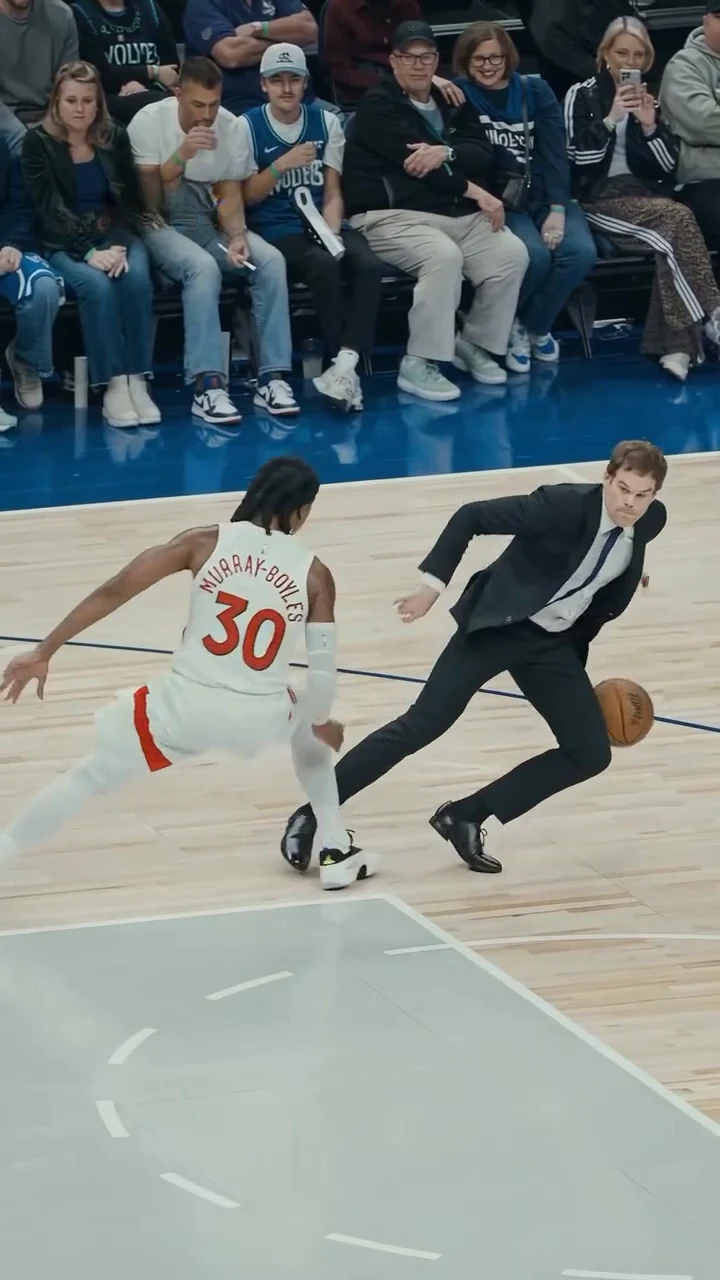
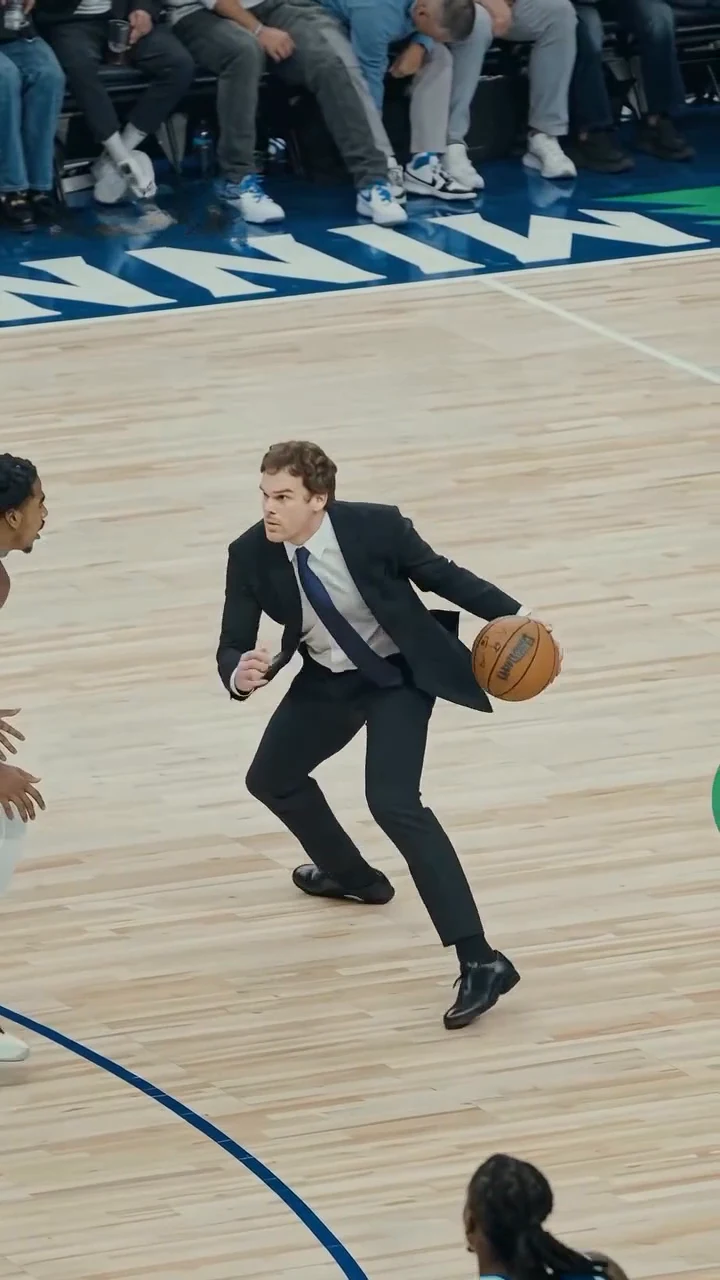
The clip on the trend page is the AI reference the trend comes from, shown for motion and timing. It is not an Oakgen result, and its player is never reused in your video.
Add a photo for the lead.
Add one clear photo of yourself or of someone who agreed to appear. A sharp, front-facing face with the whole head and hair visible works best; the outfit does not matter, the suit is added.
Choose 480p, 720p or 1080p and review the quote. It includes the full video, the photo preparation and four scene references.
Watch the ball and hands in the low crossovers, the defender's fall, the face in the closing walk and the suit in every shot before downloading your portrait MP4.
Your photo sets the face, hair and build. The black suit, white shirt, dark tie and dress shoes are the look of the trend, so you wear them whatever your photo shows.
All 15 seconds in portrait: the sideline dribble, the crossovers at the centre circle, the step that sends the defender to the floor, the jump shot through the net and the walk toward the camera with arms spread.
Your video keeps the clip's original soundtrack. Nobody sings or talks along to it.
The preview is the AI reference clip the trend comes from, not an Oakgen result, and its player is never reused: the role always comes from your photo. Team names, numbers and logos are left off the result.
It is a 15-second portrait AI clip of someone in a black suit and tie taking over a professional basketball game: they dribble up the sideline, cross up a defender in white at the centre circle until he loses his footing and goes down, keep the ball, hit a jump shot that drops through the net and walk toward the camera with arms spread. Oakgen's template puts your face and hair on the person in the suit and keeps the arena, the move and the sound.
"Ankle breaker" is what basketball fans call a move that makes a defender stumble or fall, and it is a common tag on AI basketball clips. We did not find an established name for this exact clip, so Oakgen names it after what you see: an ankle breaker by someone in a suit.
The suit is part of the trend. Whatever you wear in your photo, the video dresses you in the black suit jacket and trousers, white shirt, dark tie and black dress shoes. Your face, hair and build come from your photo.
Yes, one, and it is required. The player in the reference is never kept, so your photo always takes the role. Everyone else in the arena stays in the background.
Use photos of yourself or of people who agreed to be in the video. Do not upload photos of athletes, celebrities or anyone who has not consented, and label AI videos clearly when you share them.
No. The template asks for plain blue and plain white uniforms, plain court paint and a plain ball, with no team names, numbers or logos, and nothing printed on your suit. The arena, crowd and lighting stay. These are instructions to the model, so check the frames before posting.
It keeps the reference clip's original soundtrack. We do not name a song or artist we could not confirm, and nobody in the video sings or speaks along to it.
Forever Dunk is one person in their own clothes running the floor for a dunk and a scream. 1v1 Dunk is a two-player one-on-one with two dunks. Suit Ankle Breaker is about the crossover: you are in a black suit, the defender falls, and you finish with a jump shot.
The template is written for a person dribbling and shooting in a suit. An animal photo is not blocked, but the result is untested and the crossovers may not look right.
15 seconds in portrait 9:16, from the sideline dribble to the walk toward the camera.
No. It is the AI reference clip the trend comes from, not an Oakgen result. Review faces, hands and the ball in your video before sharing.
3,152 credits per 720p video. The quote includes the photo preparation, four scene references and the complete video. Check it before generating.
Plan a story, keep your character recognizable, and make the finished clip your own.
Make the Suit Ankle Breaker AI trend step by step: pick the photo, know what the suit does, read the quote, check the crossover and post your 15-second video.
What the Suit Ankle Breaker AI trend shows, what an ankle breaker is, what we know about the clip's name and sound, and how Oakgen rebuilds it from one photo.
Upload 1 photo. Everything else is set.