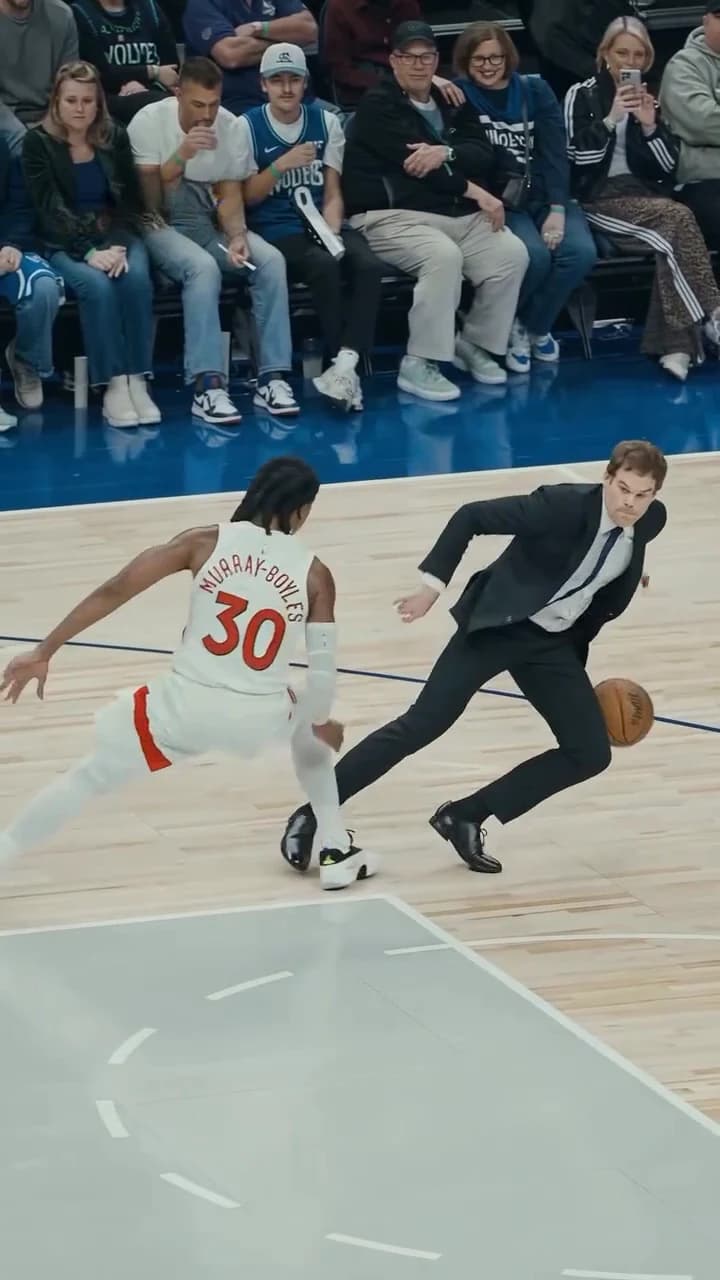
The Suit Ankle Breaker AI trend puts you on a professional basketball court in a black suit and tie. You take the ball up the sideline, cross up a defender at the centre circle until he loses his footing and goes down, hit a jump shot and walk toward the camera with your arms spread. You supply one photo. This guide goes from that photo to posting, in order. If you want to know what the clip is and how the template rebuilds it first, read the Suit Ankle Breaker trend explained.
Put on the suit and break some ankles
Add one photo, review the quote and make the 15-second Suit Ankle Breaker video with the original sound.
What the template gives you
One portrait 9:16 video, 15 seconds long at 24 fps, with the reference's original soundtrack. You replace one person, the one in the suit. Everything else is set: the packed arena, the players in white and blue, the defender who falls, the referees, the fans and the camera.
| Time (about) | What happens | Your face on screen |
|---|---|---|
| 0 to 2 s | Sideline dribble in front of the courtside fans | Small, full figure |
| 2 to 5 s | Past a player in blue, squaring up to the defender | Yes, getting closer |
| 5 to 9 s | Low crossovers, the ball between your hands | Partly, head often down |
| 9 to 11 s | You step past, the defender falls | Side-on |
| 11 to 13.3 s | Jump shot, wide shots as the ball drops in | Small |
| 13.3 to 15 s | You walk toward the camera, arms spread | Large, frontal |
The timings are rounded from the reference clip. The move-by-move breakdown describes each part in more detail.
Step 1: Pick the photo
Use one photo of one person: you, or someone who agreed to appear. Never an athlete, a celebrity or anyone who has not consented. What matters, in order:
- A sharp, front-facing face. You move fast for most of the clip, so the face has to be clear in the photo to come through.
- The whole head and hair. In the crossovers your head is bent over the ball, and the top of your hair carries the identity.
- Your build, if you can. A photo that shows your shoulders helps the model fit the suit, but the face matters more.
Avoid group photos, sunglasses, caps and heavy filters. The template will not start without the photo. What your photo controls goes into the hard moments for a photo in this clip.
Step 2: Know what happens to your outfit
This trend has a fixed look, and it is the joke: an office outfit in the middle of a pro game. Whatever you wear in your photo, the video dresses you in a black single-breasted suit jacket worn open, matching black trousers, a white dress shirt, a dark navy tie and black dress shoes. Nothing is printed on any of it.
Your haircut, hair length and hair colour stay your own.
Step 3: Pick a quality and read the quote
Open the Suit Ankle Breaker template, add your photo to the Lead slot and pick 480p, 720p or 1080p. 720p is preselected. The studio shows the price before you generate. The quote covers your photo preparation, four scene references of you in the suit and the full video. To test a new photo, the lowest quality is the cheapest way to see how it comes out. Settings, price and output explains each choice.
Step 4: Know what to expect
We have not timed a run, so we will not promise a wait. Three things to know before it lands:
- The move is fast. The crossovers happen in a few seconds, and the camera moves with them. Some motion blur is part of the footage.
- The sound is the reference's own. We do not name a song or artist we could not confirm. Your video keeps the original soundtrack, and nobody in it sings or talks along.
- The preview is the AI reference. The trend page shows the AI clip the trend comes from. We have not reviewed a generated result yet, so use the preview for the move and timing only.
Step 5: Check it, then post it
Watch it once at full speed and once slowly through the crossovers. Count the balls (there should be one), check the defender's fall and look at your face in the closing walk. The result checklist covers each check and when to re-run.
Then let the suit do the work. A deadpan caption fits, like "Came straight from the office". Keep text in the top of the frame, away from the move, and use the moment the defender goes down as the cover. There is more in captions and posting tips.
Say that the video is AI-made, and use photos only of people who agreed to appear.
Related reading
- The Suit Ankle Breaker trend explained: what the clip is, why it is called that and how the template rebuilds it.
- The move by move: every part of the 15 seconds.
- How to check your result: the ball, the fall, the face and the suit.
Frequently asked questions
How many photos do I need for the Suit Ankle Breaker video?
One, for the person in the suit. It is required, and there are no other roles to fill.
Do I keep my own clothes?
No. The black suit jacket and trousers, white shirt, dark tie and black dress shoes are the look of the trend and are put on you. Your face, hair and build come from your photo.
What shape and length is the video?
15 seconds, portrait 9:16, from the sideline dribble to the walk toward the camera.
Does the video have sound?
Yes. It keeps the reference clip's original soundtrack. We do not name a song or artist we could not confirm.
Is the preview video made by Oakgen?
No. It is the AI reference clip the trend comes from. It is not an Oakgen result.