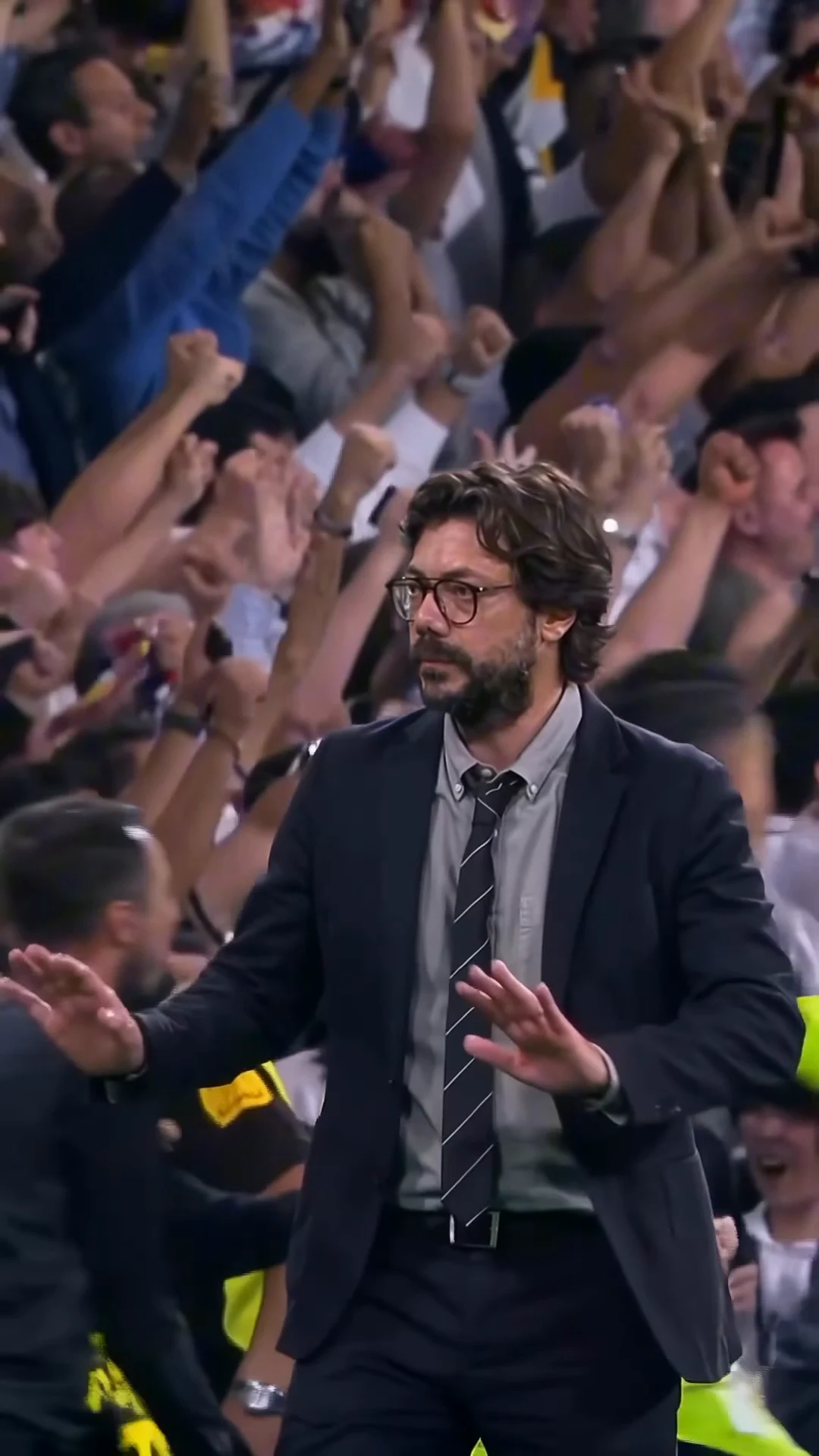
Stadium Calm Down is a 9-second clip of one man in a dark suit and dark-rimmed glasses at a packed football stadium at night. The crowd behind him is screaming with fists in the air; he turns away from it, walks forward and calmly presses both palms down, as if to tell everyone to relax. You supply the face. This guide goes from choosing the photo to posting, in order. When your video is back, the companion article, checking your Stadium Calm Down result, walks through it second by second.
Be the calm one in the stadium
Add one photo, review your credit quote and make the 9-second Stadium Calm Down in a suit with the original soundtrack.
What the template gives you
One continuous portrait shot, about 9 seconds long, with the clip's original soundtrack. You replace the man in the suit. Everything else stays: the packed stand of fans in white, the stewards in yellow vests, the people who pass behind him, the handheld camera that follows him and the timing of every step.
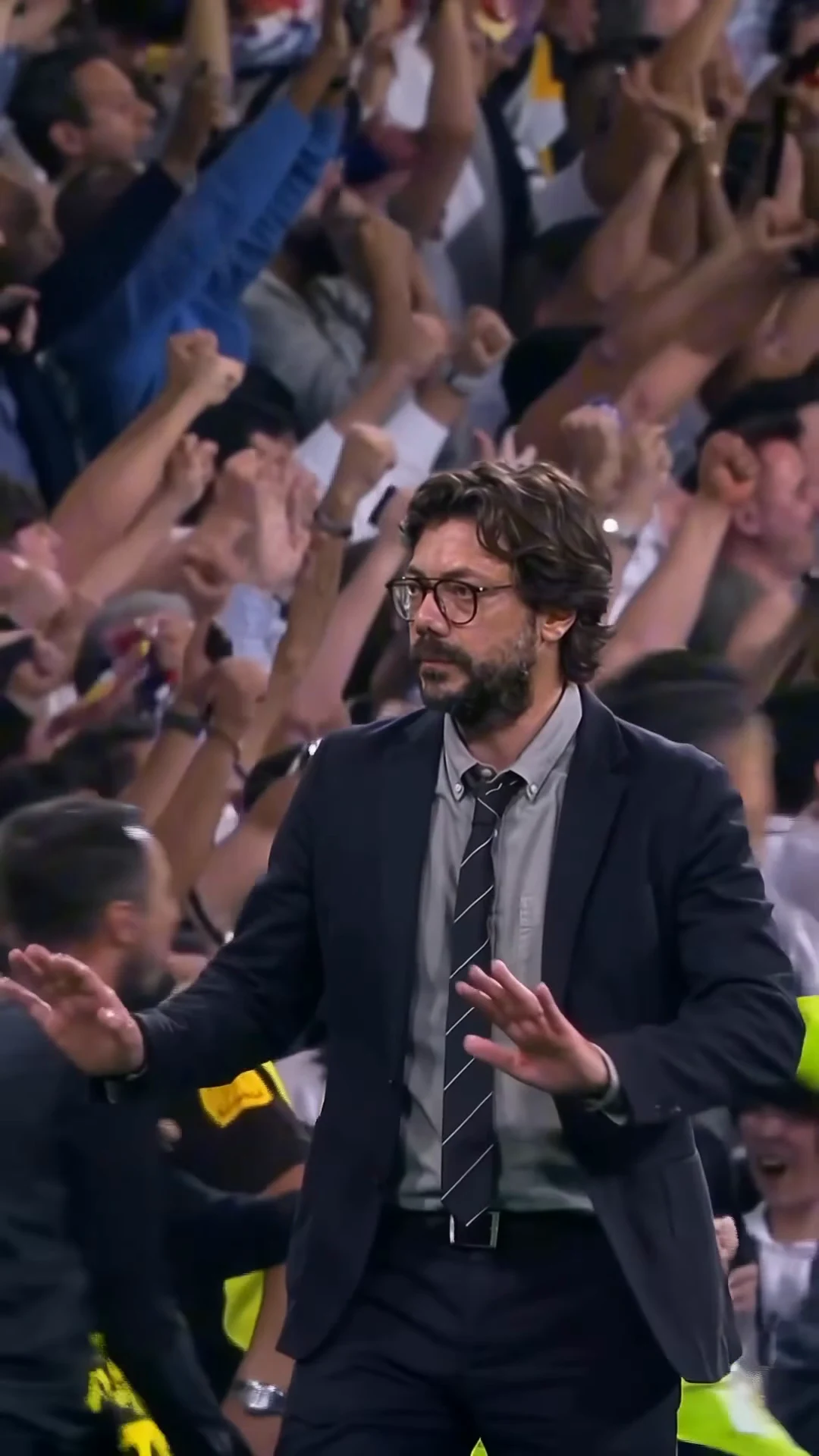
The palms-down moment from the reference clip, not an Oakgen output. At about 4 seconds your version should hold the same calm gesture.
| Time (about) | What happens |
|---|---|
| 0 to 1 s | Back three-quarter to the camera, facing the crowd |
| 1 to 2.5 s | He turns toward the camera and takes a step |
| 2.5 to 6 s | Both palms flat and facing down, pressed down slowly as he walks |
| 6 to 7 s | A man in a dark jacket crosses the left side of the frame |
| 7 to 9 s | Players in white walk past behind him; the gesture holds to the end |
Step 1: Pick the photo
The photo decides who the man is: face, hair, facial hair, skin tone and build. What matters, in order:
- A sharp face toward the camera. From about 2.5 seconds to the end you are on screen from the waist up, so the face is most of the video.
- The whole head in frame. The clip opens from behind, so the back and side of your hair show before your face does.
- A straight or neutral face. The template keeps the calm expression of the reference. A photo with a neutral face matches it better than a wide grin.
Avoid group photos, heavy filters and dark shadows across the face. More on choosing is in Stadium Calm Down AI video from one photo.
Step 2: Know what the suit and glasses change
The outfit is part of the trend, so it does not come from your photo. Whatever you wear in it, the video dresses you in a dark navy suit, a light grey button-down shirt, a dark tie with thin light stripes, a black belt, a watch and thick dark-rimmed glasses. Your own hair and facial hair stay; if you are clean-shaven you stay clean-shaven.
If you wear glasses of your own, a photo without them is the cleaner choice, because the template adds its own pair.
Step 3: Read the quote
Open the Stadium Calm Down template, add the photo to the slot and pick a quality: 480p, 720p or 1080p. The studio shows the credit price before you generate. It covers the full video, your photo preparation and three scene references made from it. A 480p run is the cheaper way to test a photo before paying for 1080p.
Step 4: Check the result
Watch it once with sound and once muted. Look for your face through the turn at about 1 to 2.5 seconds, both hands flat with five fingers each during the gesture, the glasses staying on and nobody in the background picking up your face. The second-by-second checklist covers each stretch and the one change to try if something is off.
Step 5: Post it
The contrast is the joke, so keep the caption short and dry. The post this template comes from used "He is nonchalant"; the nonchalant stadium trend explained covers why that works. Stadium walk captions and posting tips has more formats and where text fits on the frame. Say that the video is AI-made, and use photos only of people who agreed to appear.
Related reading
- The song behind the clip: the "Isn't it lovely" line and what we could and could not confirm.
- The calm-down gesture, second by second: the whole moment in order.
- Another one-photo trend in a suit, with dancing this time: how to make the Toosie Slide AI trend.
- Another football stadium trend, for three people: how to make the Beer Spill Kick AI trend.
Frequently asked questions
How many photos do I need for the Stadium Calm Down trend?
One. It is required, because the man in the reference is AI-generated and may resemble a real person, so his face is never kept in your video.
Do I need a photo in a suit?
No. The template dresses you in the dark suit, grey shirt, striped tie and dark-rimmed glasses whatever your photo shows. Your face, hair and facial hair come from the photo.
What song is in it?
The soundtrack sings "Isn't it lovely, all alone", which matches the chorus of "lovely" by Billie Eilish and Khalid (2018). We matched it from the words; the post did not label the song. Your video keeps the original soundtrack.
What shape and length is the video?
9 seconds, portrait 9:16, one continuous handheld take.
Is the preview video made by Oakgen?
No. It is the original reference clip with its app badge removed. It is not an Oakgen result.